为什么用语音為甚麼用語音Why use voice
- 说自己的话就行:不用背固定口令。「客厅放点轻松的」「主卧大声一点」「换下一首」都听得懂,按你的意思去做。說自己的話就可以:毋須背誦固定指令。「客廳放些輕鬆的」「主臥大聲一點」「換下一首」都聽得懂,按你的意思去做。Speak in your own words: no fixed phrases to memorise. "Play something chill in the living room", "turn it up in the bedroom", "skip this one" — it understands and does what you meant.
- 边说边看,像 Siri:识别结果会以实时字幕显示出来。万一听岔了,你当场就看得到,不会播错半天才发现。邊說邊看,就像 Siri:辨識結果會以即時字幕顯示出來。萬一聽錯了,你當場就看得到,不會播錯了好一會兒才發覺。See it as you speak, like Siri: what it hears appears as a live caption. If it mishears, you catch it right away instead of finding out after the wrong song is already playing.
- 对粤语和夹杂口语更友好:粤语、普通话、甚至中英夹杂(「播首 Beyond 嘅歌」)都识别得更准 —— 这正是官方 Sonos App 做不到的。對粵語和夾雜口語更友善:粵語、普通話,甚至中英夾雜(「播首 Beyond 嘅歌」)都辨識得更準 —— 這正是官方 Sonos App 做不到的。Friendlier to Cantonese & mixed speech: Cantonese, Mandarin, even mixed Chinese-English ("play a Beyond song") land far more accurately — something the official Sonos app simply doesn't do.
开始前你需要開始前你需要Before you start
- 装好 ZoneFoundry 的 iPhone,并已经能看到你的 Sonos 房间已安裝 ZoneFoundry 的 iPhone,並已能看到你的 Sonos 房間An iPhone with ZoneFoundry installed and your Sonos rooms already showing up
- 已登录 Sonos 账户(不需要桥)。只连同一个 Wi-Fi、没有登录时,助手不能用已登入 Sonos 帳戶(毋須橋接)。只連同一個 Wi-Fi、未登入時,助手無法使用Signed in to your Sonos account (no bridge needed). On Wi-Fi alone without signing in, the assistant isn't available
- 第一次使用助手时,同意 AI 处理你的指令首次使用助手時,同意 AI 處理你的指令On first use, agree to let AI process your commands
- 允许麦克风和语音识别两个权限(系统各询问一次)允許麥克風及語音辨識兩項權限(系統各詢問一次)Allow both microphone and speech recognition access (iOS asks once for each)
- 给房间起个你平时会叫的名字(例如「客厅」「主卧」),说起来更顺、也更准替房間起一個你平日會叫的名字(例如「客廳」「主臥」),說起來更順,也更準確Name your rooms the way you actually call them (e.g. "Living room", "Bedroom") — it speaks more naturally and lands more accurately
步骤步驟Steps
打开「助手」标签,点一下语音球打開「助手」分頁,點一下語音球Open the Assistant tab and tap the orb
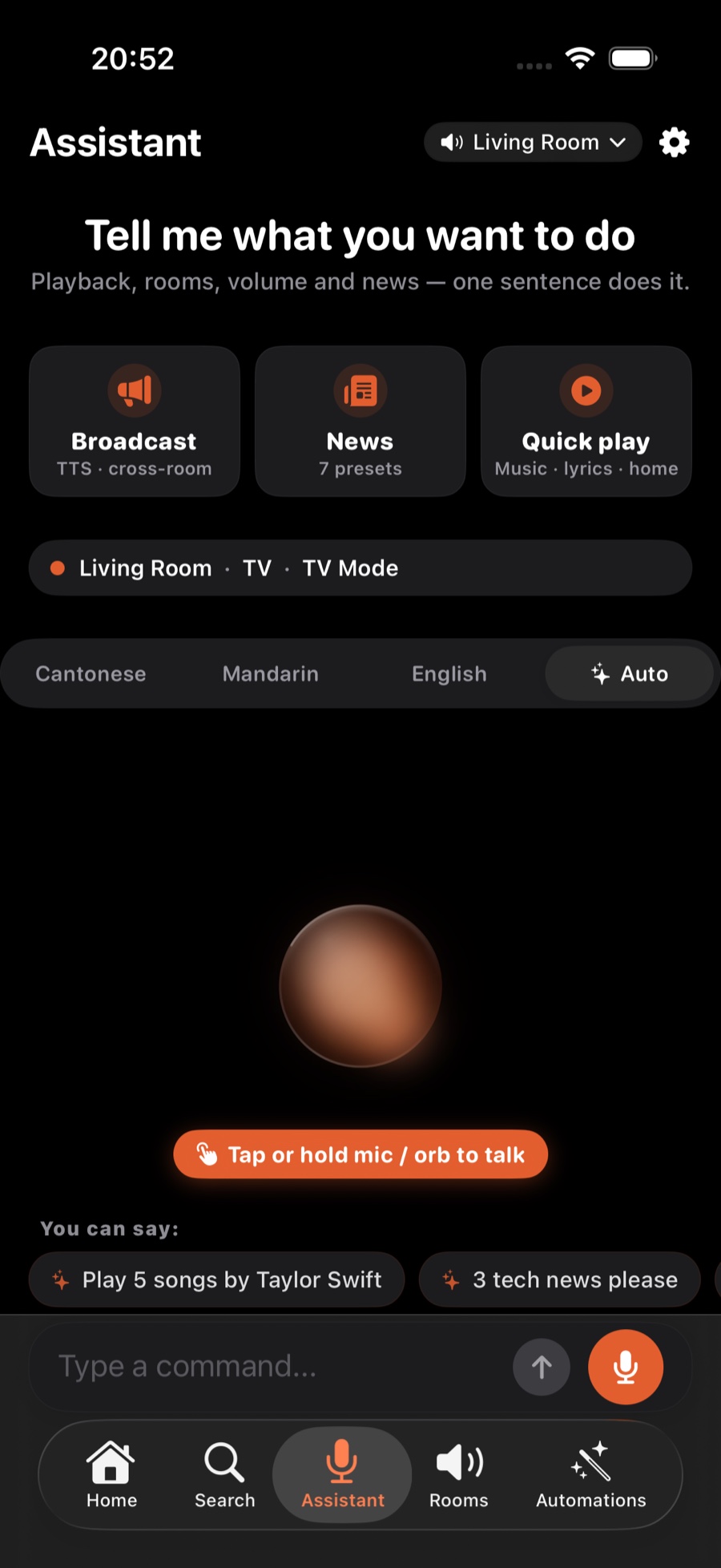
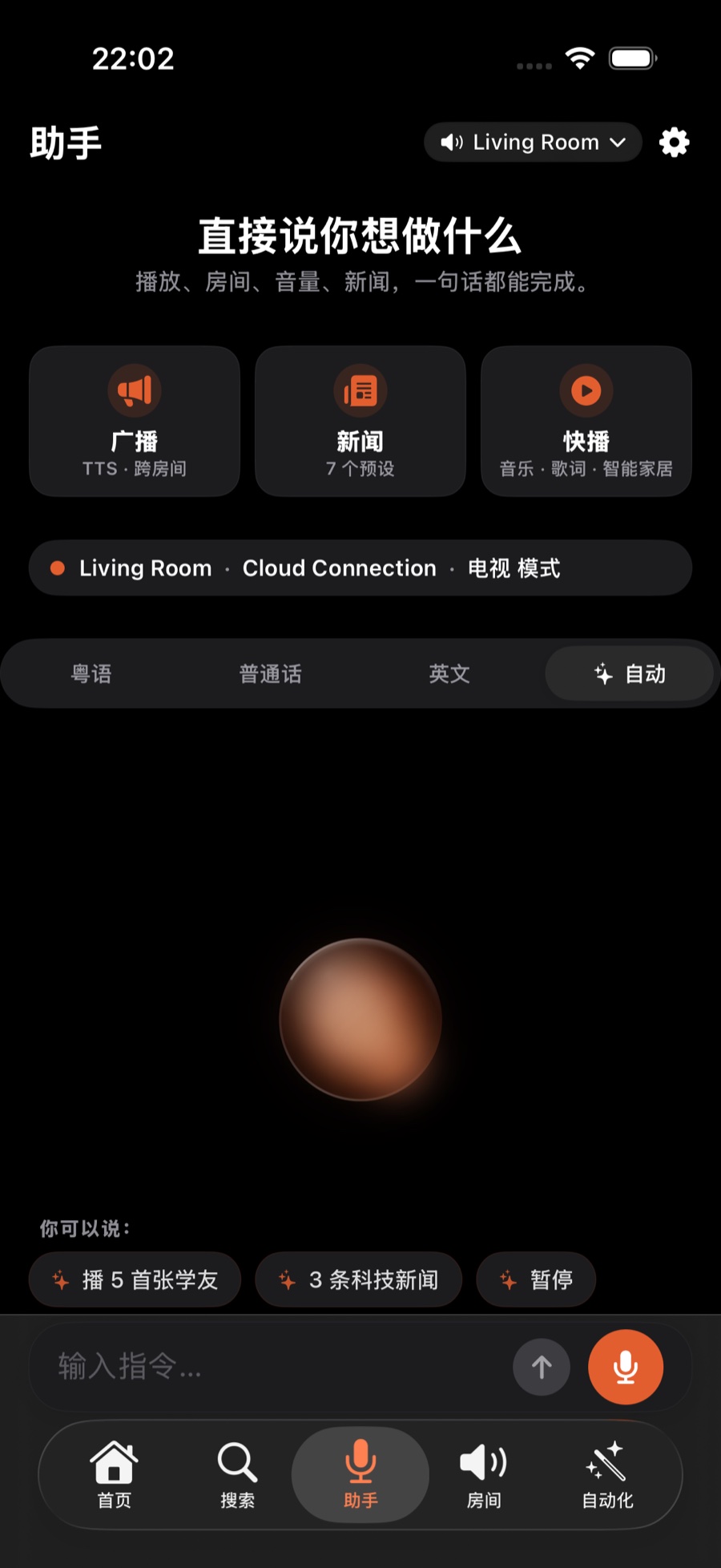
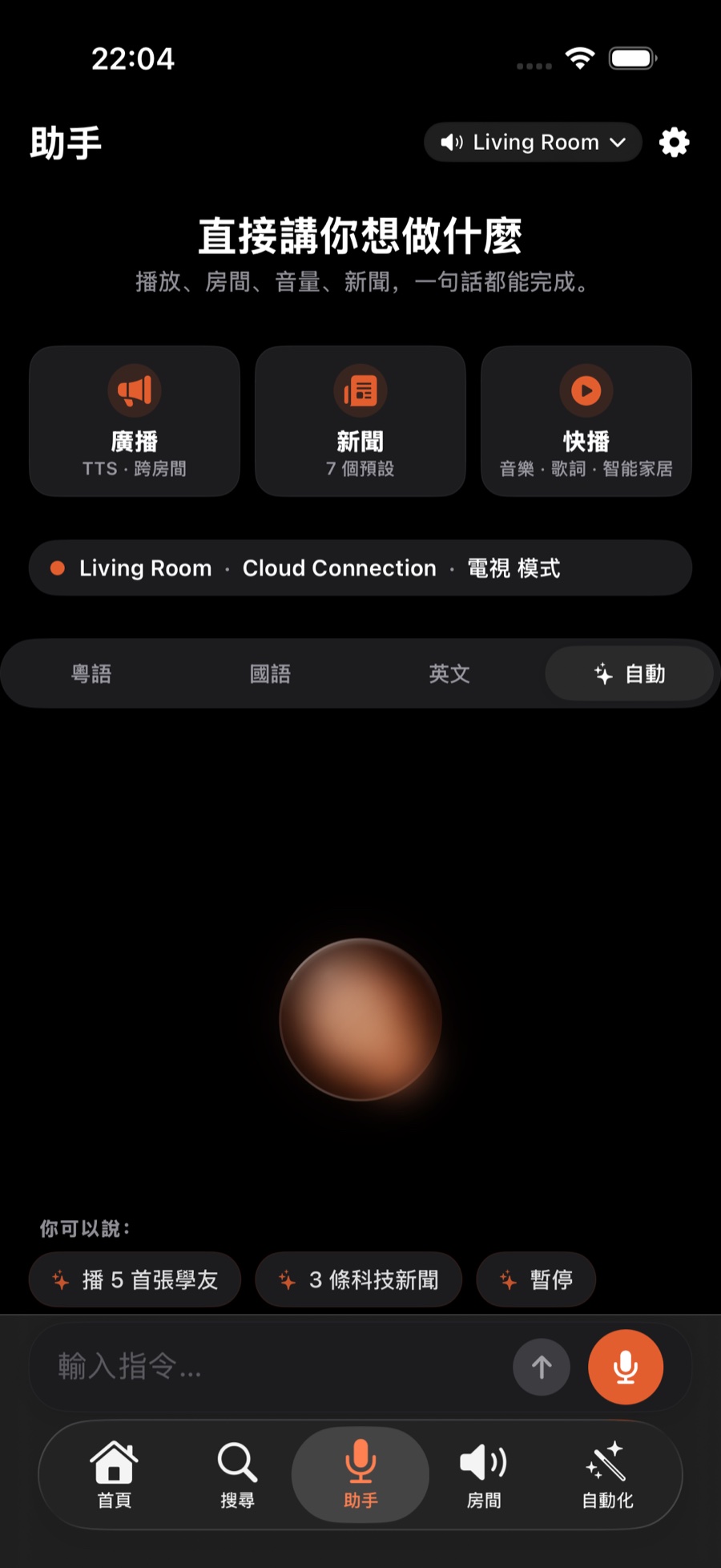
在 ZoneFoundry 底部切到「助手」标签,中间那颗就是语音球。轻点一下开始说话;也可以按住说话、松手发送。想用全屏的语音界面,到设置(首页右上角齿轮)→ 语音助手(1.0.10 及更早在「声音与语音」里),打开「语音全屏模式」,之后按住语音球就会进入全屏。首页也有语音入口,长按就直接开始说话,不用切页;不方便出声时,在助手页的「输入指令…」框里直接打字也可以。在 ZoneFoundry 底部切換至「助手」分頁,中間那顆就是語音球。輕點一下開始說話;也可以按住說話、放手發送。想用全螢幕的語音介面,到設定(首頁右上角齒輪)→ 語音助手(1.0.10 及更早版本在「聲音與語音」裡),開啟「語音全屏模式」,之後按住語音球便會進入全螢幕。首頁也有語音入口,長按就直接開始說話,毋須切換頁面;不方便出聲時,在助手頁的「輸入指令…」欄直接打字也可以。Switch to the Assistant tab at the bottom of ZoneFoundry — the orb is in the middle. Tap it once to start talking, or press and hold to talk and release to send. For a full-screen voice view, go to Settings (the gear at the top right of Home) → Voice Assistant (Audio & Voice in 1.0.10 and earlier) and turn on "Full-screen voice mode"; after that, press and hold the orb to go full screen. Home has a voice button too — long-press it to start talking without switching tabs. If you can't speak out loud, type into the command box on the Assistant tab instead.
用平时说话的方式讲一句用平日說話的方式講一句Just say it the way you'd say it
不用背口令,直接说你想要的。例如「客厅播陈奕迅」「主卧放点轻音乐」「下一首」。房间名和歌手名放在同一句里没问题,但一句话只做一件事:想换歌再调音量,请分两次说。说话的语言可以在助手页顶部的切换条选(自动、粤语、普通话、英语),也可以到 设置 → 语音助手(1.0.10 及更早在「声音与语音」里)→「语音输入语言」修改。毋須背誦指令,直接說出你想要的。例如「客廳播陳奕迅」「主臥放些輕音樂」「下一首」。房間名與歌手名放在同一句裡沒問題,但一句話只做一件事:想換歌再調音量,請分兩次說。說話的語言可以在助手頁頂部的切換列選擇(自動、粵語、普通話、英語),也可以到 設定 → 語音助手(1.0.10 及更早版本在「聲音與語音」裡)→「語音輸入語言」修改。No commands needed — just say what you want. For example "play Eason Chan in the living room", "put on some soft music in the bedroom", or "next track". A room name and an artist in one sentence is fine, but each sentence does one thing: to change the song and the volume, say them separately. Pick the language with the switcher at the top of the Assistant tab (Auto, Cantonese, Mandarin, English), or under Settings → Voice Assistant (Audio & Voice in 1.0.10 and earlier) → voice input language.
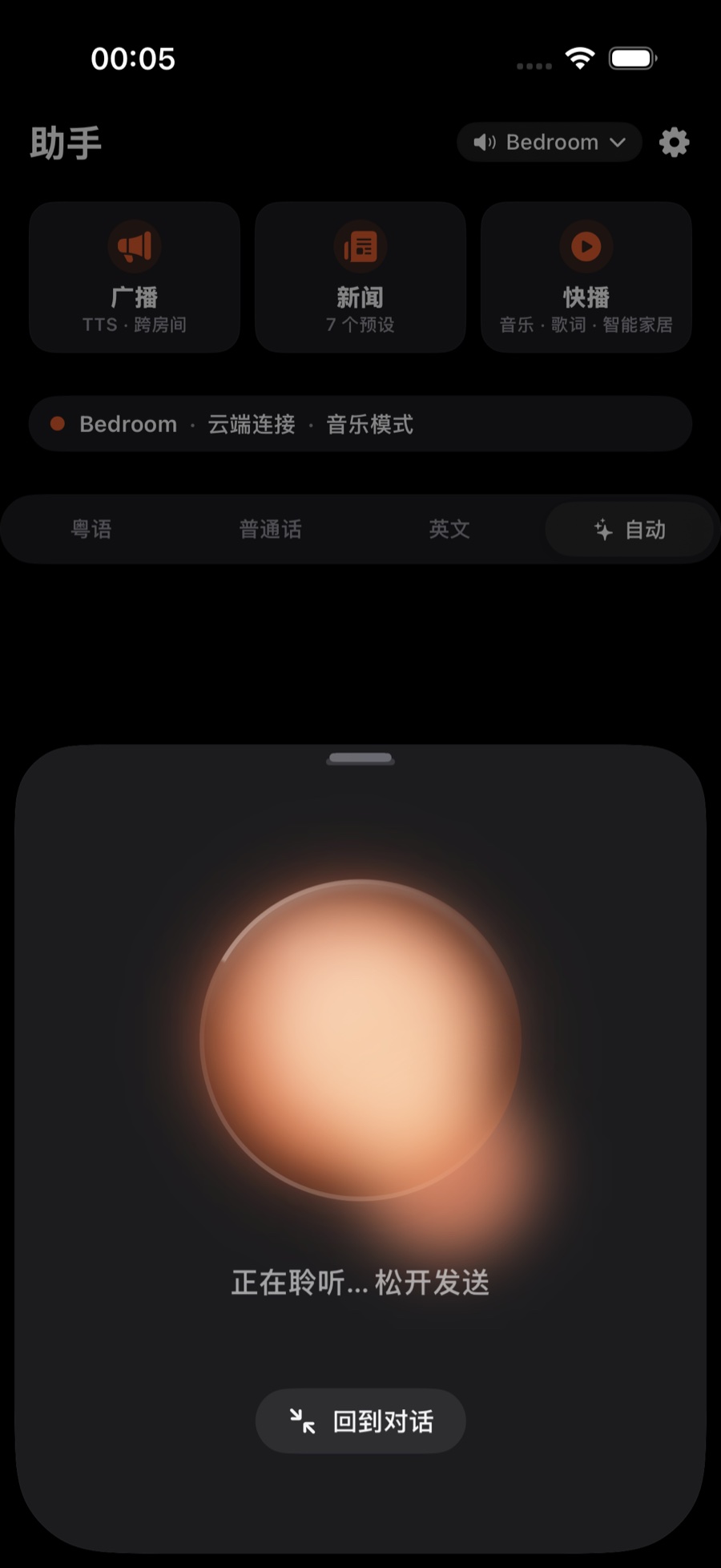
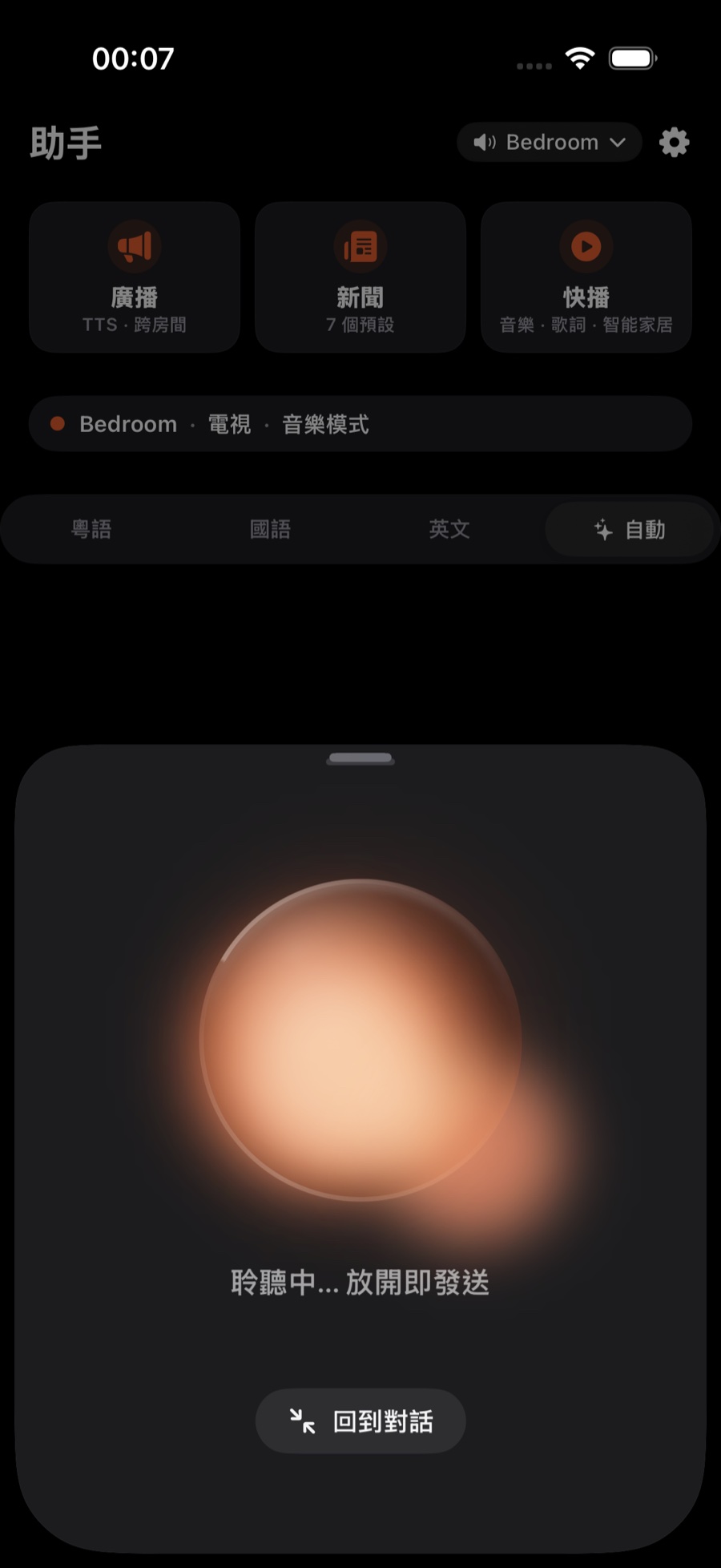
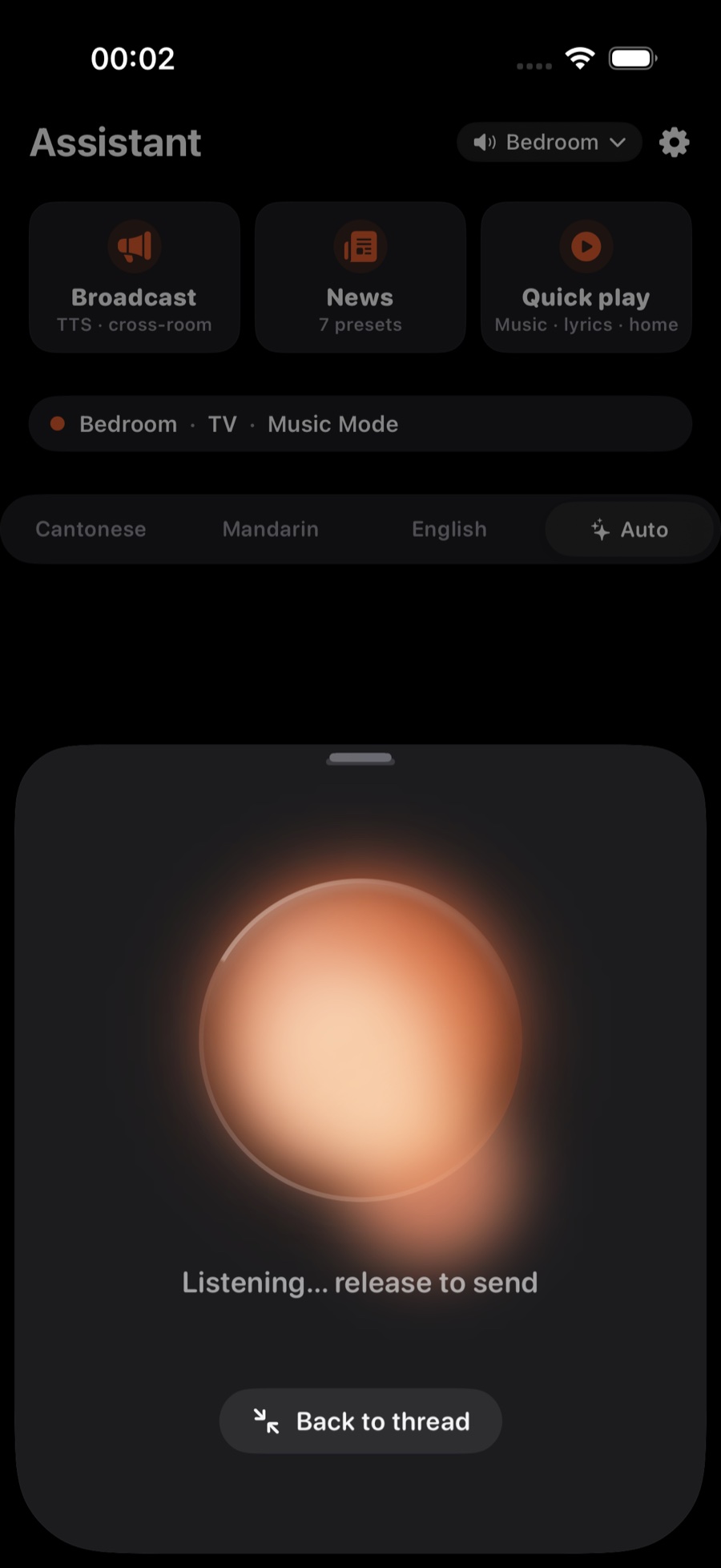
看实时字幕,说完就执行看即時字幕,說完便執行Watch the live caption, then it acts
你说的话会以实时字幕显示出来,就像 Siri 一样;按住说话时,字幕显示在底部浮层。说完就直接执行 —— 切到对应房间、找到歌手、开始播放。听错了的话,趁它还在处理时点一下圆球取消,或者再说一次。调音量、分组做错了,可以在助手的结果卡上撤销。你所說的話會以即時字幕顯示出來,就像 Siri 一樣;按住說話時,字幕顯示在底部浮層。說完便直接執行 —— 切換至對應房間、找到歌手、開始播放。聽錯了的話,趁它仍在處理時點一下圓球取消,或者再說一次。調音量、分組做錯了,可以在助手的結果卡上撤銷。What you said appears as a live caption, just like Siri; when you press and hold, it shows in the panel at the bottom. As soon as you finish, it acts — switching to the right room, finding the artist, and starting playback. If it mishears, tap the orb while it's still working to cancel, or just say it again. If a volume or grouping change goes wrong, undo it from the assistant's result card.
提示:不确定能不能听懂?大胆说就好。字幕会先让你看到它理解成什么,你心里有数,错了也只是再说一遍的事。提示:不確定它能否聽懂?大膽說便是。字幕會先讓你看見它理解成甚麼,你心中有數,錯了也只是再講一遍的事。Tip: Not sure it'll understand? Just say it. The caption shows you what it understood first, so you're never guessing — and if it's off, it's just one more sentence away.
为什么这里识别得更准?官方 Sonos App 没有自然语言语音控制。ZoneFoundry 在 iOS 26 起默认在手机本地识别,出字快;本地没听清,或者系统版本较旧时,才交给云端的中文 / 粤语模型。它还会偏向你自己的房间名和你平时常听的歌手,所以粤语和中英夹杂的句子命中率高很多。為甚麼這裏辨識得更準?官方 Sonos App 沒有自然語言語音控制。ZoneFoundry 由 iOS 26 起預設在手機本機辨識,出字快;本機聽不清楚,或系統版本較舊時,才交由雲端的中文 / 粵語模型處理。它還會偏向你自己的房間名,以及你平日常聽的歌手,因此粵語和中英夾雜的句子命中率高得多。Why does it land more accurately here? The official Sonos app has no natural-language voice control at all. From iOS 26, ZoneFoundry recognises speech on your phone by default, so captions appear quickly; only when the phone can't make it out, or on older iOS versions, does it hand off to a cloud Chinese / Cantonese model. It also biases toward your own room names and the artists you actually listen to — so Cantonese and mixed Chinese-English sentences hit the mark far more often.
不用迁就固定指令的说法不用遷就固定指令的說法No fixed command phrasing to memorise
ZoneFoundry 听中文,粤语也可以。说「主卧放点轻音乐」就够了,不用背固定句式,也不需要 Sonos 音箱自带麦克风。ZoneFoundry 聽中文,粵語也可以。講「主人房放啲輕音樂」就夠了,不用背固定句式,也不需要 Sonos 喇叭自帶麥克風。ZoneFoundry understands natural phrasing in Chinese and English. “Play something quiet in the bedroom” is enough — no fixed syntax to memorise, and no microphone required on the Sonos speaker.