
Can I control Sonos with no account at all?
- Zero account, zero cloud: no sign-up, no login, nothing handed off to a server. You're simply talking to your own speakers, on your own network.
- Instant response: play, pause and volume don't take a detour through the internet — the command goes straight to the speaker over your LAN, so it reacts almost the moment you tap.
- Works even offline: if the internet is down, slow or unreachable, control keeps working as long as your home Wi-Fi is up. That's especially reassuring in mainland China.
Before you start
- Sonos speakers that are powered on and already joined to your home Wi-Fi
- An iPhone with ZoneFoundry installed
- Phone and speakers on the same Wi-Fi (same network) — no Sonos account and no bridge needed
Steps
Put your phone on the same Wi-Fi as the speakers
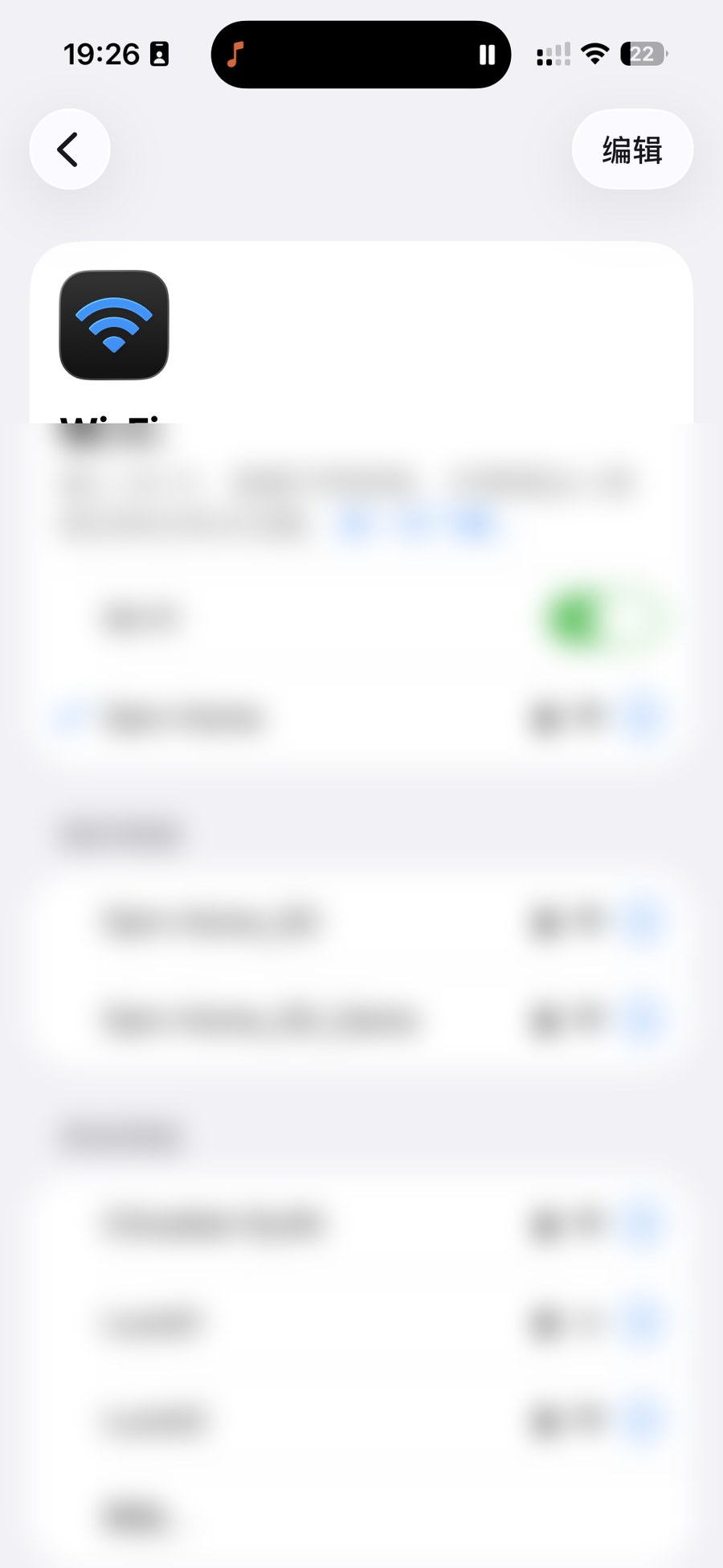
On your iPhone, go to Settings → Wi-Fi and join the same network as your Sonos. If you have separate 2.4G and 5G names, pick whichever your speakers use; with a mesh router a single name is usually fine. This step matters most — local control depends entirely on being on the same network.
Open ZoneFoundry and watch the rooms appear
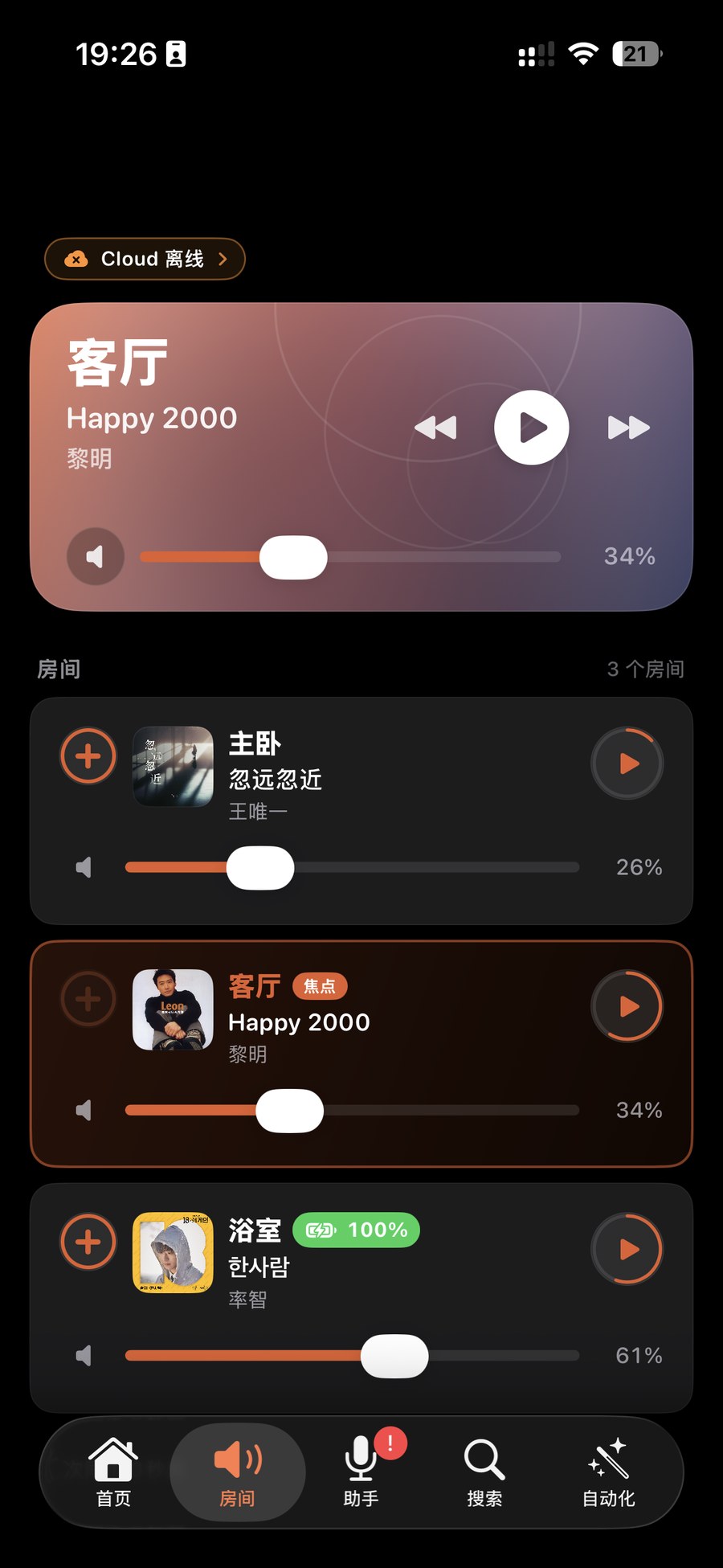
Open the app — there's nothing to log into. ZoneFoundry discovers your Sonos on the local network, and within a few seconds your rooms (Living Room, Bedroom…) appear on their own. Seeing the rooms means the local connection is already working.
Play, group, volume, EQ — all local and instant
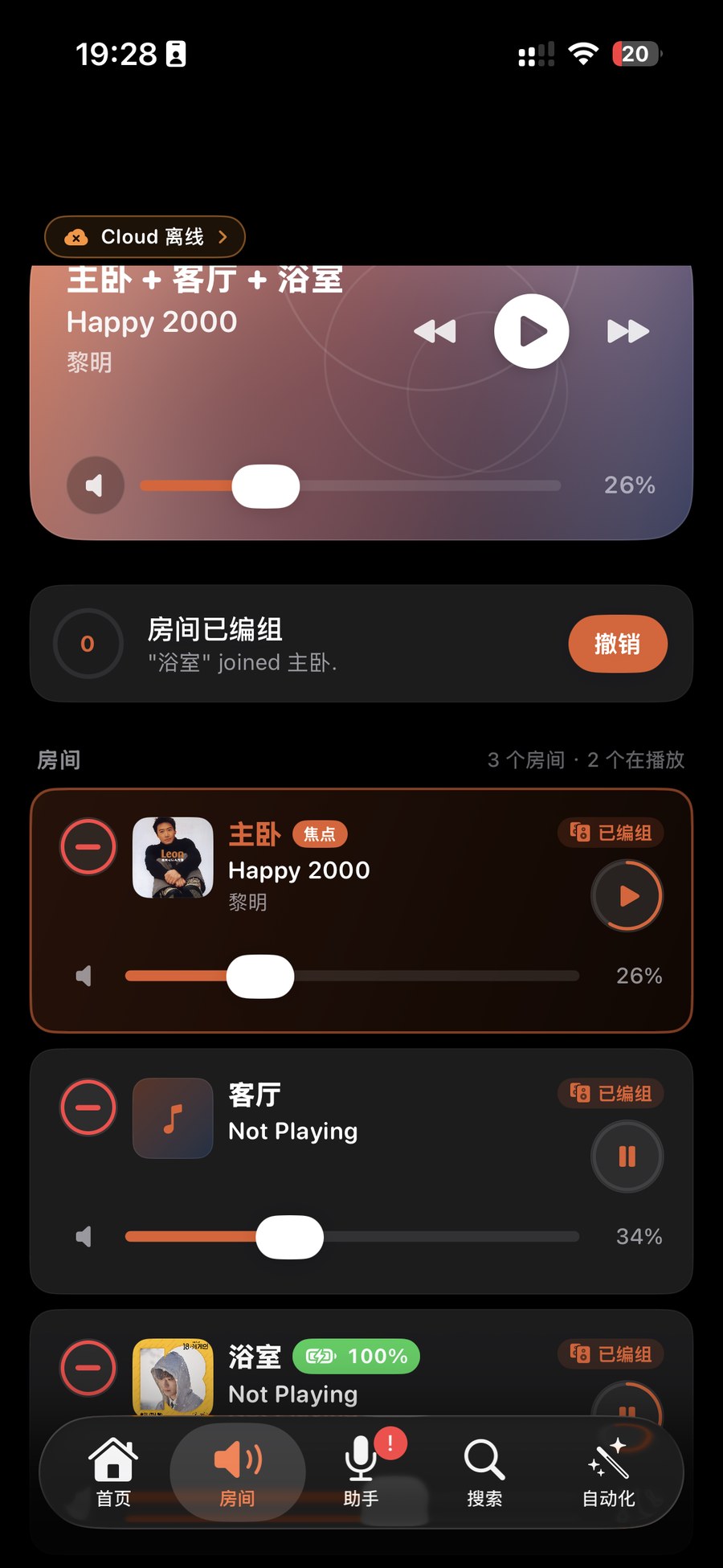
Pick a room and start playing, drag rooms together for multi-room sync, slide to set the volume, dive into EQ for bass and treble. Every one of these goes straight to the speaker over the LAN, so it responds almost instantly — none of that "tap and wait" lag.
Tip: none of this needs a Sonos account or a bridge. Those only come into play for remote control when you're away from home — when you're on the same Wi-Fi as your speakers, the direct local connection is all you need.
Rooms not showing? First make sure your phone is really on the same Wi-Fi as the speakers (not a guest network or a neighbour's). Some routers enable "AP / client isolation," which blocks devices from seeing each other — turn that off. If it still doesn't work, power-cycle the speaker and reopen the app so it scans the network again.
How does this differ from the official Sonos app?
- The official app makes you sign in to a Sonos account and connect to the cloud before you can even reach the controls.
- ZoneFoundry talks to the speakers directly over the LAN, so it keeps working with no account and no internet — and because it skips an internet round-trip, local actions feel snappier.
- It's especially friendly for users in mainland China: when the cloud is slow or unreachable, local control is completely unaffected.
You do not have to sign in to the cloud
ZoneFoundry can control Sonos directly over your local network without a Sonos cloud account. Sign in later if you want the cloud features. The Bridge is an optional upgrade, not an entry ticket.