01
Speak naturally. No command syntax.
Use Cantonese, Mandarin, or English. Name the artist, room, volume, and play mode—or type instead.
Speak or type in Cantonese, Mandarin, or English. Search and play across multiple connected services, including Spotify and Apple Music, then send music to any Sonos room.
Most everyday features work without Bridge. Connect Sonos Cloud and start listening.
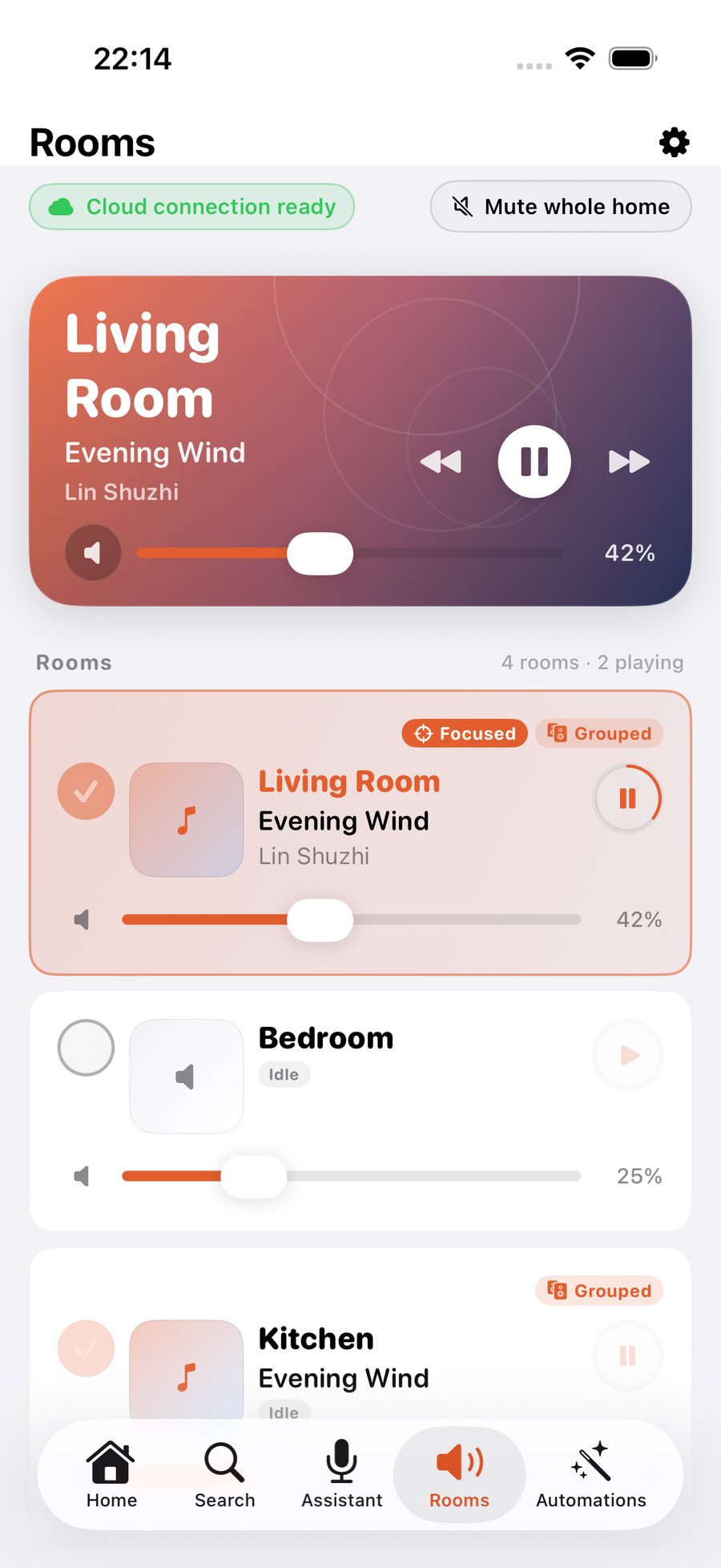
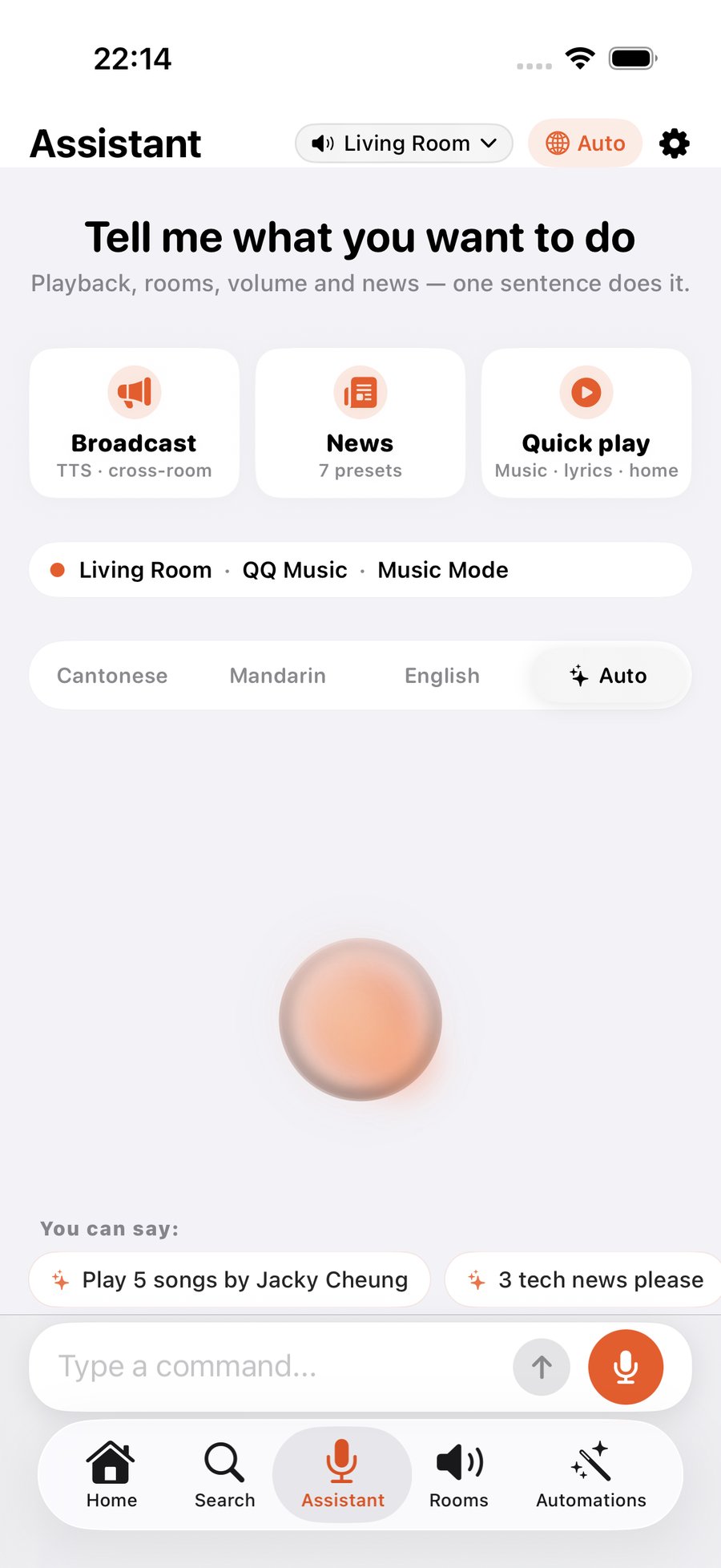
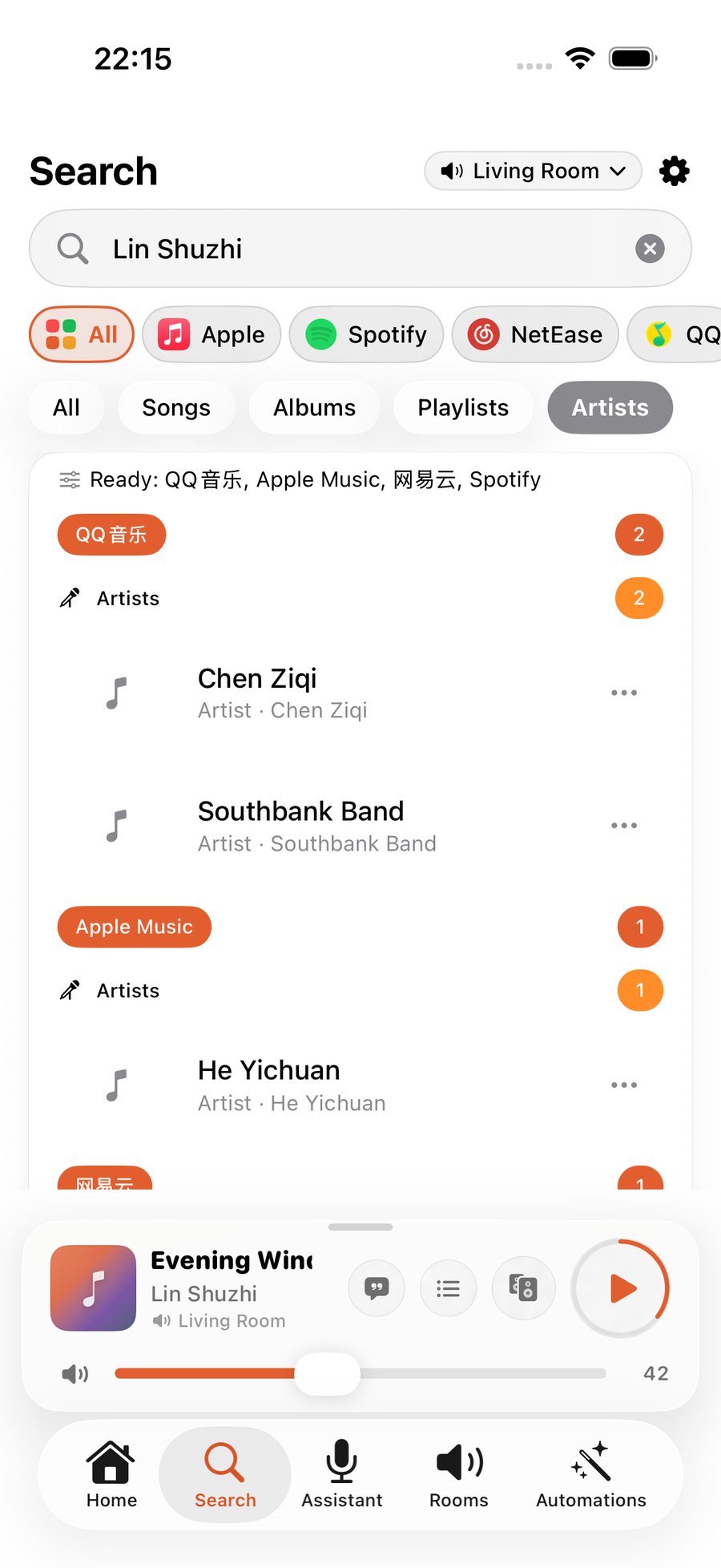
Four everyday moments
From asking for a song to room control, lyrics, and news briefings, every step stays centered on what is playing.
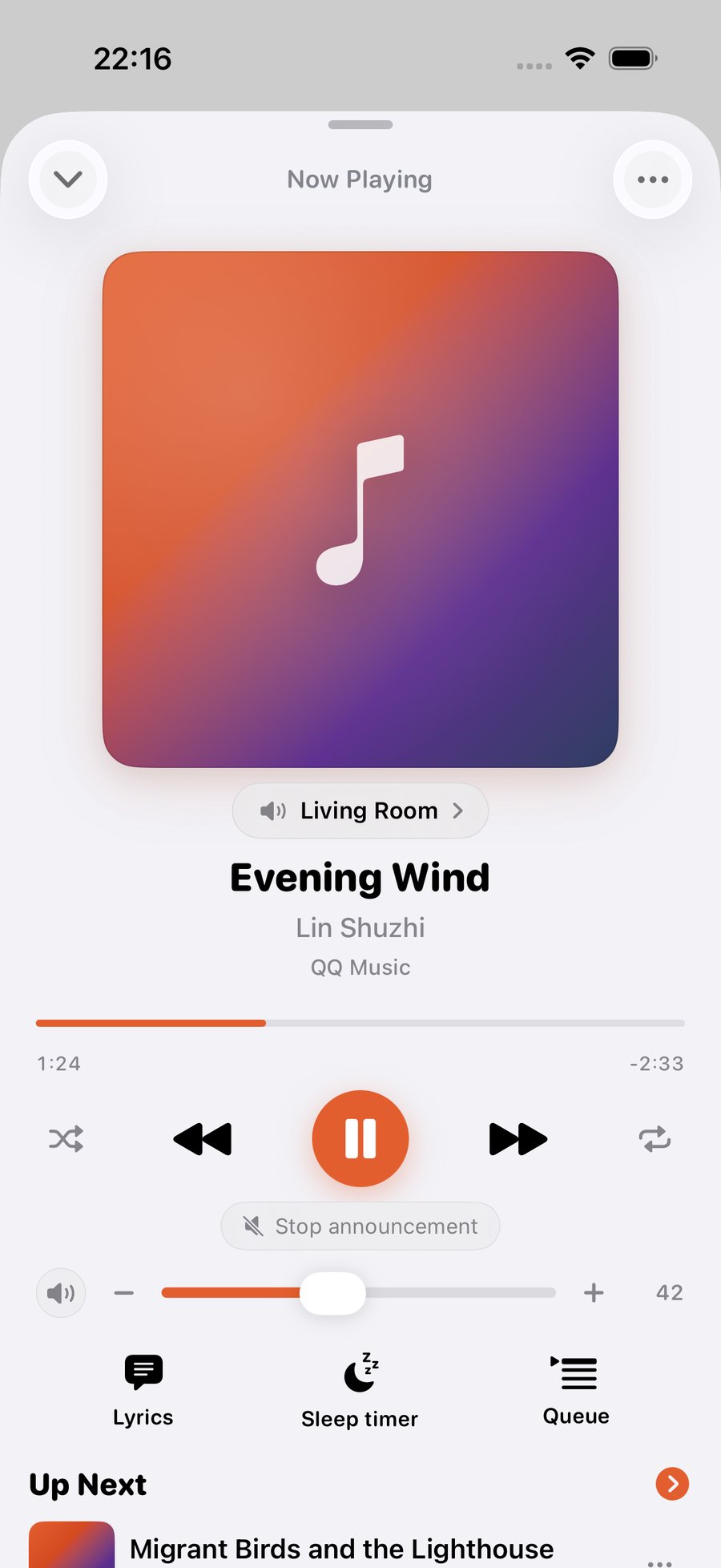
Use Cantonese, Mandarin, or English. Name the artist, room, volume, and play mode—or type instead.
One search surface presents results from multiple connected services, ready to play or add to the queue.
Rooms, groups, per-room volume, Now Playing, lyrics, and queue management stay in one flow.
News, reminders, and household announcements preserve rooms, queue, and progress before playback resumes.
Go further
Bring music into scenes, schedules, your personal library, and the intelligent workflows you already use.
Combine rooms, music, volume, and time into a single action.
Music follows while the app is present; Bridge keeps it running unattended in the background.
Connect your personal library with a Plex account and a reachable media server.
Send one message in WeChat, QQ or Telegram to queue music — or connect Sonos to Claude, ChatGPT, OpenClaw, Hermes and other MCP-capable assistants and let them play, announce and run scenes directly.
Artwork, title, room and transport controls appear on the Lock Screen, Dynamic Island and widgets — no need to unlock and open the app.
It remembers the rooms you use, your volume habits and how you phrase things, so repeat requests get shorter.
With no account and no Bridge, playback, volume and grouping work as long as you share a Wi-Fi network with the speakers.
Three steps
Bridge is not part of onboarding. Connect Sonos Cloud first and use most everyday capabilities immediately.
One app across iPhone, iPad and Apple Watch.
Open the App Store → 02Authorize once to read your homes, rooms and connected music services.
See how this step works → 03Pick a room and start from voice, search, or the now-playing screen.
See voice in action →Guides
Most everyday control needs no Bridge. Install it when your home needs an always-on, unattended layer.
Publish rooms and scenes as Apple Home accessories for household automation and HomePod voice control.
Trigger scenes and playback as household members arrive or leave.
Keep presence detection and music-following active even when the iPhone app is not in the foreground.
FAQ
ZoneFoundry adds voice and one-line commands, one-tap scenes, scheduled news and announcements, and automatic restore after announcements. It complements Sonos rather than replacing your speakers.
No. Playback, search, rooms, groups, per-room volume, Siri Shortcuts, Control Center scenes, announcements, and automatic resume work through Sonos Cloud.
Multiple connected services are supported, including Spotify, Apple Music, QQ Music, and NetEase Cloud Music. Availability depends on your Sonos account region and connected services. Plex connects separately as a personal library.
Not always. It works without Bridge while the app is present or foregrounded. Bridge keeps it running continuously and unattended.
No. ZoneFoundry is an independent product and is not affiliated with Sonos, Apple, Spotify, QQ Music, or NetEase Cloud Music.
The app is free to download and every launch feature is free. If an advanced subscription arrives later, its price, billing period and contents will be shown clearly in the app before purchase, and core control stays free.
No. ZoneFoundry controls Sonos speakers you already own. It is not a speaker and does not output audio from your phone.
Core speaker control needs no account at all — the same Wi-Fi is enough. A Sonos account unlocks cloud search, voice and scenes; a ZoneFoundry account is only for remote control across networks and multi-device sync. Both can be added later.
Voice and natural-language features send your command to third-party cloud services for recognition and intent parsing. The app asks for explicit consent before first use; decline and those features stay off while everything else keeps working. The privacy policy has the full detail.

All launch features are free. Available on iPhone, iPad and Apple Watch — a Mac app is planned.
Early users
ZoneFoundry just launched, so anything you raise now can still make it into the product. Missing features, awkward steps, confusing wording — we want to hear it.
If we ship your suggestion, we'll send you 3 months of Pro (once paid features launch).
You can also send it from More → Help & Feedback in the app — it attaches your build number so we can pinpoint issues faster.