
Why use voice
- Speak in your own words: no fixed phrases to memorise. "Play something chill in the living room", "turn it up in the bedroom", "skip this one" — it understands and does what you meant.
- See it as you speak, like Siri: what it hears appears as a live caption. If it mishears, you catch it right away instead of finding out after the wrong song is already playing.
- Friendlier to Cantonese & mixed speech: Cantonese, Mandarin, even mixed Chinese-English ("play a Beyond song") land far more accurately — something the official Sonos app simply doesn't do.
Before you start
- An iPhone with ZoneFoundry installed and your Sonos rooms already showing up
- Allow microphone access on first use (iOS asks once)
- Name your rooms the way you actually call them (e.g. "Living room", "Bedroom") — it speaks more naturally and lands more accurately
Steps
Open the Assistant tab and tap the orb
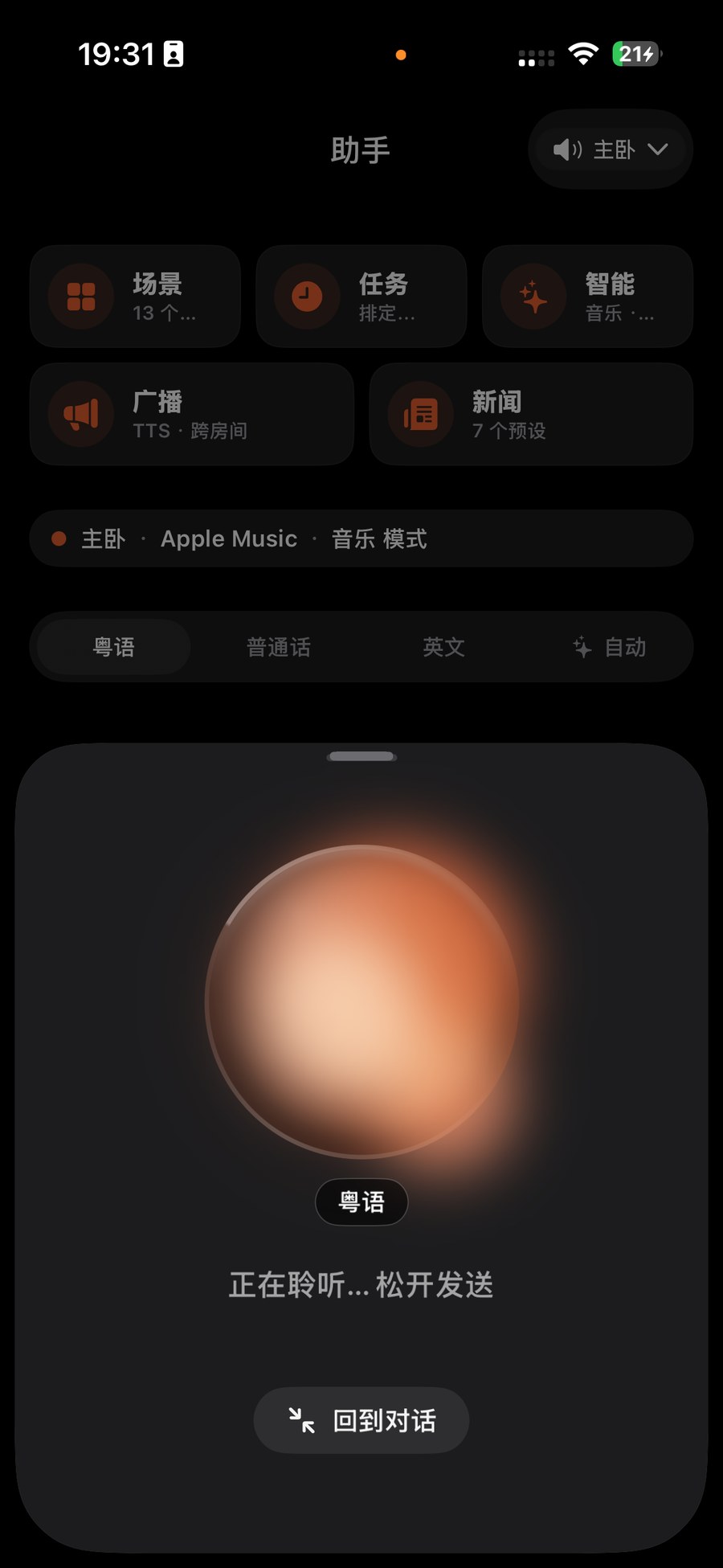
Switch to the Assistant tab at the bottom of ZoneFoundry — you'll see the orb in the middle. Tap it once to start listening; for a more focused, full-screen experience, long-press the orb to enter full-screen voice mode.
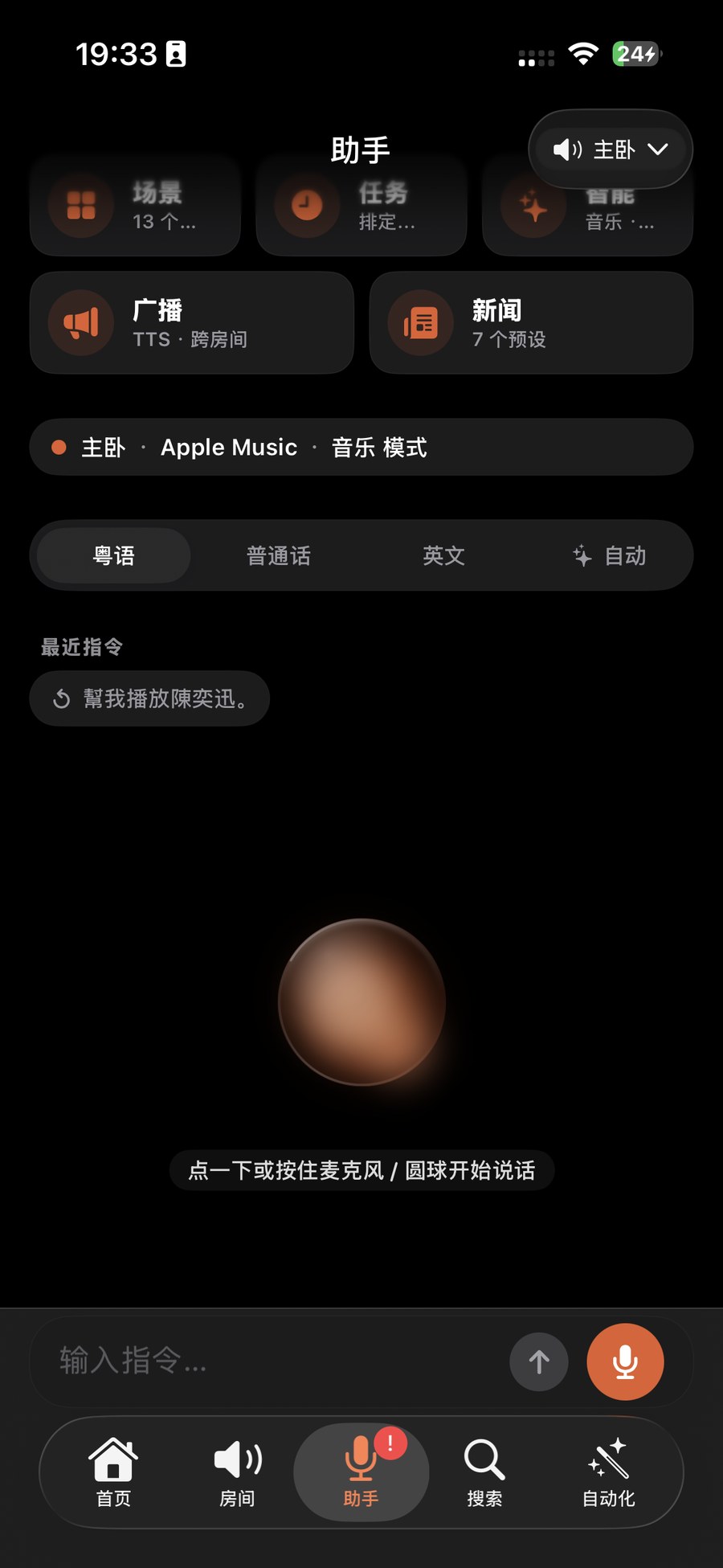
Just say it the way you'd say it
No commands needed — just say what you want. For example "play Eason Chan in the living room", "soft music in the bedroom, a bit quieter", or "next track". Mixing a room name and an artist in one sentence is totally fine.
Watch the live caption, then it acts
What you said appears as a live caption, just like Siri. Once it looks right, it acts — switching to the right room, finding the artist, and starting playback. If it mishears, simply say it again.
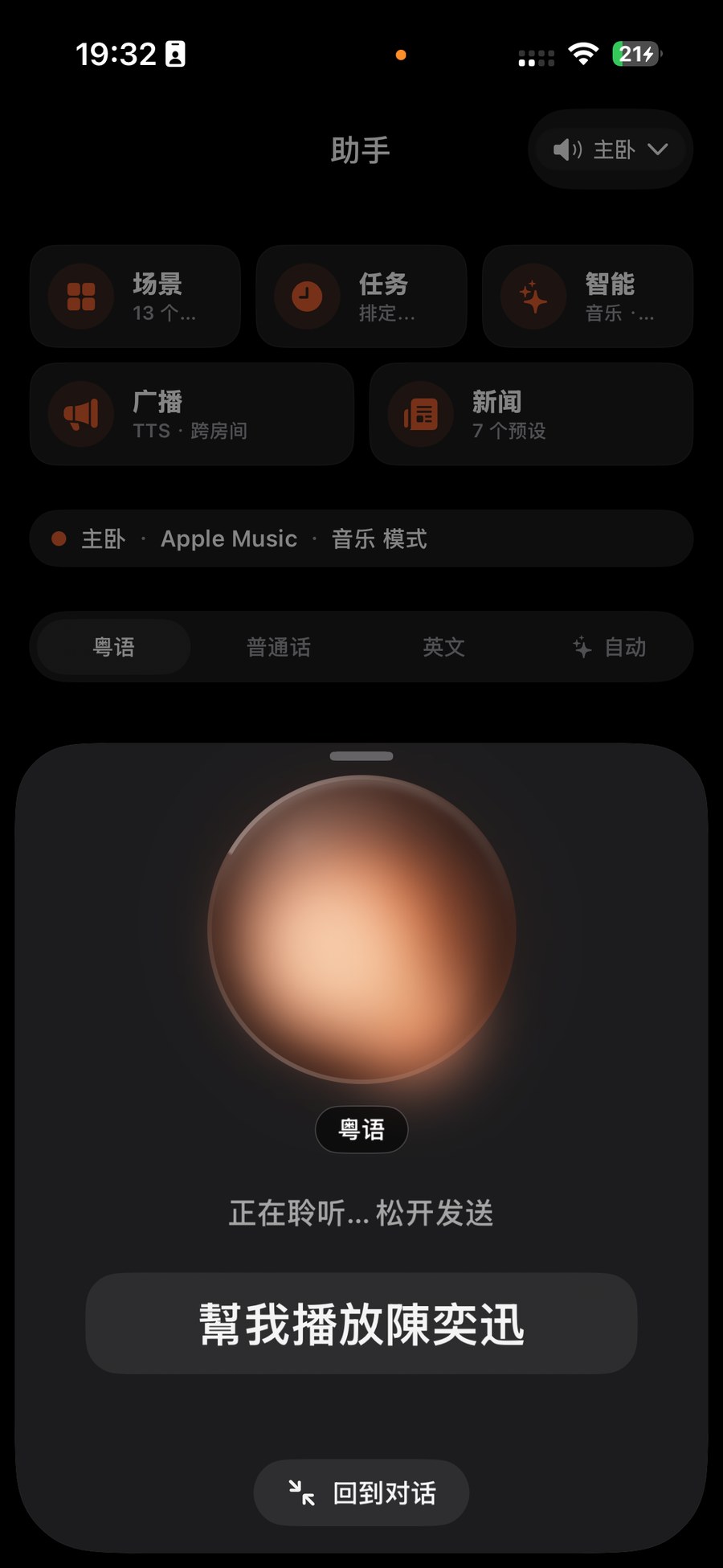
Tip: Not sure it'll understand? Just say it. The caption shows you what it understood first, so you're never guessing — and if it's off, it's just one more sentence away.
Why does it land more accurately here? The official Sonos app has no natural-language voice control at all. ZoneFoundry runs dual-track recognition: instant on-device captions so you get immediate feedback, plus a stronger cloud Chinese / Cantonese model working in the background. It also biases toward your own room names and the artists you actually listen to — so Cantonese and mixed Chinese-English sentences hit the mark far more often.
No fixed command phrasing to memorise
ZoneFoundry understands natural phrasing in Chinese and English. “Play something quiet in the bedroom” is enough — no fixed syntax to memorise, and no microphone required on the Sonos speaker.