
Why this is special
- The official Sonos app has no lock-screen Live Activity: to change a song or switch rooms you must unlock, open the app and wait for it to connect. ZoneFoundry puts the controls right on the lock screen and skips all of that.
- Most third-party apps skip the Dynamic Island: it's fiddly to build, so many simply don't. ZoneFoundry gives you a genuinely interactive Dynamic Island — long-press to expand, with the cover and buttons right there.
- Three surfaces, one set of controls: lock screen, Dynamic Island and Home-screen widget are all the same Now Playing card. With several groups playing you get several cards, each minding its own room.
Before you start
- An iPhone (Dynamic Island needs iPhone 14 Pro or newer; lock-screen Live Activities need iOS 18 or later)
- ZoneFoundry already controlling at least one Sonos room
- Live Activities allowed for ZoneFoundry in Settings (usually appears automatically on first playback — no extra setup needed)
Steps
Start playing in a room
Open ZoneFoundry, pick a room (say "Living room") and play any song or playlist. Once it's playing, the Now Playing card lights up — that's exactly what shows up next on your lock screen and Dynamic Island.
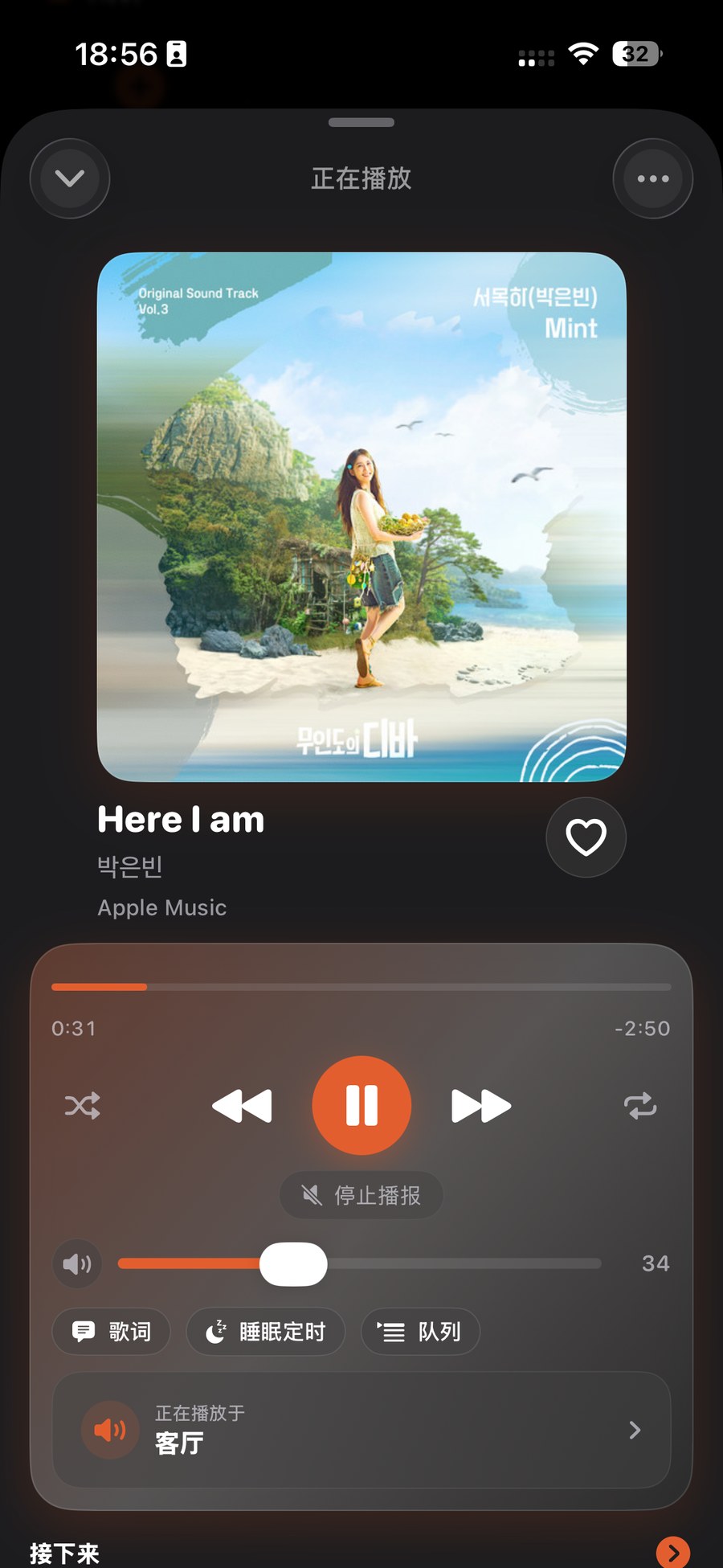
Glance at the lock screen and control it
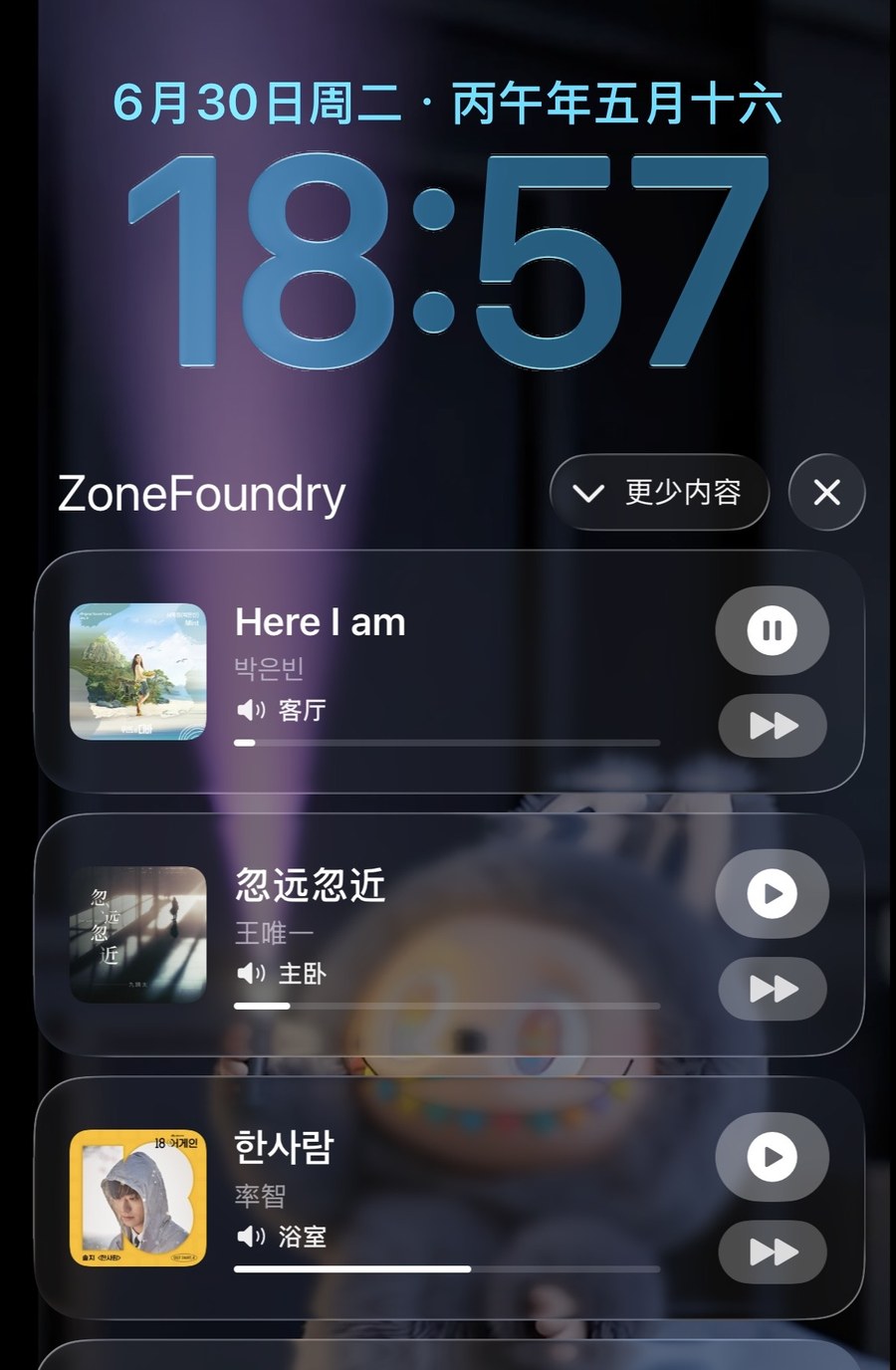
Lock your iPhone (or pull down to the lock screen) and you'll see a Live Activity card: cover on the left, song title and room in the middle, play/pause and skip on the right. One tap and it works — no unlocking, no opening the app.
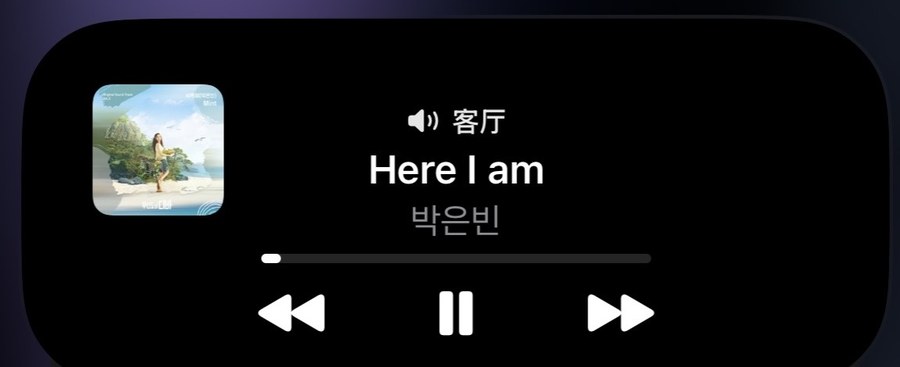
Dynamic Island: tap to peek, long-press to expand
While you're on the Home screen or in another app, the Dynamic Island shrinks to a small cover reminding you "Living room is playing". Long-press to expand it into the full card — cover, title, room and play/pause/skip all tappable; a quick tap jumps back into ZoneFoundry.
Tip: Several rooms playing at once? Each Sonos group gets its own card — one for the living room, one for the bedroom. Skipping or pausing on one only affects that group, never the others.
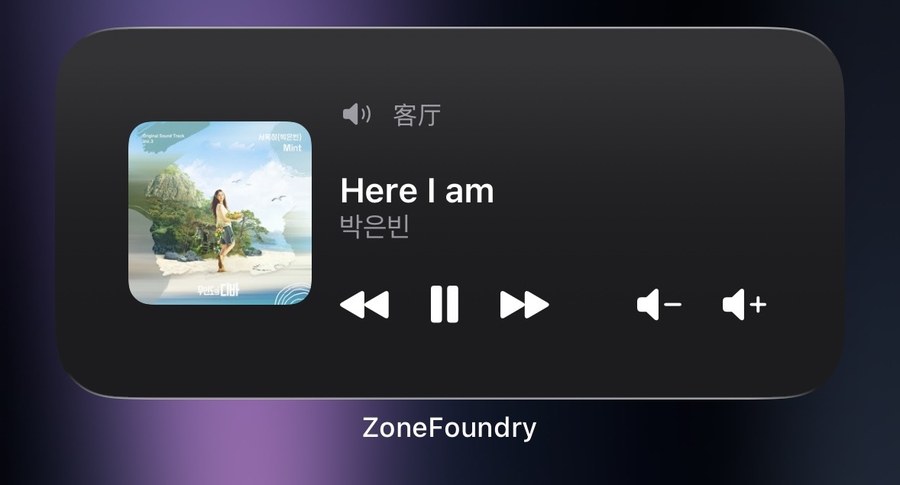
(Optional) Add the Now Playing widget
Want it visible all the time? Long-press an empty spot on the Home screen → "+" → find ZoneFoundry → the Now Playing widget → Add. Same for the lock screen: long-press it → "Customize" → add a ZoneFoundry widget. Now you can glance at what's playing without even waking the full screen.
No card on the lock screen? First make sure music is actually playing (the card disappears on its own when playback stops). If it's still missing, go to Settings → ZoneFoundry → Live Activities and confirm it's switched on; restarting playback once usually brings the card back.
Lock screen, Apple Home and Shortcuts all connect
ZoneFoundry brings Sonos into Apple Home and Shortcuts, with full playback controls on the lock screen — no unlocking and opening an app just to change a track.