
Why link again if Sonos already has the service?
Services you've linked in the official Sonos app can already play — favorites and playlists work with zero setup. But for ZoneFoundry to search a service's catalog and browse its library, it needs an authorization of its own. That's what the Connect buttons in Settings → Music are for.
Before you start
- Signed in to Sonos (see Signing in to Sonos)
- The service is already added in the official Sonos app (your speakers know it)
How do I link each service?
Spotify / QQ Music / NetEase: tap Connect, sign in once
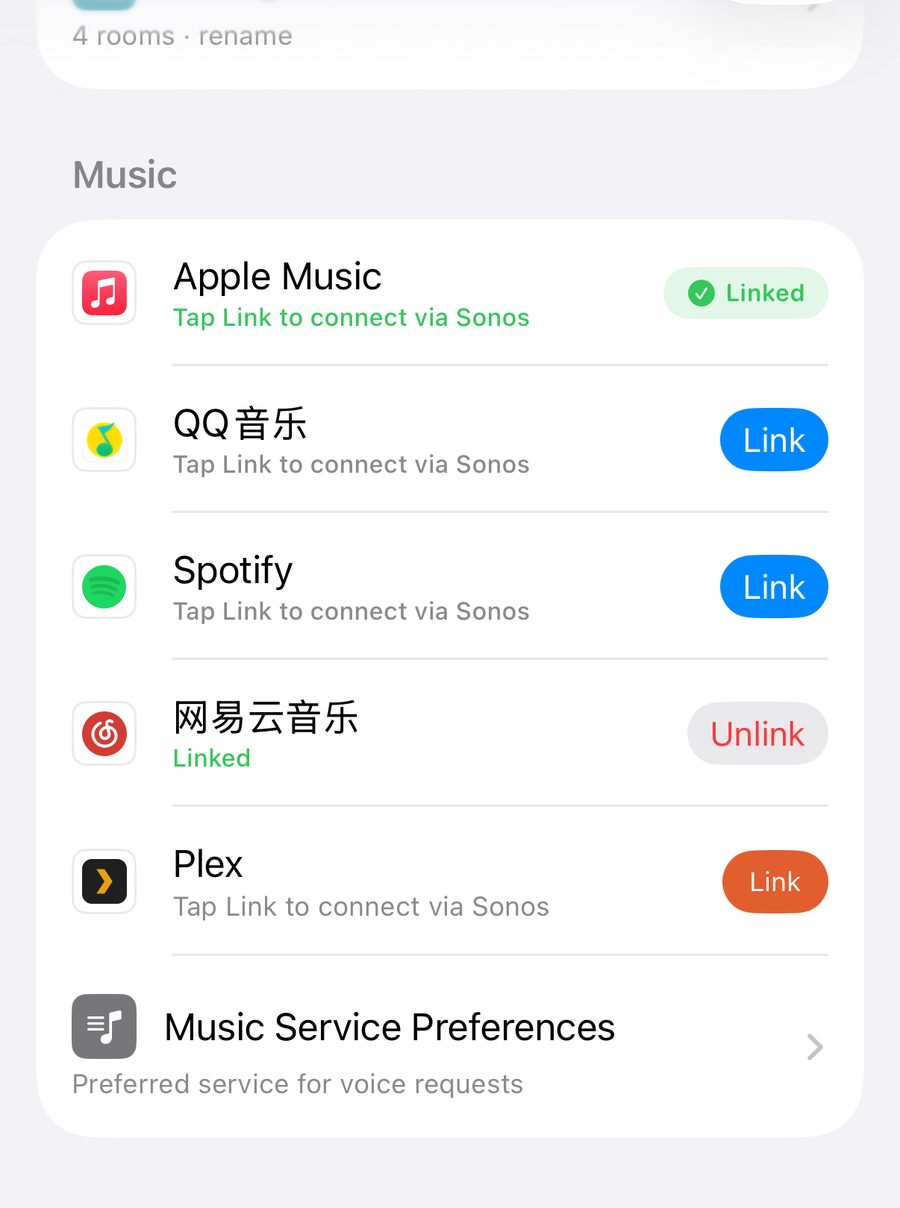
In Settings → Music, each of these has a Connect button. It opens the service's own authorization page — Spotify signs in with your account; QQ Music and NetEase use a quick QR scan. When it completes you bounce back, the row shows Connected, and Search can reach that catalog immediately.
Scanned successfully but nothing happens? Give it a few seconds — the app polls for the result. If it still doesn't land, disconnect and link again; the second run usually takes.
Apple Music: nothing to link — it follows your Sonos account
Apple Music's authorization is managed by the official Sonos app (add it there with your Apple ID once); ZoneFoundry follows automatically, which is why this row has no Connect button — "Linked" means ready. Search uses Apple's public catalog, so it always works.
Plex: pair your personal library with a 4-digit PIN
In the Plex section of Search, tap Connect Plex: the app shows a 4-digit code — enter it at plex.tv/link. Once paired, your whole NAS/computer music library is searchable and plays straight to Sonos. The link follows your ZoneFoundry account, so a new iPhone or an iPad picks it up without pairing again.
What do you get once everything is linked?
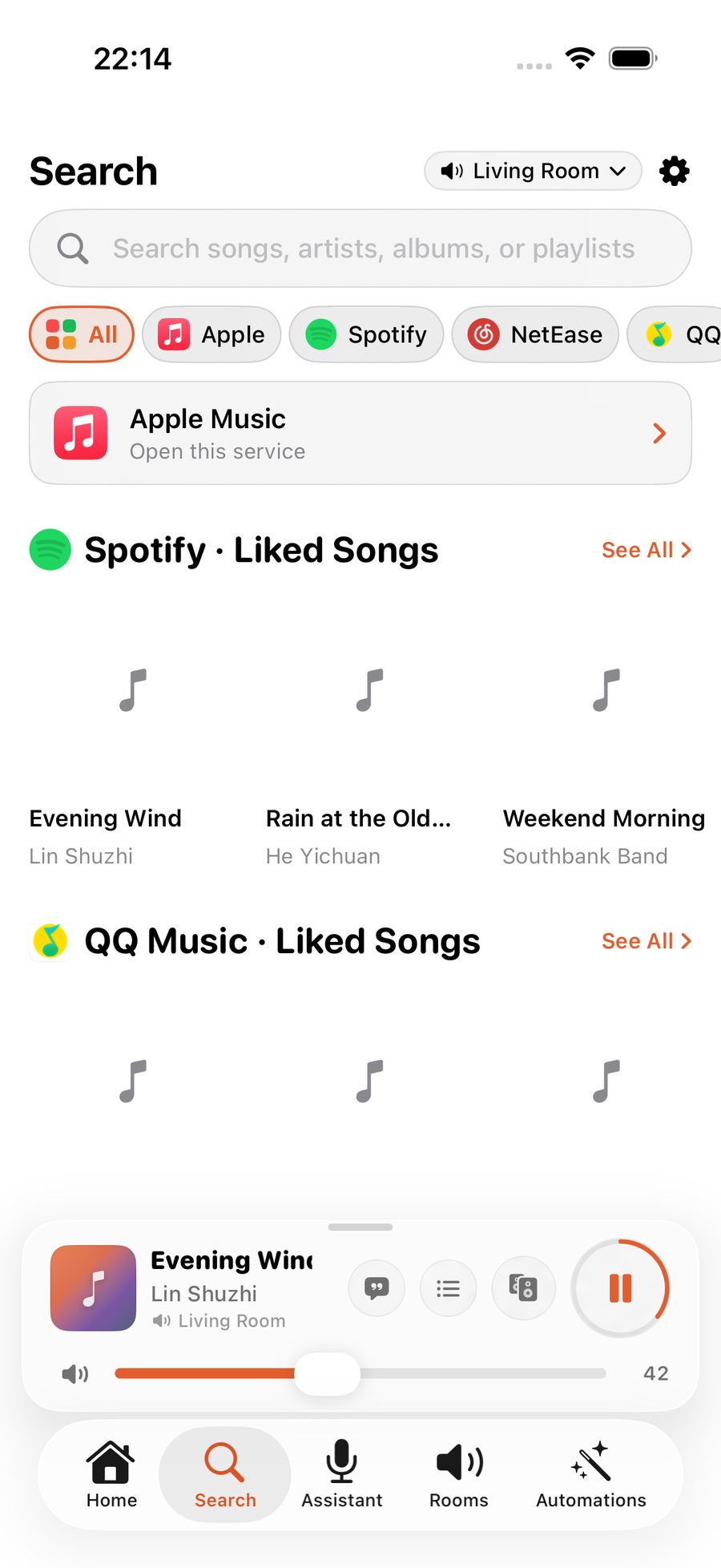
The Search tab queries every connected service from one box, grouped by service; each service also gets its own library page (playlists, albums, stations). Voice benefits too — "play Jay Chou" automatically picks the best source among your connected services.
Note: which services you can link depends on your Sonos account region and what's added in the official app. Disconnecting is always one tap on the same row, and never touches the speakers' own authorization.
Search every music service at once
Apple Music, Spotify, NetEase and QQ Music share one search box in ZoneFoundry. Find a track and it goes straight to Sonos — no switching apps to cast it again.