
Why it's handy
- Ready-made: common wake-up, leave-home and sunset routines come as templates — no building from scratch.
- Syncs to Apple Home: presets run as Home automations, working alongside your lights and AC.
- Complex to Home: for multi-condition or presence logic, customize directly in Apple Home.
Before you start
- The ZoneFoundry bridge connected and paired in Apple Home (presets run through those "lightbulb" accessories)
- New to pairing? Start with Let Siri & Apple Home control your Sonos
Steps
Scheduled "Wake-up music"
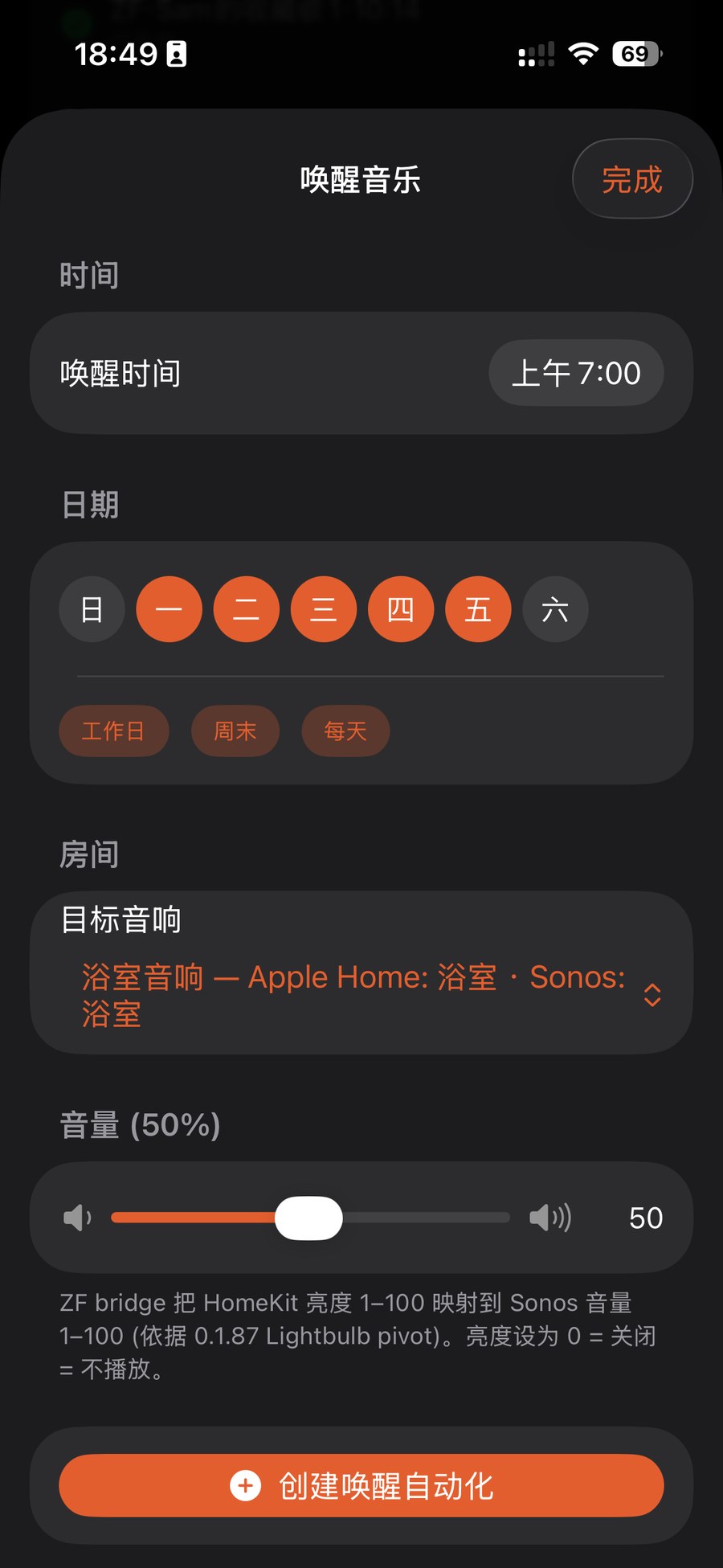
Under Automations pick the "Wake-up music" template: set the time (e.g. 7:00 AM), days (weekdays/weekend/every day), a target room and volume, then tap "Create wake-up automation". At that time it plays your morning playlist in that room.
"Leave-home auto-pause"
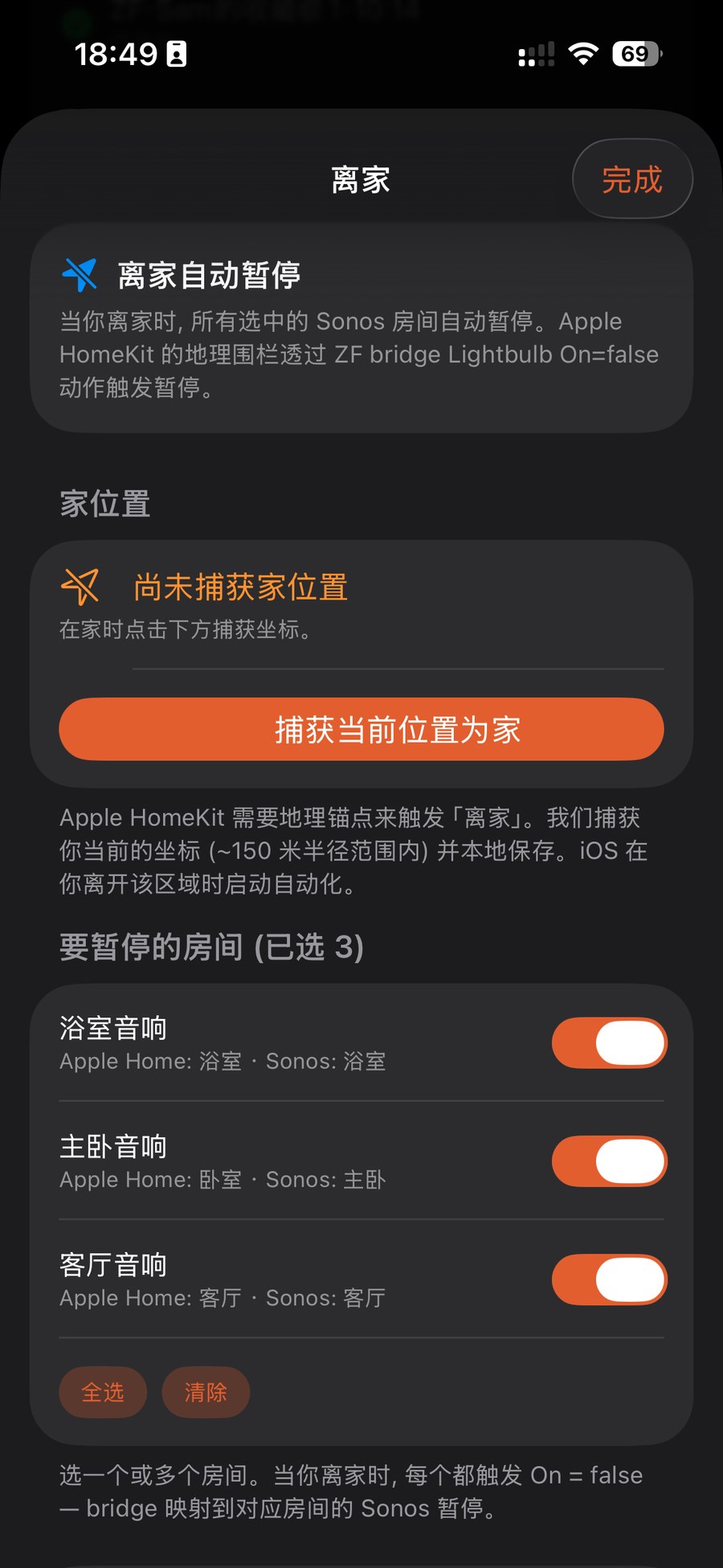
Pick "Leave-home auto-pause": while at home, tap "Capture current location as home" (Apple HomeKit uses this geo-anchor to detect leaving), then tick the rooms to pause. When you step out, those rooms stop on their own.
Fire any scene on a timer
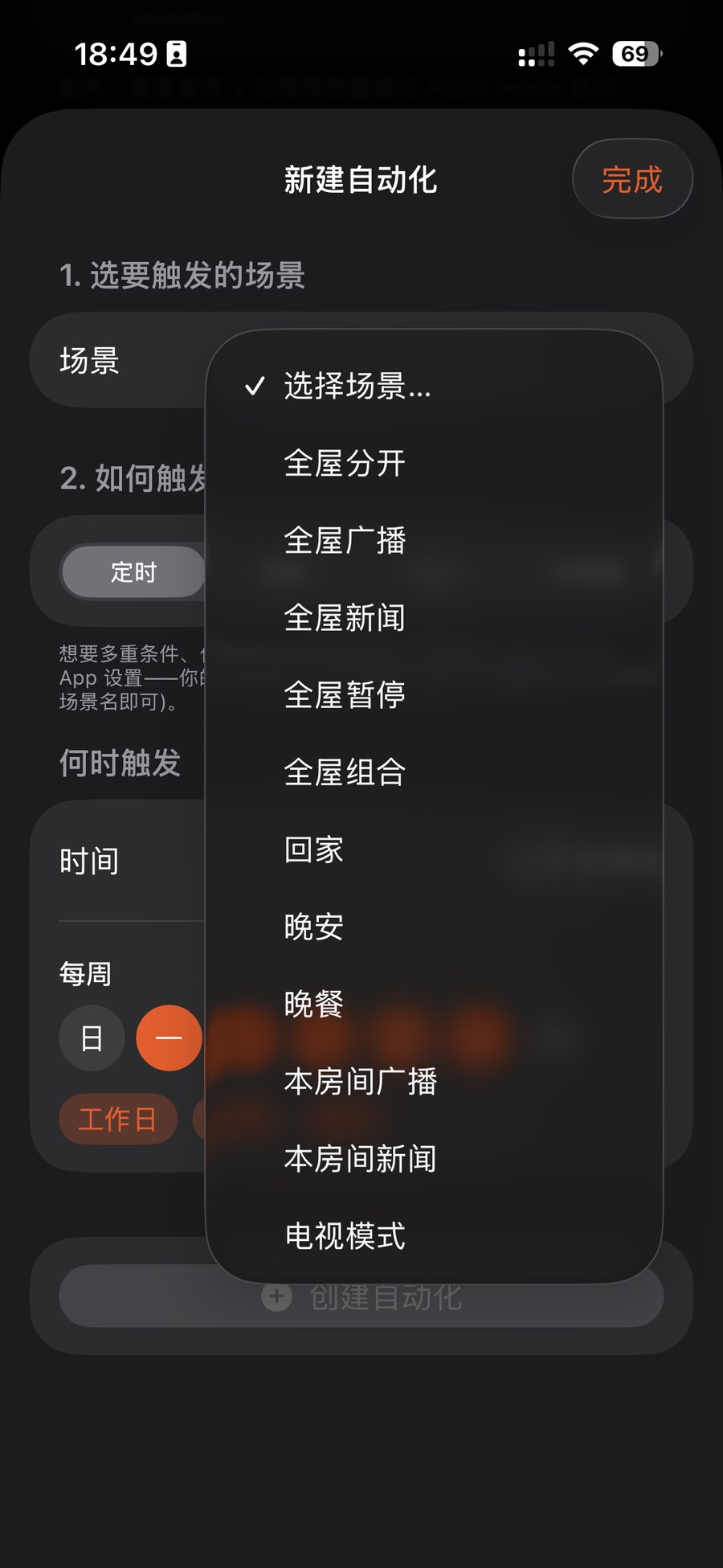
Want more freedom? Use "Create scene automation": pick a saved scene (whole-home broadcast, whole-home news, arrive-home, good-night, TV mode…) and a trigger (e.g. daily at a time). It then runs on schedule and shows up in Apple Home too.
Preset not firing? Check the bridge is still connected and paired in Apple Home — these run through your paired ZF "lightbulb" accessories. Verify pairing under Automations → Apple Home.
A whole routine can collapse into one scene
Waking up, coming home, winding down — ZoneFoundry can bundle rooms, volume, music and announcements into one scene, triggered by a sentence or a button instead of rebuilt each time.