
First: do you even need the Bridge? Playback, grouping, per-room volume, voice, favorites and library browsing, announce-then-restore — all work on Wi-Fi alone, no Bridge required. The Bridge is only needed for a short list: cross-service "search any song", triggering ZoneFoundry from an Apple Home automation, and arrive/leave-home automations that need something always online. If that's not you yet, feel free to skip this.
Before you start
- An always-on machine with Docker: a NAS (Synology, QNAP), Unraid, mini-PC or an old computer — on the same local network as your Sonos
- The ZoneFoundry iPhone app, already seeing and controlling your Sonos rooms
Steps
Where to install from? All three routes give you the same Bridge — they only differ in how fresh the template is:
· The plain Docker command below — always the latest image. Recommended.
· fnOS app store — we keep this one current, so a fresh install is a fresh version.
· Unraid Community Applications — the listed template is an older revision that we haven't refreshed lately. It still works: once installed, the container itself pulls the newest image whenever you tap "Apply Update" in the iOS app.
Run the Bridge container with Docker
The Bridge needs host network mode (it discovers your Sonos speakers over the local network) and a folder to store its config. On your machine, run:
docker run -d \
  --name zonefoundry-bridge \
  --network host \
  --restart unless-stopped \
  --cap-drop ALL \
  -e ZF_RELAY_URL=wss://relay.zonefoundry.dev/ws \
  -e ZF_PAIR_CODE=<iOS app 里的 6 位配对码> \
  -v /path/to/zf-bridge:/app/data \
  -v /var/run/docker.sock:/var/run/docker.sock \
  zonefoundry/bridge:latest
Replace /path/to/zf-bridge with a real folder on your machine. Three things to get right: (1) the in-container data path is /app/data — pairing credentials live there, so you only pair once; (2) the container runs as non-root user 10001, so chown -R 10001:10001 /path/to/zf-bridge on the host first or it won't start; (3) mounting docker.sock is what lets the "Apply Update" button in the iOS app pull a new image for you — drop that line if you'd rather docker pull manually.
Installing through the Unraid / Synology / fnOS UI? Mirror the same settings: host network, a mapped /app/data volume, plus ZF_RELAY_URL and your pair code. On Unraid also add --group-add 281 (Unraid's docker group GID) under Extra Parameters, so one-tap updates have permission to talk to Docker.
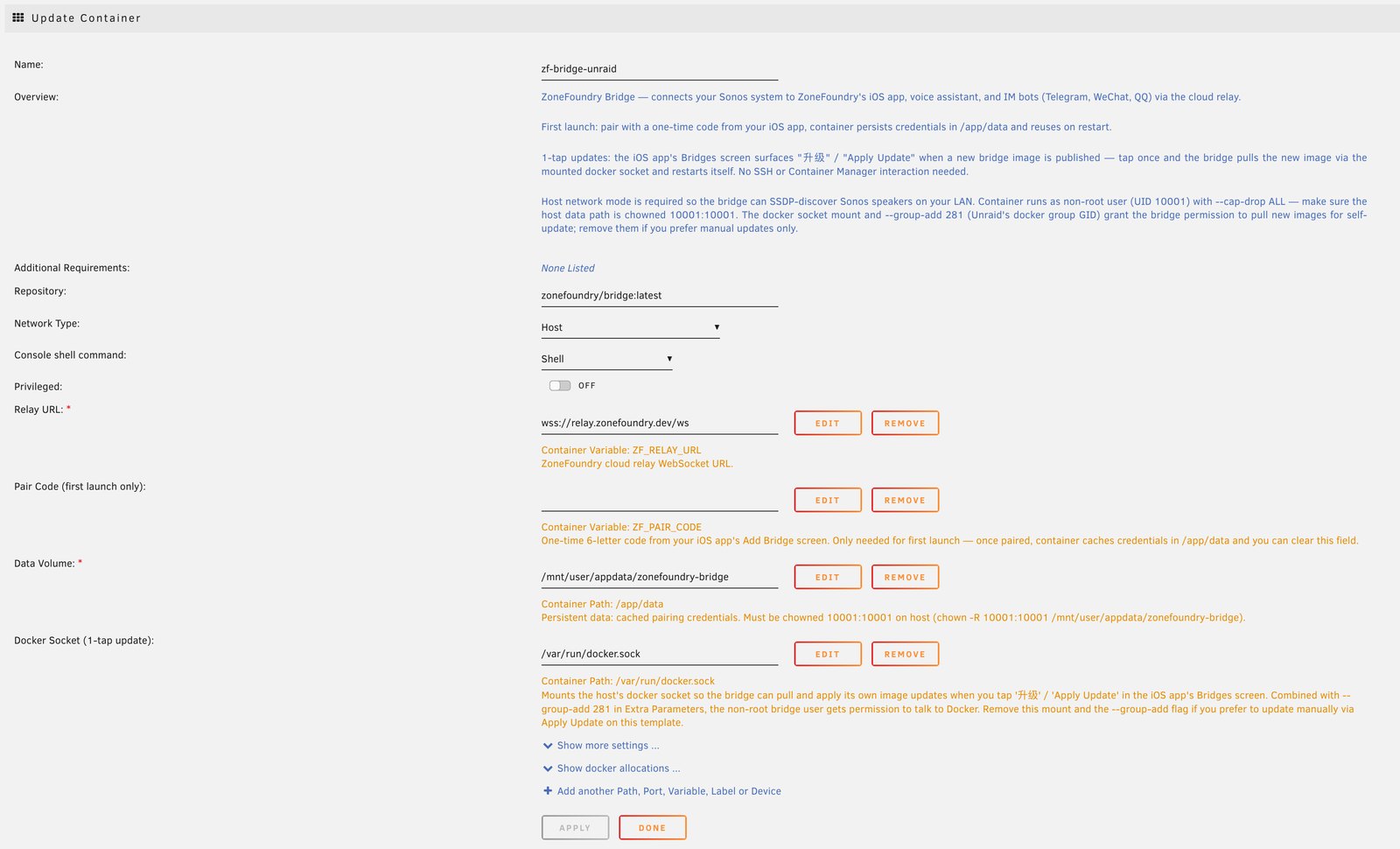
/app/data volume, and the relay URL.Connect the app to this Bridge
Once the container is up, open ZoneFoundry and go to Settings → Bridge. On the same network the app usually finds it automatically; if not, enter its local IP by hand. Once linked, the status shows "Connected".
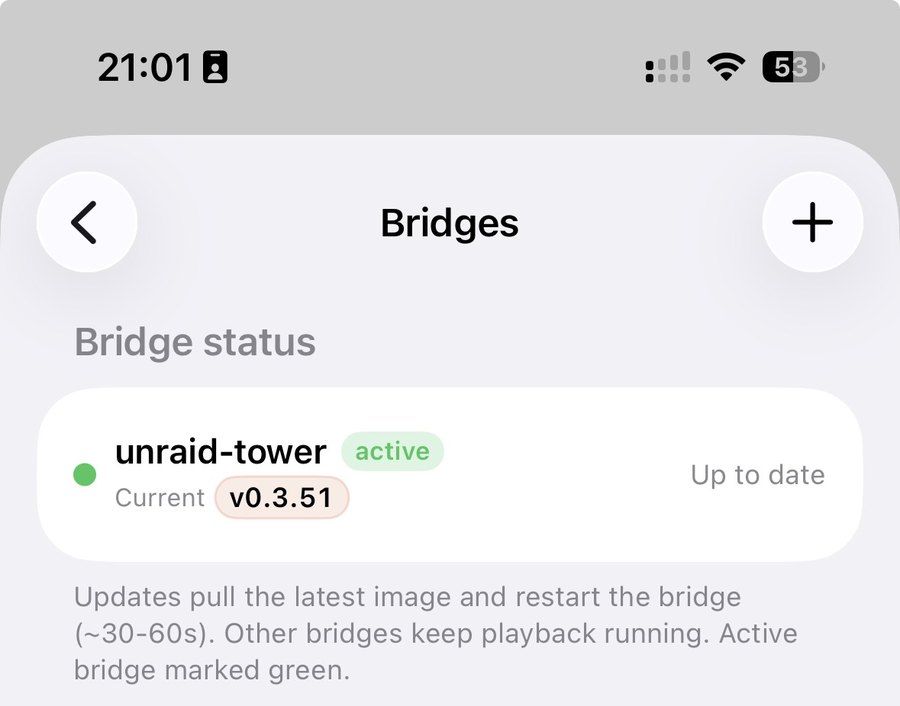
Check what the Bridge added
To be clear first: playback, multi-room, music search, the voice assistant, scenes and announcements never needed the Bridge — they work the same before and after. What the Bridge actually adds is three things: (1) your rooms appear in Apple Home as switchable accessories that Siri and Home automations can drive; (2) arrive/leave triggers for scenes; (3) Apple Music radio & recommendation shelves and your Plex library. Everything also gets faster, since commands go direct over your LAN instead of through the cloud. Turn the Bridge off and only those three pause — the rest keeps working.
Can't connect? Check three things: ① the container runs with --network host (bridge networking can't discover Sonos); ② the Bridge machine, your Sonos and your iPhone are on the same LAN and subnet; ③ the machine's firewall isn't blocking local discovery. With all three in place, auto-discovery almost always works.
You do not have to sign in to the cloud
ZoneFoundry can control Sonos directly over your local network without a Sonos cloud account. Sign in later if you want the cloud features. The Bridge is an optional upgrade, not an entry ticket.