
Before you start
- An iPhone Duo or an iPad on a supported OS version
- ZoneFoundry updated to 1.1 or later
- Your rooms are already visible; without speakers you can start from the built-in sample home
What each page looks like when unfolded
Home: two columns in a wide layout
In a wide enough layout, Home puts the player on one side — artwork, title, room, play/pause and volume — and the greeting, room status, the voice entry and Quick actions on the other. You see more at once, without bouncing between pages to change rooms or volume.
Search: more services and results at a glance
Search and service filters sit at the top (All / Apple / Spotify / NetEase / QQ / Plex), with each service's shelves below. Unfolded, a row fits more results, so you scroll less. A mini player stays at the bottom for pause, skip and volume.
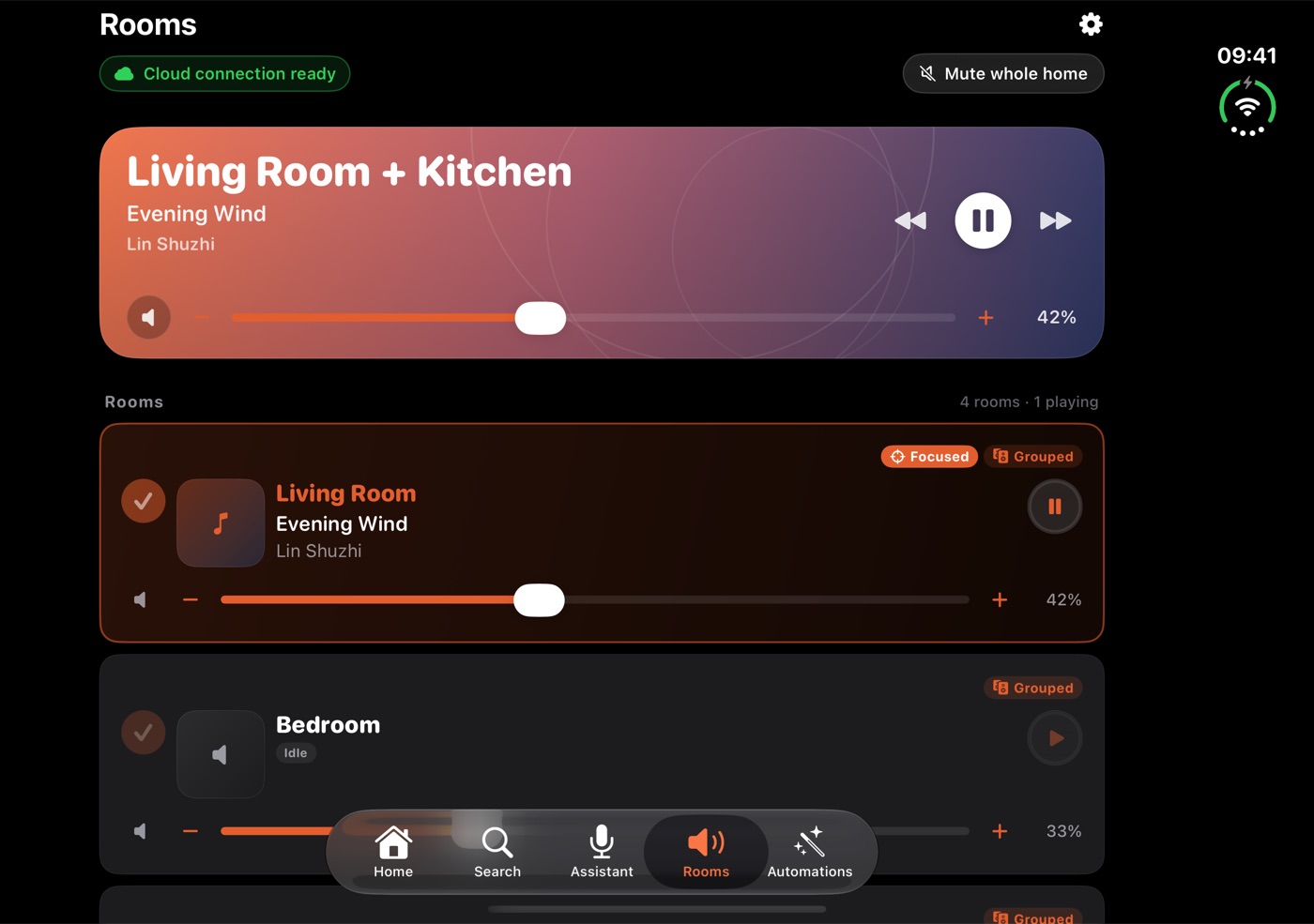
Rooms: a wider list with per-room controls
The playing group gets a large card at the top; each room below shows its volume, playback state and Focused / Grouped badges. A wider layout gives the list more room, with per-room controls and state on each row.
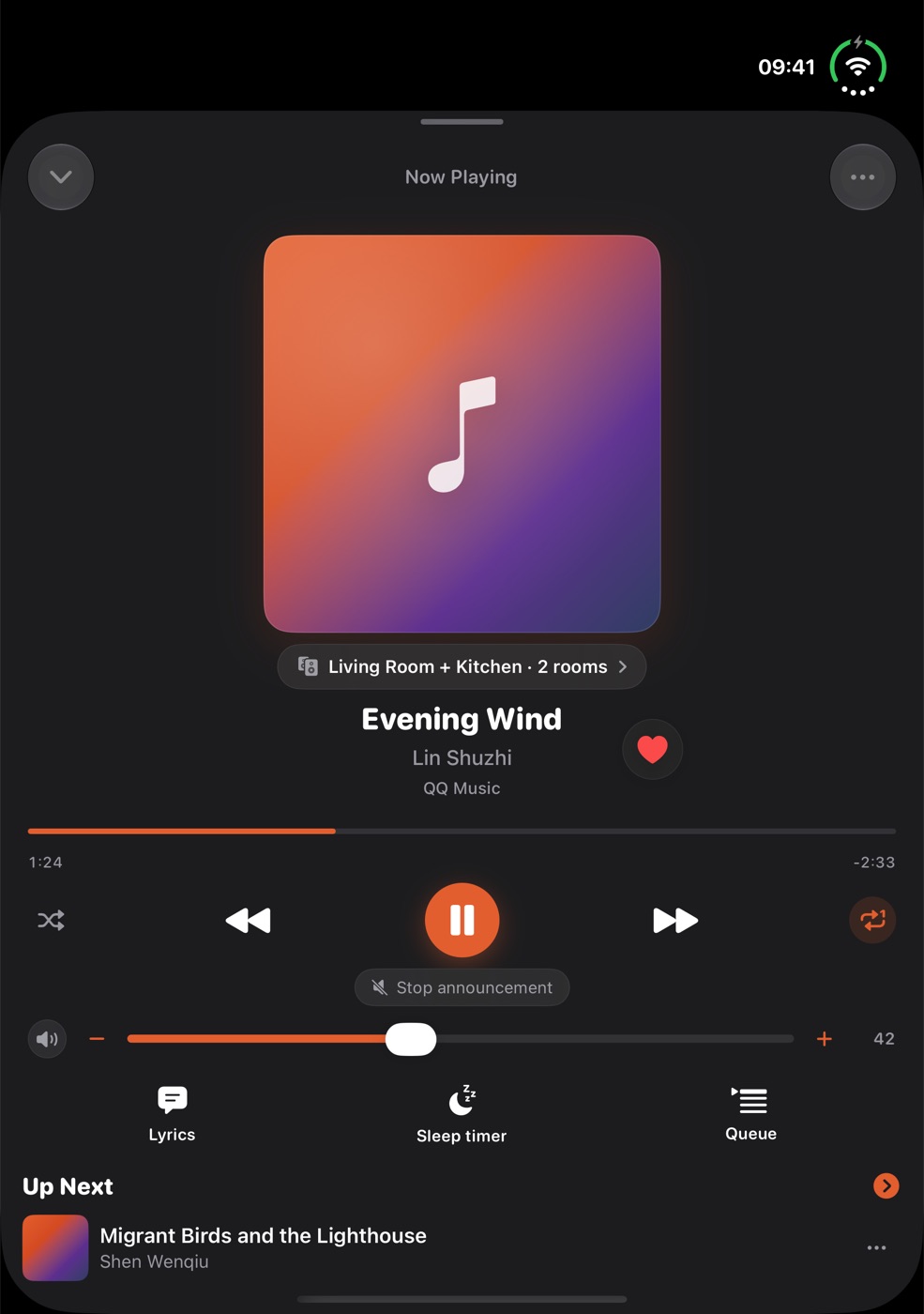
The player: one vertical page, uncramped
Now Playing opens as a single vertical page: large artwork, the current group, title and service, then progress, shuffle / previous / play / next / repeat and volume, then lyrics, sleep timer and queue. Unfolded and on iPad it is the same page.
Folding, unfolding, rotating
- The page reflows to the new screen size and orientation instead of stretching the old layout.
- Unsubmitted search text and keyboard focus stay put. Version 1.1 fixed issues affecting search drafts, keyboard focus and player panel layout when switching screen configurations.
- The room you selected and the player page state are kept. Folding or unfolding only changes the layout.
Common questions
What changes when I unfold iPhone Duo?
In a wide enough layout — unfolded in landscape, for example — Home can show the player and quick actions side by side, and Search and the room list get more room. iPad adapts to its own screen widths, so the layouts are not identical.
Will I lose what I'm typing when I fold or unfold?
Version 1.1 fixed issues affecting search drafts, keyboard focus and player panel layout when switching screen configurations. If you still run into it, tell us on the support page.
Not installed yet? Get it on the App Store, or browse the other guides.