
开始前你需要開始前你需要Before you start
- iPhone Duo 或 iPad,系统版本以 App 要求为准iPhone Duo 或 iPad,系統版本以 App 要求為準An iPhone Duo or an iPad on a supported OS version
- ZoneFoundry 已更新到 1.1 或以上ZoneFoundry 已更新到 1.1 或以上ZoneFoundry updated to 1.1 or later
- 已经能看到房间列表;没有音箱的话,可以先用内置示例家庭已經能看到房間列表;沒有喇叭的話,可以先用內置示例家庭Your rooms are already visible; without speakers you can start from the built-in sample home
展开后,每一页变成什么样展開後,每一頁變成怎樣What each page looks like when unfolded
首页:足够宽时并排两栏首頁:夠寬時並排兩欄Home: two columns in a wide layout
在足够宽的布局下,首页会把正在播放的播放器放在一侧——封面、歌名、房间、播放/暂停和音量;另一侧是问候语、房间状态、语音入口和「快捷执行」。同一屏能看到的信息更多,换房间、调音量不用来回进页面。在夠寬的版面下,首頁會把正在播放的播放器放在一邊——封面、歌名、房間、播放/暫停和音量;另一邊是問候語、房間狀態、語音入口和「快捷執行」。同一屏能看到的資訊更多,換房間、調音量不用來回進入頁面。In a wide enough layout, Home puts the player on one side — artwork, title, room, play/pause and volume — and the greeting, room status, the voice entry and Quick actions on the other. You see more at once, without bouncing between pages to change rooms or volume.
搜索:一次看到更多服务和结果搜尋:一次看到更多服務與結果Search: more services and results at a glance
顶部是搜索框和服务筛选(全部 / Apple / Spotify / 网易 / QQ / Plex),下面是各服务的推荐区块。展开后一行能并排放更多结果,找歌少滑几次。底部还会留一条迷你播放条,随时暂停、切歌或调音量。頂部是搜尋框和服務篩選(全部 / Apple / Spotify / 網易 / QQ / Plex),下面是各服務的推薦區塊。展開後一行能並排放更多結果,找歌少滑幾次。底部還會留一條迷你播放條,隨時暫停、切歌或調音量。Search and service filters sit at the top (All / Apple / Spotify / NetEase / QQ / Plex), with each service's shelves below. Unfolded, a row fits more results, so you scroll less. A mini player stays at the bottom for pause, skip and volume.
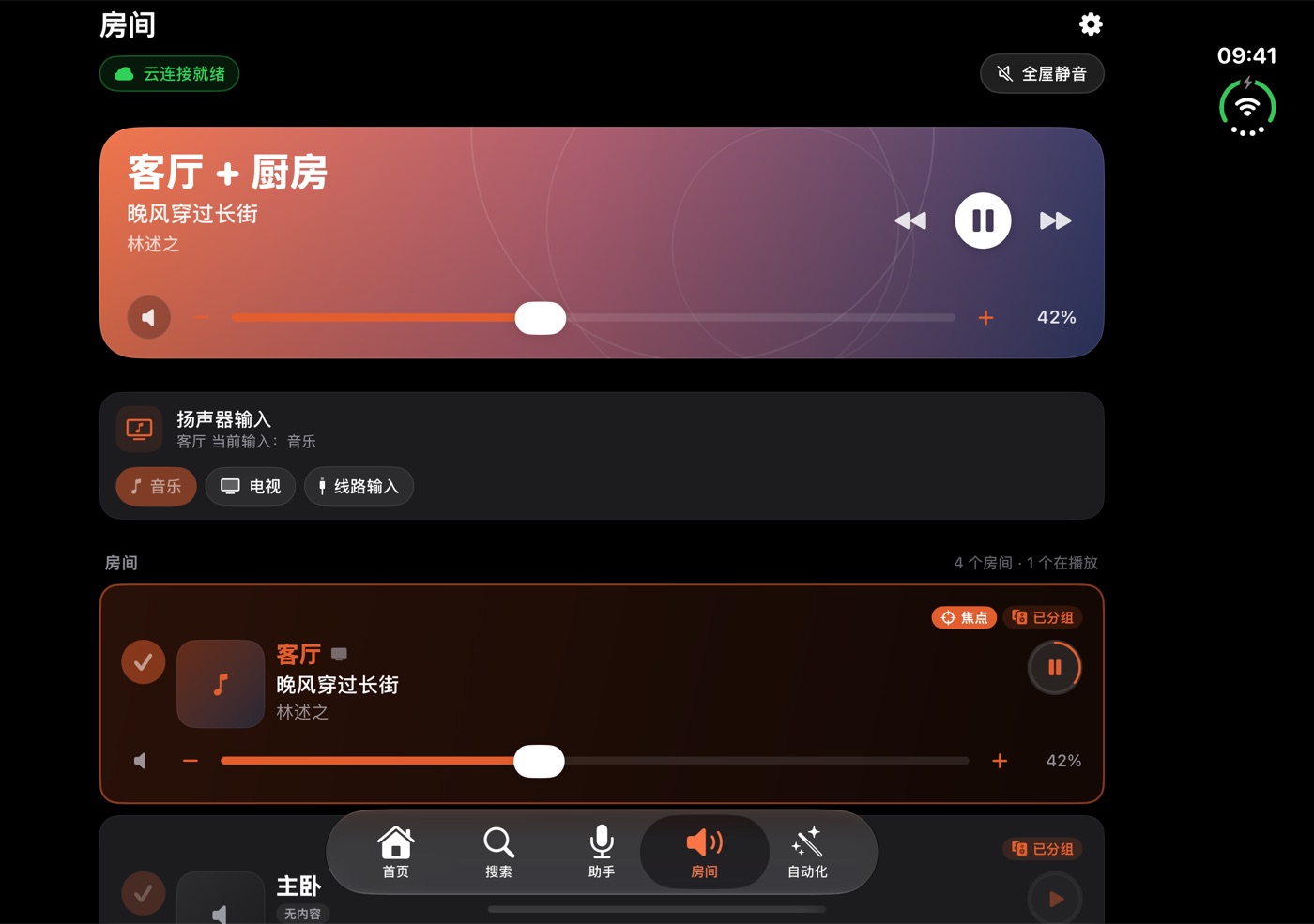
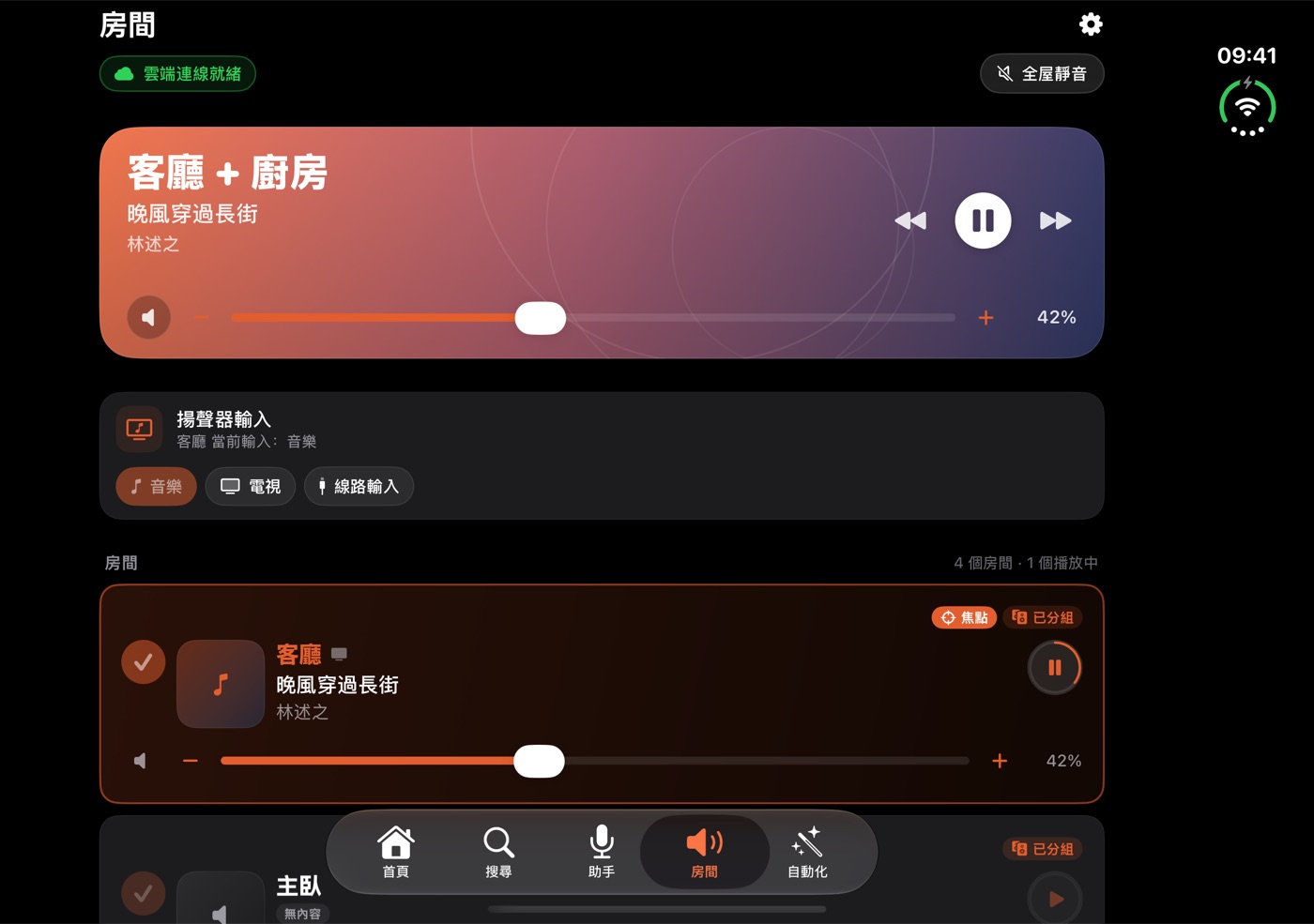
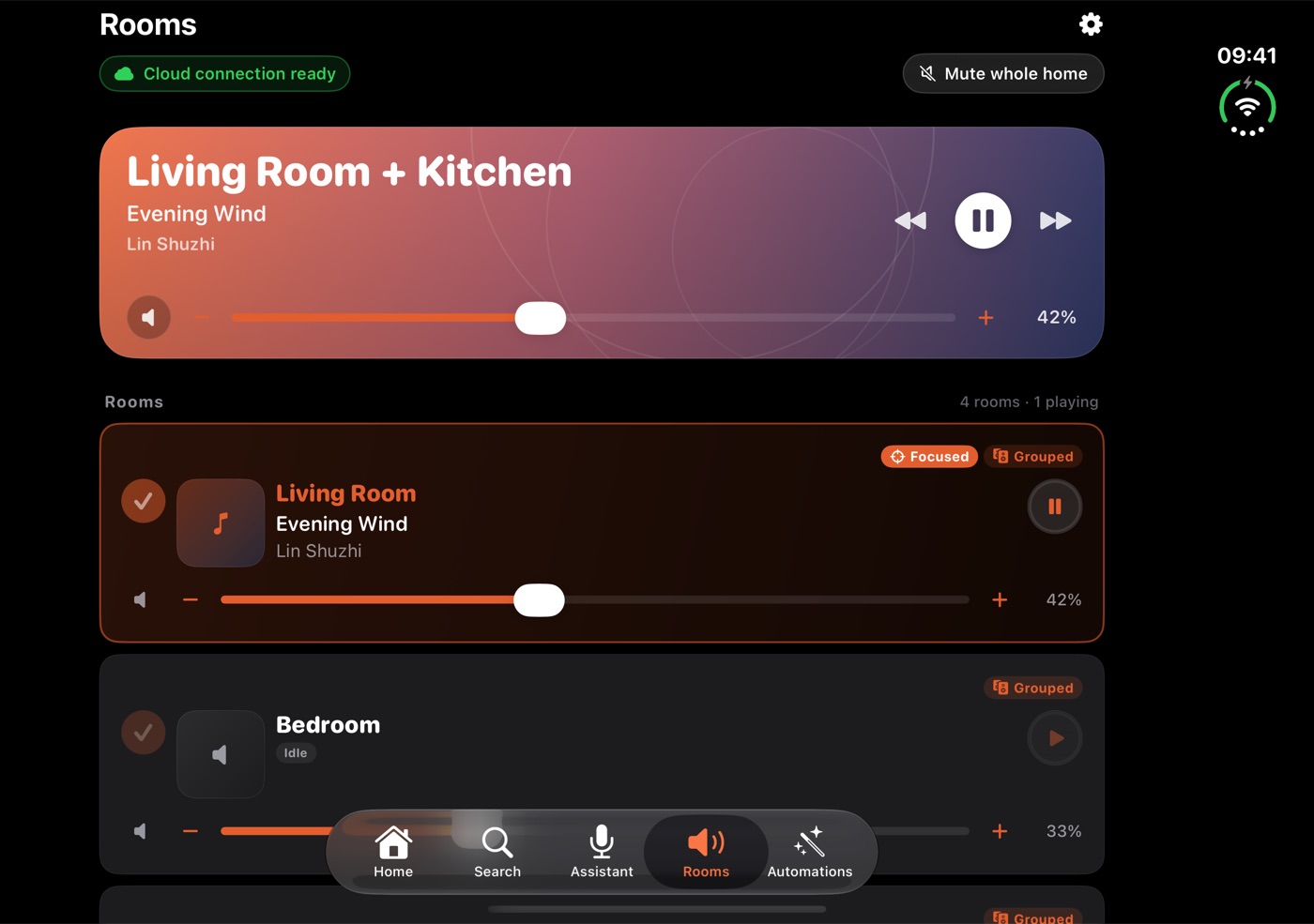
房间:更宽的列表,逐房控制房間:更寬的清單,逐房控制Rooms: a wider list with per-room controls
顶部是当前群组的大卡片,下面是逐个房间的音量、播放状态和「焦点 / 已分组」标记。版面变宽后,房间列表能显示更多内容,每行仍然是逐房控制和状态。頂部是當前群組的大卡片,下面是逐個房間的音量、播放狀態和「焦點 / 已分組」標記。版面變寬後,房間清單能顯示更多內容,每行仍然是逐房控制和狀態。The playing group gets a large card at the top; each room below shows its volume, playback state and Focused / Grouped badges. A wider layout gives the list more room, with per-room controls and state on each row.
播放器:竖版一页,展开也不挤播放器:豎版一頁,展開也不擠The player: one vertical page, uncramped
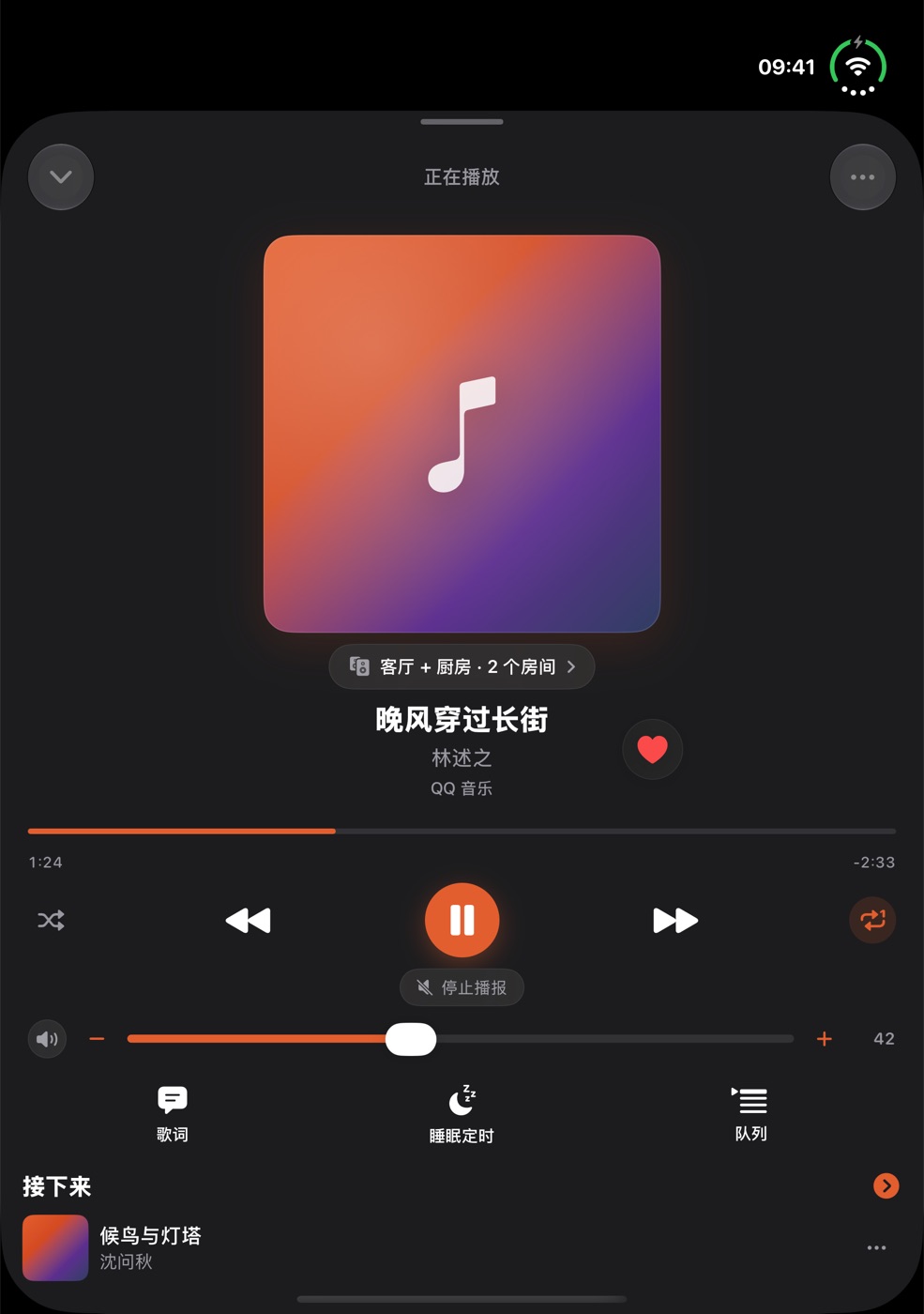
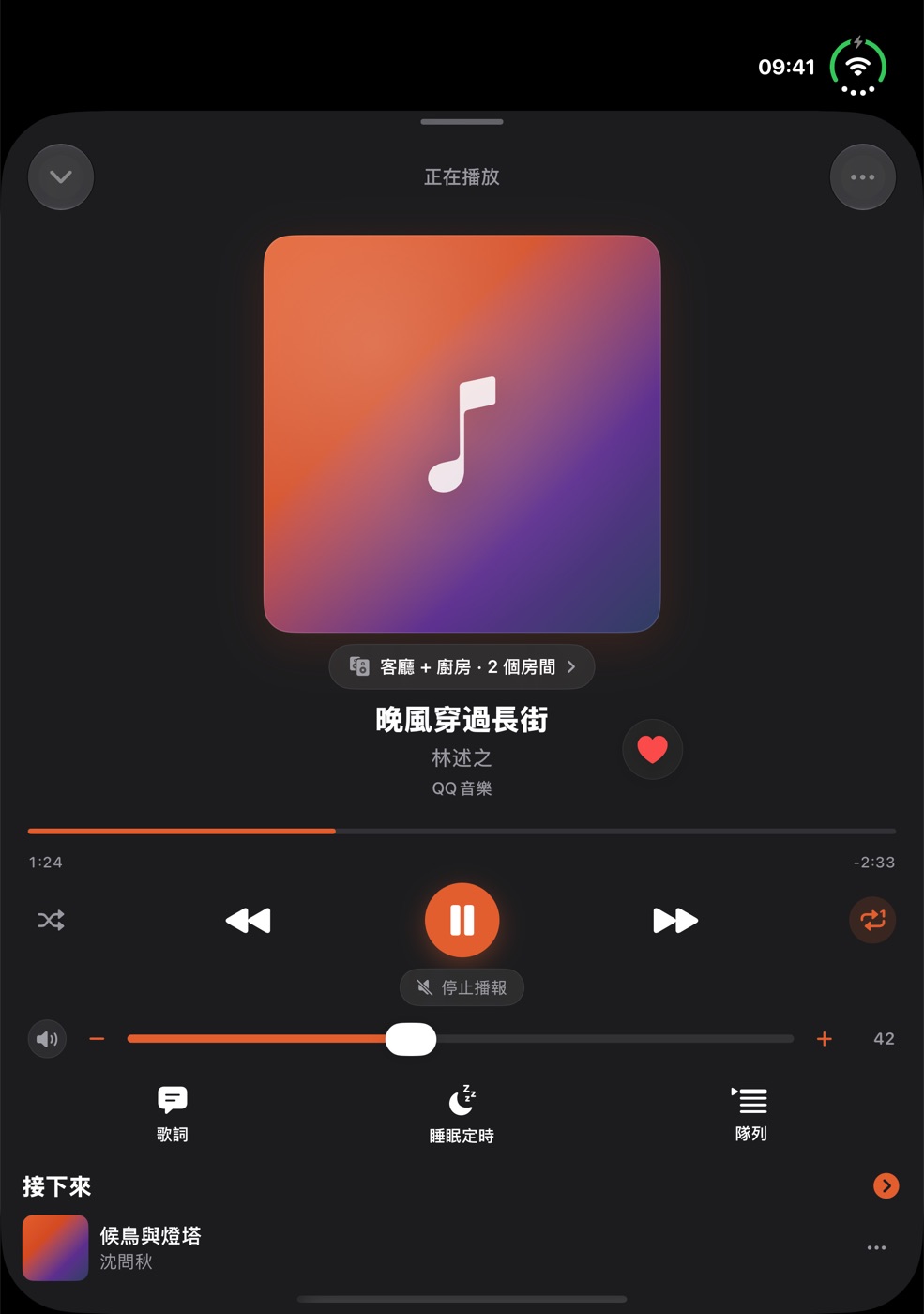
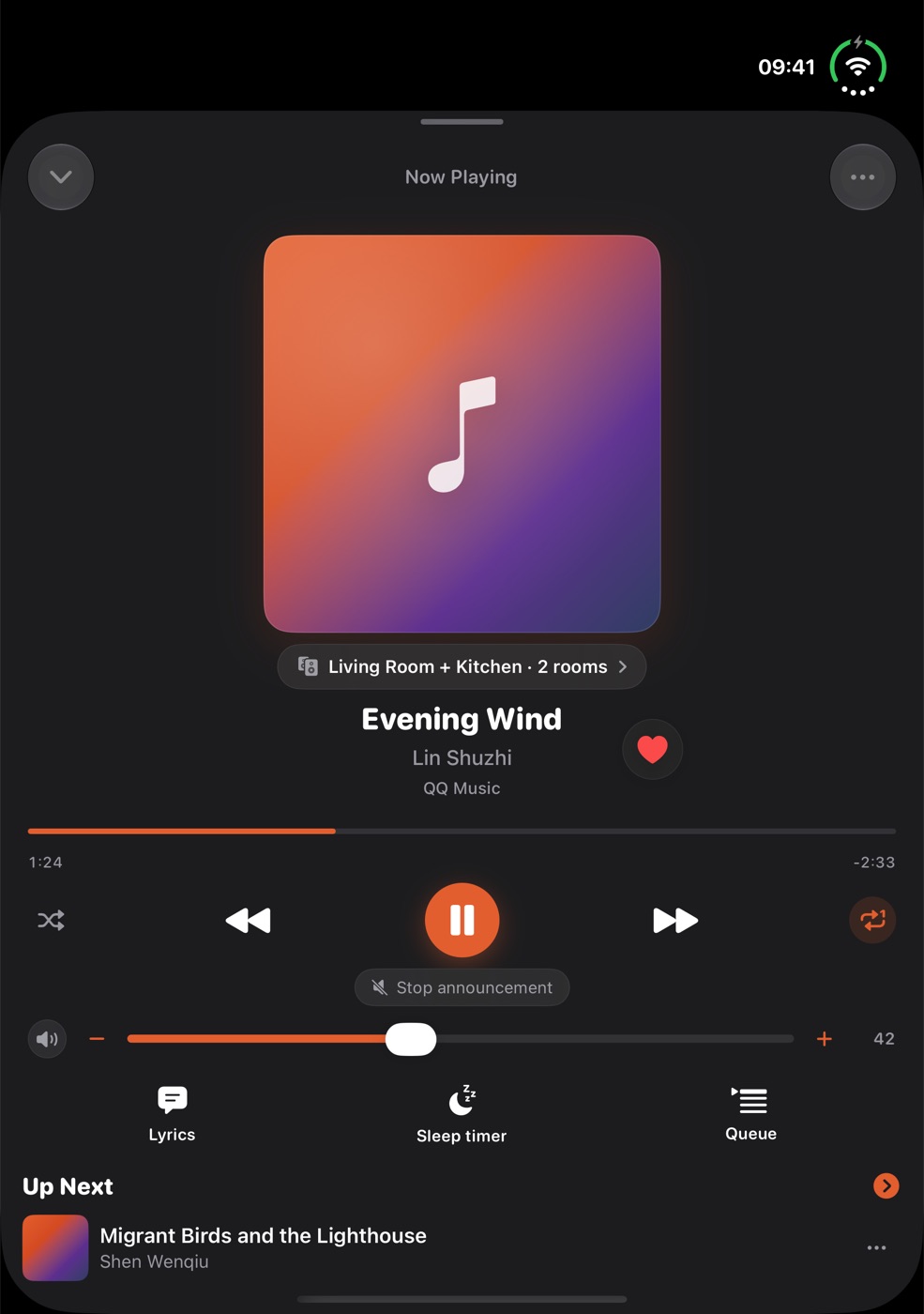
点开「正在播放」是竖版的一页:大封面、当前群组、歌名和音乐服务,下面是进度、随机/上一首/播放/下一首/循环和音量,再往下是歌词、睡眠定时和队列。展开屏与 iPad 用的是同一页播放器。點開「正在播放」是豎版的一頁:大封面、當前群組、歌名和音樂服務,下面是進度、隨機/上一首/播放/下一首/循環和音量,再往下是歌詞、睡眠定時和佇列。展開螢幕與 iPad 用的是同一頁播放器。Now Playing opens as a single vertical page: large artwork, the current group, title and service, then progress, shuffle / previous / play / next / repeat and volume, then lyrics, sleep timer and queue. Unfolded and on iPad it is the same page.
展开、合上、旋转的时候展開、合上、旋轉的時候Folding, unfolding, rotating
- 页面会按新的屏幕尺寸和方向重排,不会停在拉伸变形的旧布局上。頁面會按新的螢幕尺寸和方向重排,不會停在拉伸變形的舊版面上。The page reflows to the new screen size and orientation instead of stretching the old layout.
- 搜索框里还没提交的文字和键盘焦点会保留。1.1 修复了切换屏幕姿态时搜索草稿、键盘焦点和播放器面板布局异常的问题。搜尋框裡還沒送出的文字和鍵盤焦點會保留。1.1 修正了切換螢幕狀態時搜尋草稿、鍵盤焦點與播放器面板配置異常的問題。Unsubmitted search text and keyboard focus stay put. Version 1.1 fixed issues affecting search drafts, keyboard focus and player panel layout when switching screen configurations.
- 你选中的房间和播放器页面的状态会保留。展开或合上只改变布局。你選中的房間和播放器頁面的狀態會保留。展開或合上只改變版面。The room you selected and the player page state are kept. Folding or unfolding only changes the layout.
常见问题常見問題Common questions
iPhone Duo 展开之后,App 会变成什么样?iPhone Duo 展開之後,App 會變成怎樣?What changes when I unfold iPhone Duo?
在足够宽的布局下(例如横向展开),首页可以把播放器和快捷操作并排显示,搜索和房间列表也会用上更宽的版面。iPad 按各自的屏幕宽度适配,布局并不完全相同。在夠寬的版面下(例如橫向展開),首頁可以把播放器和快捷操作並排顯示,搜尋和房間清單也會用上更寬的版面。iPad 按各自的螢幕寬度適配,版面並不完全相同。In a wide enough layout — unfolded in landscape, for example — Home can show the player and quick actions side by side, and Search and the room list get more room. iPad adapts to its own screen widths, so the layouts are not identical.
展开或合上的时候,正在输入的内容会丢吗?展開或合上的時候,正在輸入的內容會丟失嗎?Will I lose what I'm typing when I fold or unfold?
1.1 修复了切换屏幕姿态时搜索草稿、键盘焦点和播放器面板布局异常的问题。如果你仍然遇到,到支持页告诉我们。1.1 修正了切換螢幕狀態時搜尋草稿、鍵盤焦點與播放器面板配置異常的問題。如果你仍然遇到,到支援頁告訴我們。Version 1.1 fixed issues affecting search drafts, keyboard focus and player panel layout when switching screen configurations. If you still run into it, tell us on the support page.
还没装 App?到 App Store 下载;想先看其他功能,翻一遍教程。還沒裝 App?到 App Store 下載;想先看其他功能,翻一遍教學。Not installed yet? Get it on the App Store, or browse the other guides.