
为什么好用為什麼好用Why it's handy
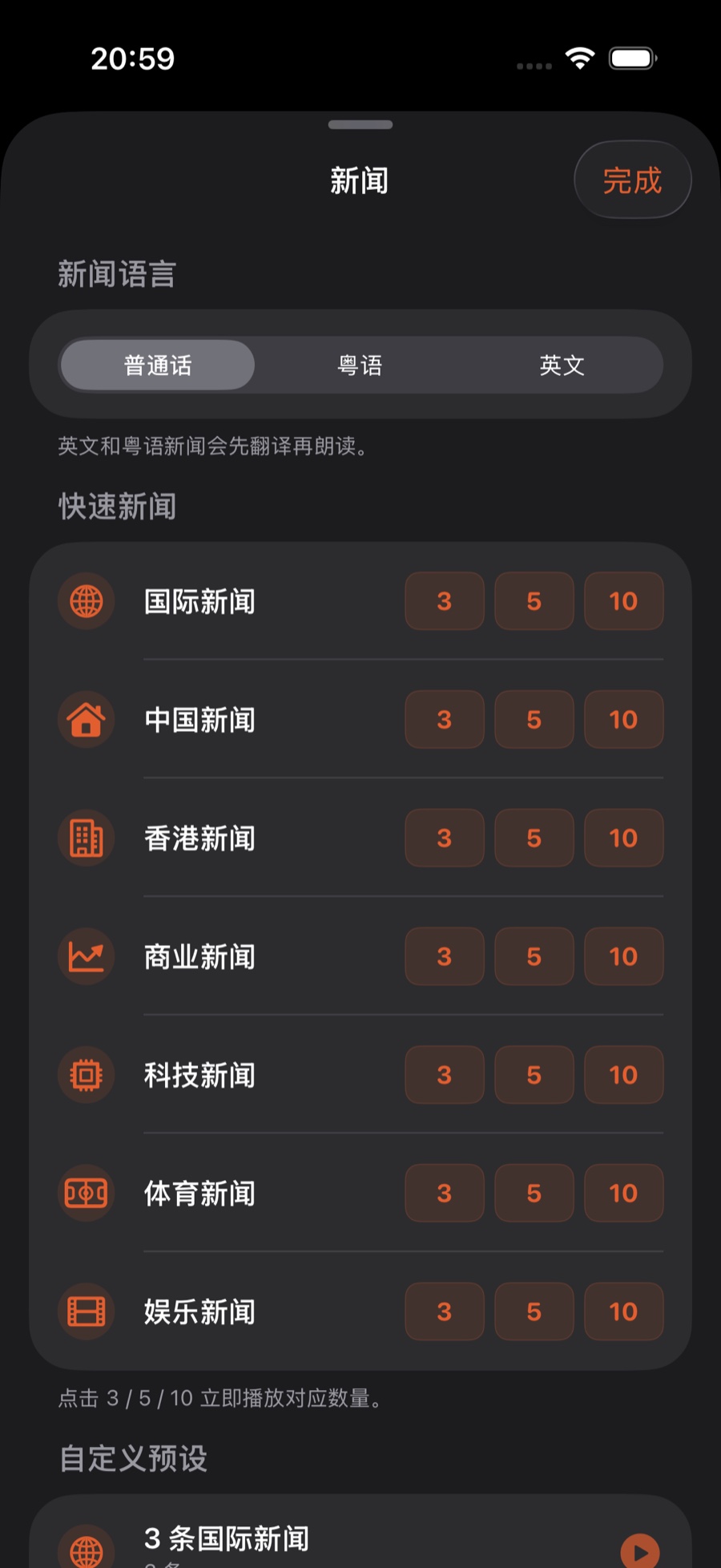
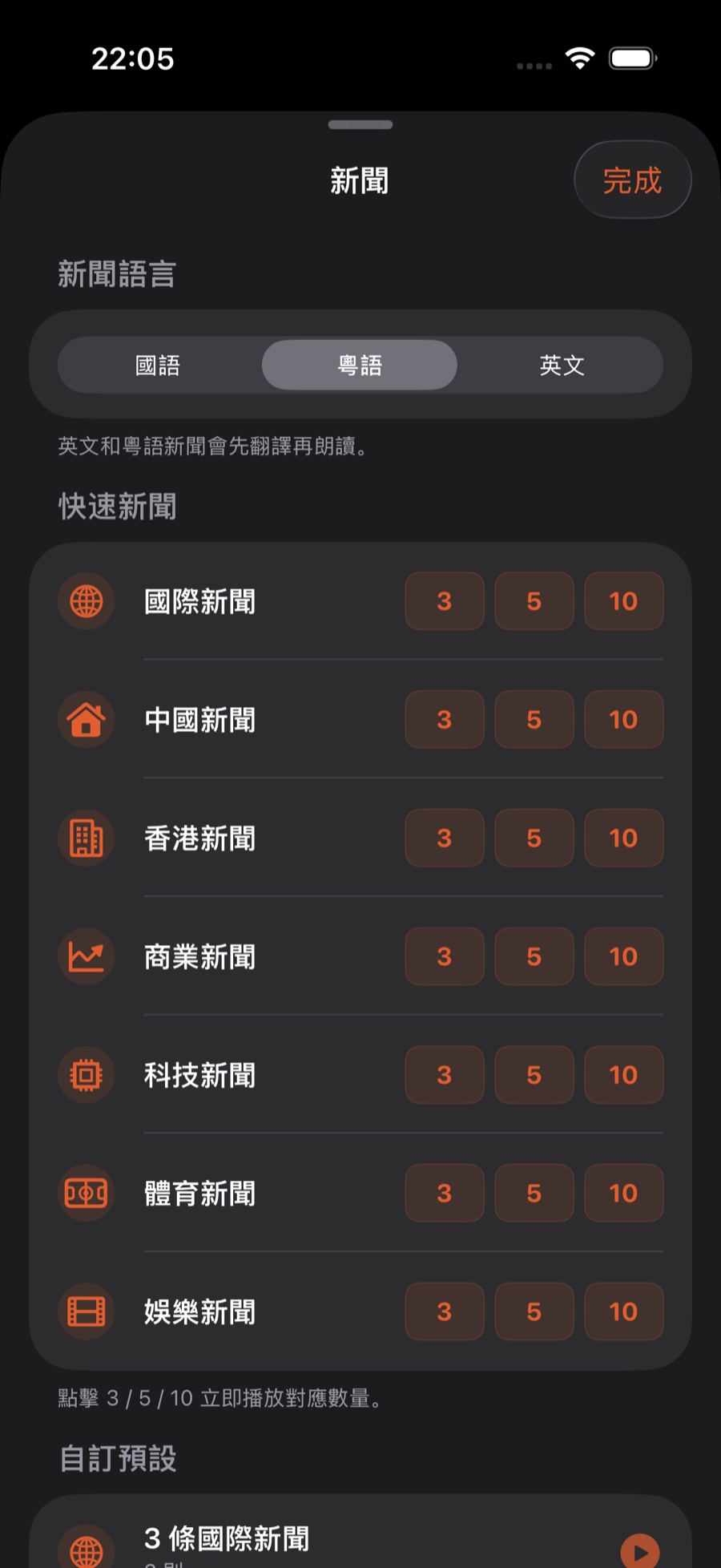
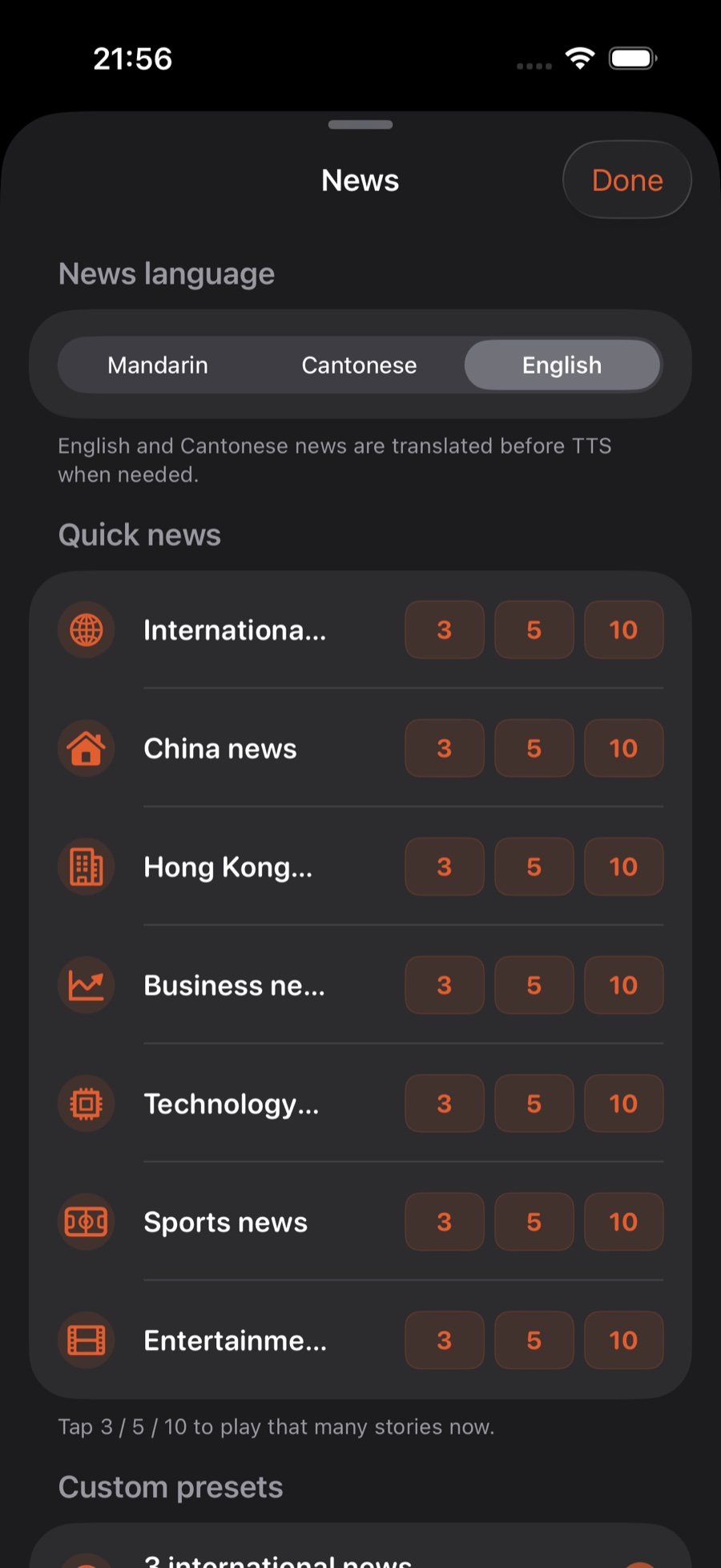
- 七大分类,随点随播:国际、中国、香港、商业、科技、体育、娱乐,每类都能一键播 3/5/10 条。七大分類,隨點隨播:國際、中國、香港、商業、科技、體育、娛樂,每類都能一鍵播 3/5/10 條。Seven categories, one tap: world, China, Hong Kong, business, tech, sports, entertainment — each plays 3/5/10 items instantly.
- 三种语言:普通话、粤语、English,需要时会先翻译再朗读。三種語言:普通話、粵語、English,需要時會先翻譯再朗讀。Three languages: Mandarin, Cantonese and English — translated first when needed, then read aloud.
- 播到你要的房间:快速新闻播到当前房间;自定义预设可以指定一间房;想全屋一起播:到场景里编辑「全屋新闻」,选好新闻预设、勾上要播的房间再用。播到你要的房間:快速新聞播到目前的房間;自訂預設可以指定一間房;想全屋一起播:到場景裡編輯「全屋新聞」,選好新聞預設、勾選要播的房間再使用。The room you want: quick news plays in the current room; a custom preset can target one room; for the whole home at once, edit the "News Everywhere" scene first: pick a news preset and tick the rooms.
- 能自动播:自定义预设可以设成定时(每天、工作日、周末或自定义),或者闹钟响完后播;也可以把新闻放进场景,再用场景定时。都不需要桥。可以自動播:自訂預設可以設成定時(每日、工作日、週末或自訂),或者鬧鐘響完後播;也可以把新聞放進場景,再用場景定時。全部毋須橋接。Automatable: a custom preset can run on a schedule (every day, weekdays, weekends or custom days) or after your alarm; you can also put news in a scene and schedule the scene. No bridge needed.
开始前你需要開始前你需要Before you start
- 一台 iPhone,已登录 Sonos 账户(不需要桥),和至少一个 Sonos 房间一部 iPhone,已登入 Sonos 帳戶(毋須橋接),以及至少一個 Sonos 房間An iPhone signed in to your Sonos account (no bridge needed), and at least one Sonos room
- (可选)打开定位权限:每次新闻开头会先报一句你所在地的天气(可選)開啟定位權限:每次新聞開頭會先報一句你所在地的天氣(Optional) allow location access: each briefing then opens with a line about your local weather
步骤步驟Steps
打开「新闻」打開「新聞」Open "News"
在 ZoneFoundry 的助手页点「新闻」,或点首页「快捷执行」里的「新闻计划」格,打开新闻页。先在顶部选语言:普通话、粤语或 English。首页的「新闻」格不一样:点一下就直接把 3 条国际新闻播到当前房间,不打开新闻页;抓新闻和合成语音大约要 15 秒才出声,点一次就好,不用连按。在 ZoneFoundry 的助手頁點「新聞」,或點首頁「快捷執行」裡的「新聞排程」格,打開新聞頁。先在頂部選語言:普通話、粵語或 English。首頁的「新聞」格不一樣:點一下便直接把 3 條國際新聞播到目前的房間,不會打開新聞頁;擷取新聞和合成語音大約需要 15 秒才有聲音,點一次即可,毋須連續點按。In ZoneFoundry, tap News on the Assistant tab, or the Scheduled news tile under Quick Execution on Home, to open the News screen. Pick a language at the top: Mandarin, Cantonese or English. The News tile on Home is different: one tap plays 3 world headlines straight to the current room without opening the News screen. Fetching and voicing the news takes about 15 seconds before you hear it — tap once, no need to tap again.
选分类,点 3/5/10 立即播選分類,點 3/5/10 立即播Pick a category, tap 3/5/10
在想听的分类那一行,点 3、5 或 10,就会立刻朗读对应条数的新闻。想固定一套自己的组合,往下用「自定义预设」点 + 保存起来,下次一键就播;自定义预设还多一个「综合」分类,条数可选 1–10,也可以指定目标房间。在想聽的分類那一行,點 3、5 或 10,便會立即朗讀對應條數的新聞。想固定一套自己的組合,往下在「自訂預設」點 + 儲存,下次一點即播;自訂預設還多一個「綜合」分類,條數可選 1–10,也可以指定目標房間。On the category you want, tap 3, 5 or 10 to read that many items right away. To keep your own mix, scroll down to "Custom presets", tap + and save it for one-tap playback next time; custom presets also offer a "General" mix, 1–10 items, and a target room.
播到哪个房间播到哪個房間Which room it plays in
快速新闻(分类那一行的 3/5/10)播到当前房间,也就是右上角房间胶囊选中的那间;自定义预设可以在「目标房间」指定一间房,或「使用默认」。想全屋一起播:到场景里编辑「全屋新闻」,选好新闻预设、勾上要播的房间再用。播报音量可以在 设置 → 新闻与广播(1.0.10 及更早在「设备」里)→「广播与新闻音量」调。快速新聞(分類那一行的 3/5/10)播到目前的房間,即右上角房間膠囊選中的那間;自訂預設可以在「目標房間」指定一間房,或「用預設」。想全屋一起播:到場景裡編輯「全屋新聞」,選好新聞預設、勾選要播的房間再使用。播報音量可以在 設定 → 新聞與廣播(1.0.10 及更早版本在「裝置」裡)→「廣播與新聞音量」調整。Quick news (the 3/5/10 buttons) plays in the current room — the one selected in the room pill at the top right. A custom preset can target one room under "Target room", or "Use default". To play across the whole home, edit the "News Everywhere" scene first: pick a news preset and tick the rooms. Adjust how loud it reads under Settings → News & Broadcasts (Devices in 1.0.10 and earlier) → Broadcast & News Volume.
小提示:打开定位权限后,每次新闻开头会先报一句你所在地的天气——第一次用会提示你开启。想单独听天气,对助手说「播报一下天气」。小貼士:開啟定位權限後,每次新聞開頭會先報一句你所在地的天氣——第一次使用時會提示你開啟。想單獨聽天氣,對助手說「播報一下天氣」。Heads up: with location access on, each briefing opens with a line about your local weather — you'll be prompted the first time. For the weather on its own, ask the assistant to "read the weather".
想每天早上自动播?在新闻页的「自定义预设」点 +,「触发方式」选「定时(自动)」,再选每天、工作日、周末或自定义的日子;也可以选「闹钟响完后」,闹钟一停就接着播新闻。另一种做法:把新闻设成一个场景的内容,再在场景编辑器里打开「到点自动触发」。这两种都由服务器按时执行,不需要桥。场景定时的做法见 一键自动化预设。想每朝自動播?在新聞頁的「自訂預設」點 +,「觸發方式」選「定時(自動)」,再選每日、工作日、週末或自訂的日子;也可以選「鬧鐘響完後」,鬧鐘一停便接著播新聞。另一個做法:把新聞設為一個場景的內容,再在場景編輯器開啟「到點自動觸發」。兩種做法都由伺服器按時執行,毋須橋接。場景定時的做法見 一鍵自動化預設。Want it every morning? On the News screen, tap + under "Custom presets", set the trigger to "Scheduled (auto)", and pick every day, weekdays, weekends or custom days — or choose "After alarm" so the news follows your alarm. Alternatively, set news as a scene's content and turn on "Auto-trigger at scheduled time" in the scene editor. Both run on our server on schedule — no bridge needed. For scene schedules, see Automation presets.
这一串动作,可以合成一个场景這一串動作,可以合成一個場景A whole routine can collapse into one scene
起床、回家、睡前——ZoneFoundry 可以把房间、音量、音乐、播报打包成一个场景,一句话或一个按钮触发,不用每次重排一遍。起床、回家、睡前——ZoneFoundry 可以把房間、音量、音樂、廣播打包成一個場景,一句話或一個按鈕觸發,不用每次重新排一遍。Waking up, coming home, winding down — ZoneFoundry can bundle rooms, volume, music and announcements into one scene, triggered by a sentence or a button instead of rebuilt each time.


