
为什么 Sonos 已经连接了,在 ZoneFoundry 还要再连一次?為什麼 Sonos 已經連接了,在 ZoneFoundry 還要再連一次?Why link again if Sonos already has the service?
你在 Sonos 官方 App 里连过的服务,音箱本来就能播——所以收藏、歌单里那些歌不用任何设置就能点。但要在 ZoneFoundry 里搜索一个服务的曲库、浏览它的资料库,就要给 ZoneFoundry 一次属于它自己的授权。这就是「设置 → 音乐」里那排「连接」按钮的用途。你在 Sonos 官方 App 裏連過的服務,音箱本來就能播——所以收藏、歌單裏那些歌不用任何設置就能點。但要在 ZoneFoundry 裏搜尋一個服務的曲庫、瀏覽它的資料庫,就要給 ZoneFoundry 一次屬於它自己的授權。這就是「設置 → 音樂」裏那排「連接」按鈕的用途。Services you've linked in the official Sonos app can already play — favorites and playlists work with zero setup. But for ZoneFoundry to search a service's catalog and browse its library, it needs an authorization of its own. That's what the Connect buttons in Settings → Music are for.
开始前你需要開始前你需要Before you start
- 已登录 Sonos 账号(见登录 Sonos 账号)已登入 Sonos 賬號(見登入 Sonos 賬號)Signed in to Sonos (see Signing in to Sonos)
- 想连的服务在 Sonos 官方 App 里已经添加过(音箱认识它)想連的服務在 Sonos 官方 App 裏已經添加過(音箱認識它)The service is already added in the official Sonos app (your speakers know it)
每个服务要怎么连接?每個服務要怎麼連接?How do I link each service?
QQ 音乐 / 网易云音乐 / Spotify:点「连接」,扫码或登录一次QQ 音樂 / 網易雲音樂 / Spotify:按「連接」,掃碼或登入一次Spotify / QQ Music / NetEase: tap Connect, sign in once
到「设置 → 音乐」,这三个服务各有一个「连接」按钮。点下去会打开该服务的官方授权页——QQ 音乐用手机 QQ / 微信扫码,网易云扫码,Spotify 登录账号。授权完成后自动跳回,状态变成「已连接」,搜索页立刻就能搜它的曲库。到「設置 → 音樂」,這幾個服務各有一個「連接」按鈕。按下去會打開該服務的官方授權頁——Spotify 登入賬號,QQ 音樂用手機 QQ / 微信掃碼,網易雲掃碼。授權完成後自動跳回,狀態變成「已連接」,搜尋頁立即就能搜它的曲庫。In Settings → Music, each of these has a Connect button. It opens the service's own authorization page — Spotify signs in with your account; QQ Music and NetEase use a quick QR scan. When it completes you bounce back, the row shows Connected, and Search can reach that catalog immediately.
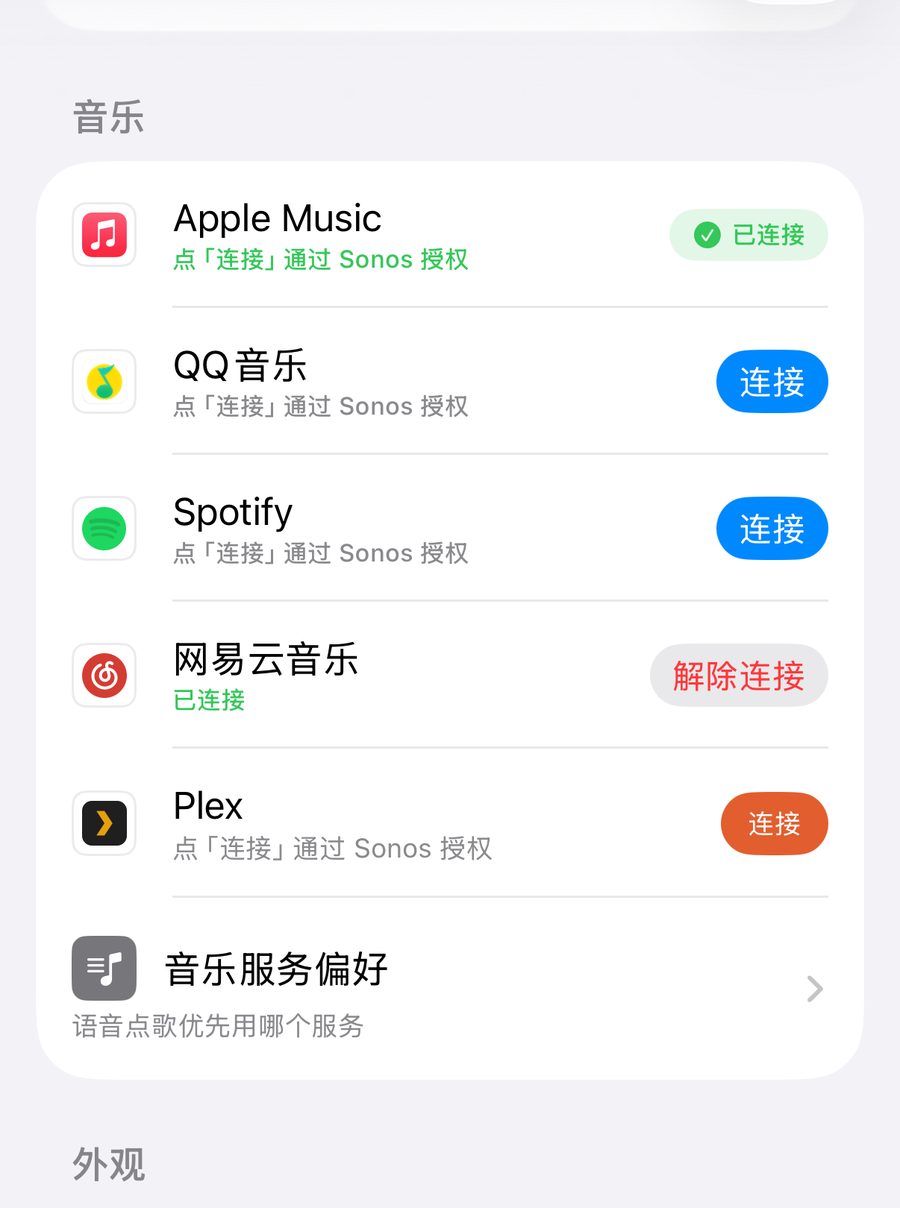
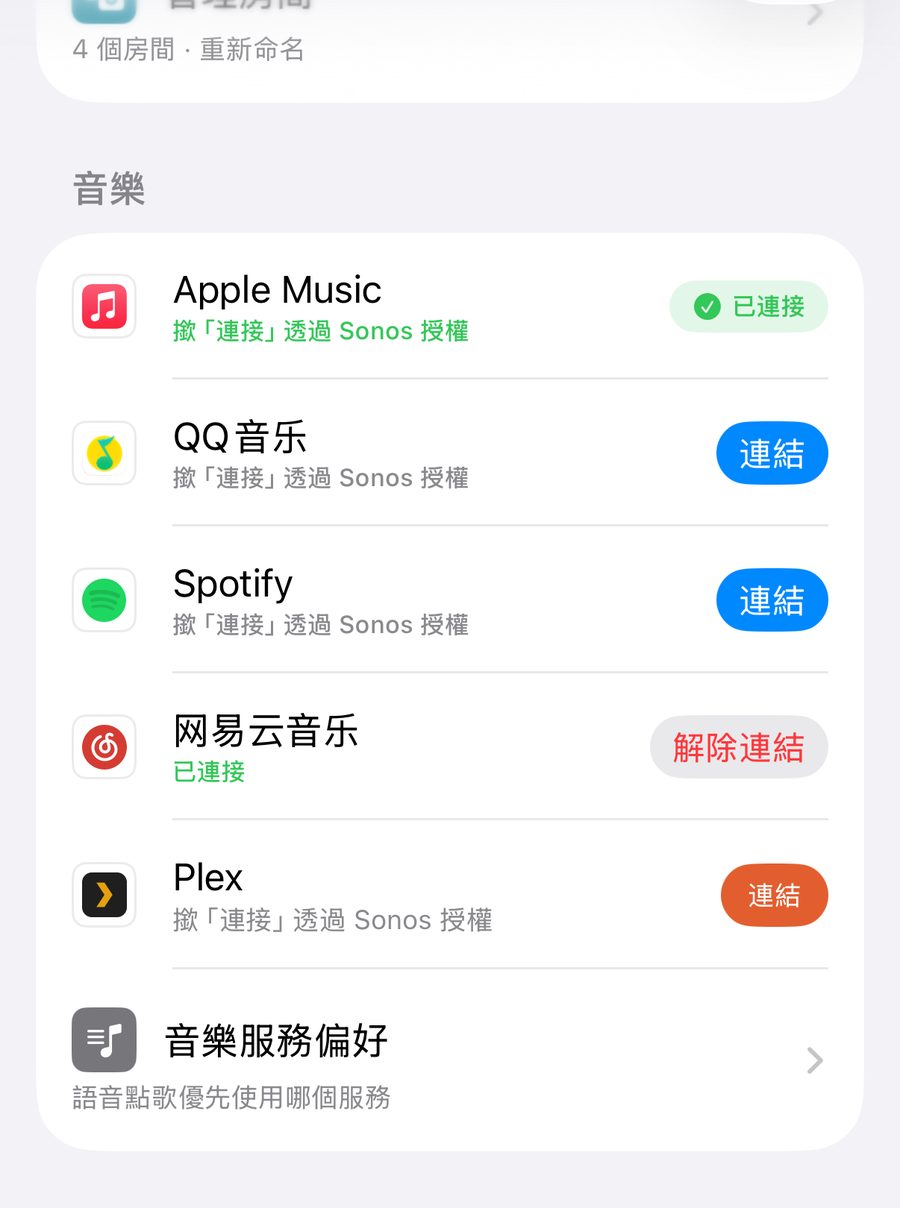
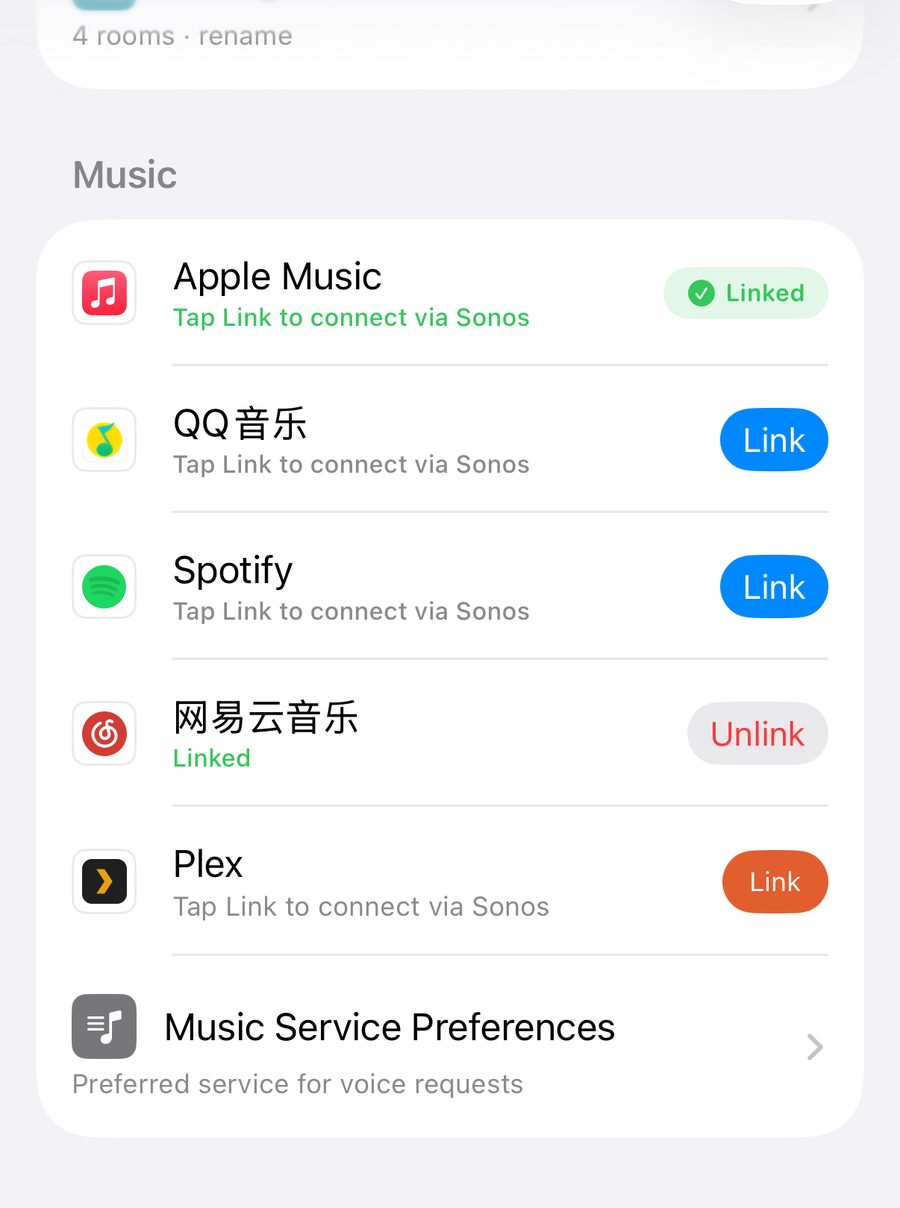
扫完显示成功但 App 没反应?关掉授权页后,App 最多还会再等 45 秒确认结果,先等一等。QQ 音乐的授权页只会显示「请返回 Sonos APP」,不会自己跳回,看到这句等一下,App 会自动关掉它。如果看到「授权未完成」,就再点一次「连接」。掃完顯示成功但 App 沒反應?關閉授權頁後,App 最多還會再等 45 秒確認結果,先等一等。QQ 音樂的授權頁只會顯示「請返回 Sonos APP」,不會自己跳回,看到這句就等一下,App 會自動關閉它。如果看到「授權未完成」,就再按一次「連接」。Scanned successfully but nothing happens? After the authorization page closes, the app keeps checking for up to 45 seconds, so give it a moment. QQ Music's page only says "请返回 Sonos APP" (return to the Sonos app) and doesn't jump back on its own — just wait, and the app closes it for you. If you see "authorization not completed", tap Connect again.
Apple Music:两层授权,先在 Sonos App 添加,再授权此 iPhoneApple Music:兩層授權,先在 Sonos App 添加,再授權這部 iPhoneApple Music: two layers — add it in the Sonos app, then authorize this iPhone
Apple Music 要两层授权。① 在 Sonos 官方 App 里用 Apple ID 添加 Apple Music——这决定音箱能不能播。② 在「设置 → 音乐」授权此 iPhone——这决定 ZoneFoundry 能不能搜你的资料库、看推荐和电台。这一行显示什么,看你做到了哪一步:还没在 Sonos App 添加时,这一行会显示「在 Sonos App 授权」;本机还没授权时,会显示「授权此 iPhone」。已经在 Sonos 添加过的,这一行显示「已连接」,下面只剩「授权此 iPhone」;系统询问过一次之后(不论允许还是拒绝),这个按钮就不再出现。不授权本机时,搜索只能用 Apple 的公开曲库,资料库、推荐、电台都看不到。另外,Apple 电台目前只能在家庭 Wi-Fi 下播放。Apple Music 要兩層授權。① 在 Sonos 官方 App 裏用 Apple ID 添加 Apple Music——這決定音箱能不能播。② 在「設定 → 音樂」授權這部 iPhone——這決定 ZoneFoundry 能不能搜尋你的資料庫、看推薦和電台。這一行顯示甚麼,視乎你做到哪一步:還沒在 Sonos App 添加時,這一行會顯示「喺 Sonos App 授權」;本機還沒授權時,會顯示「授權呢部 iPhone」。已經在 Sonos 添加過的,這一行顯示「已連接」,下面只剩「授權呢部 iPhone」;系統詢問過一次之後(不論允許還是拒絕),這個按鈕就不再出現。不授權本機時,搜尋只能用 Apple 的公開曲庫,資料庫、推薦、電台都看不到。另外,Apple 電台目前只能在家庭 Wi-Fi 下播放。Apple Music has two layers of authorization. (1) Add Apple Music in the official Sonos app with your Apple ID; this decides whether your speakers can play it. (2) Authorize this iPhone in Settings → Music; this decides whether ZoneFoundry can search your library and show recommendations and stations. What the row shows depends on how far you've got: until you add it in the Sonos app, the row shows "Authorize in Sonos App"; until this iPhone is authorized, it shows "Authorize this iPhone". Once it's added in Sonos, the row shows "Linked", with only "Authorize this iPhone" below it — and after iOS has asked once (whether you allowed or declined), that button no longer appears. Without authorizing this iPhone, search falls back to Apple's public catalog and your library, recommendations and stations stay hidden. Apple stations currently play only on your home Wi-Fi.
Plex:四位 PIN 码配对你的私人曲库Plex:四位 PIN 碼配對你的私人曲庫Plex: pair your personal library with a 4-digit PIN
搜索页的 Plex 分区点「连接 Plex」,App 给你一个四位码,到 plex.tv/link 输入即可。连接后你 NAS / 电脑上的整个音乐库都能搜、能直接送进 Sonos 播。连接一次会跟着你的 ZoneFoundry 账号走——换 iPhone、加 iPad 都不用重新配。「设置 → 音乐」里的 Plex 那一行也能连接。播放时手机要在家里 Wi-Fi 下,而且音箱要能在局域网里直连你的 Plex 服务器。搜尋頁的 Plex 分區按「連接 Plex」,App 會給你一個四位碼,到 plex.tv/link 輸入即可。連接後你 NAS / 電腦上的整個音樂庫都能搜、能直接送入 Sonos 播。連接一次會跟着你的 ZoneFoundry 賬號走——換 iPhone、加 iPad 都不用重新配。「設定 → 音樂」裏的 Plex 那一行也能連接。播放時手機要在家裏 Wi-Fi 下,而且音箱要能在區域網絡裏直連你的 Plex 伺服器。In the Plex section of Search, tap Connect Plex: the app shows a 4-digit code — enter it at plex.tv/link. Once paired, your whole NAS/computer music library is searchable and plays straight to Sonos. The link follows your ZoneFoundry account, so a new iPhone or an iPad picks it up without pairing again. You can also link Plex from its row in Settings → Music. To play, your phone needs to be on your home Wi-Fi and the speakers need a direct LAN route to your Plex server.
连接之后在哪里用?連接之後在哪裡用?What do you get once everything is linked?
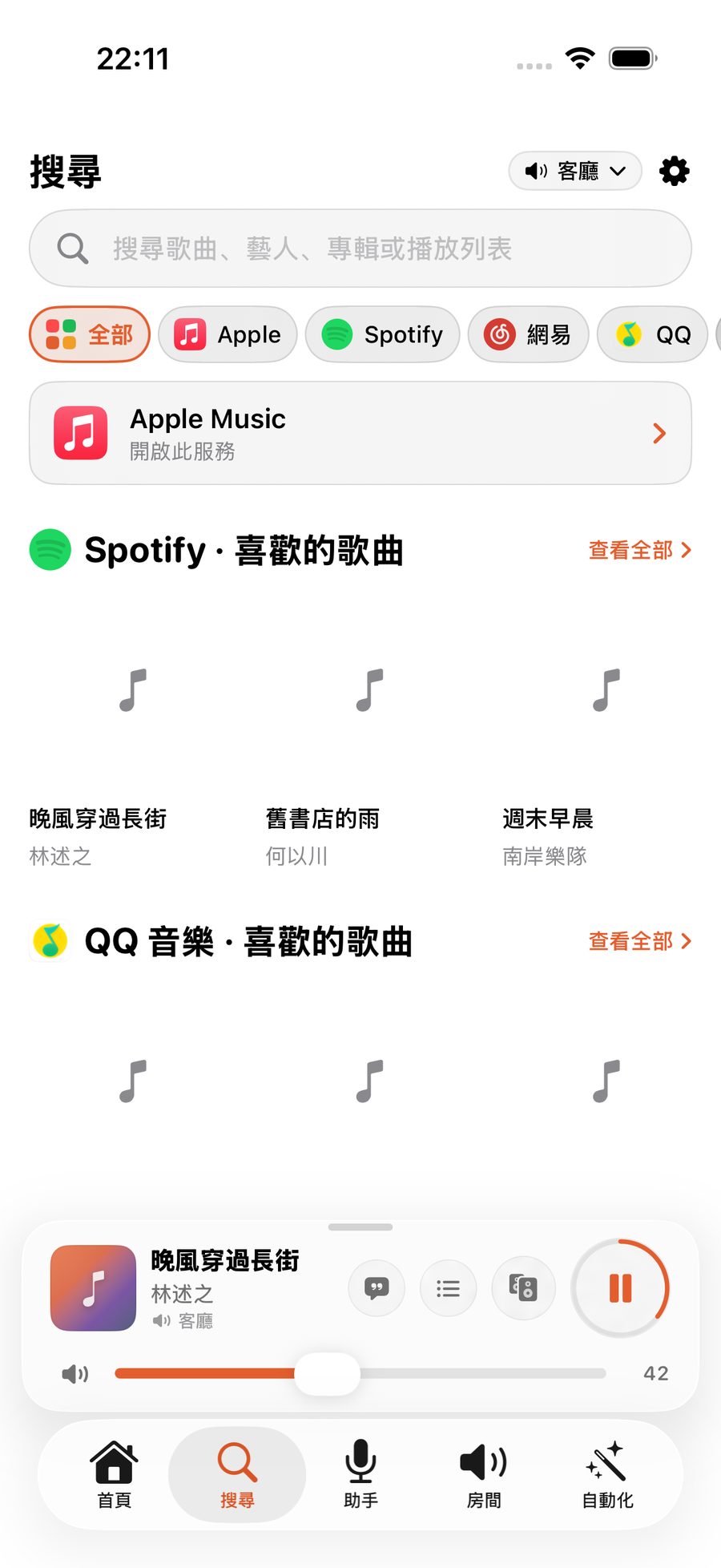
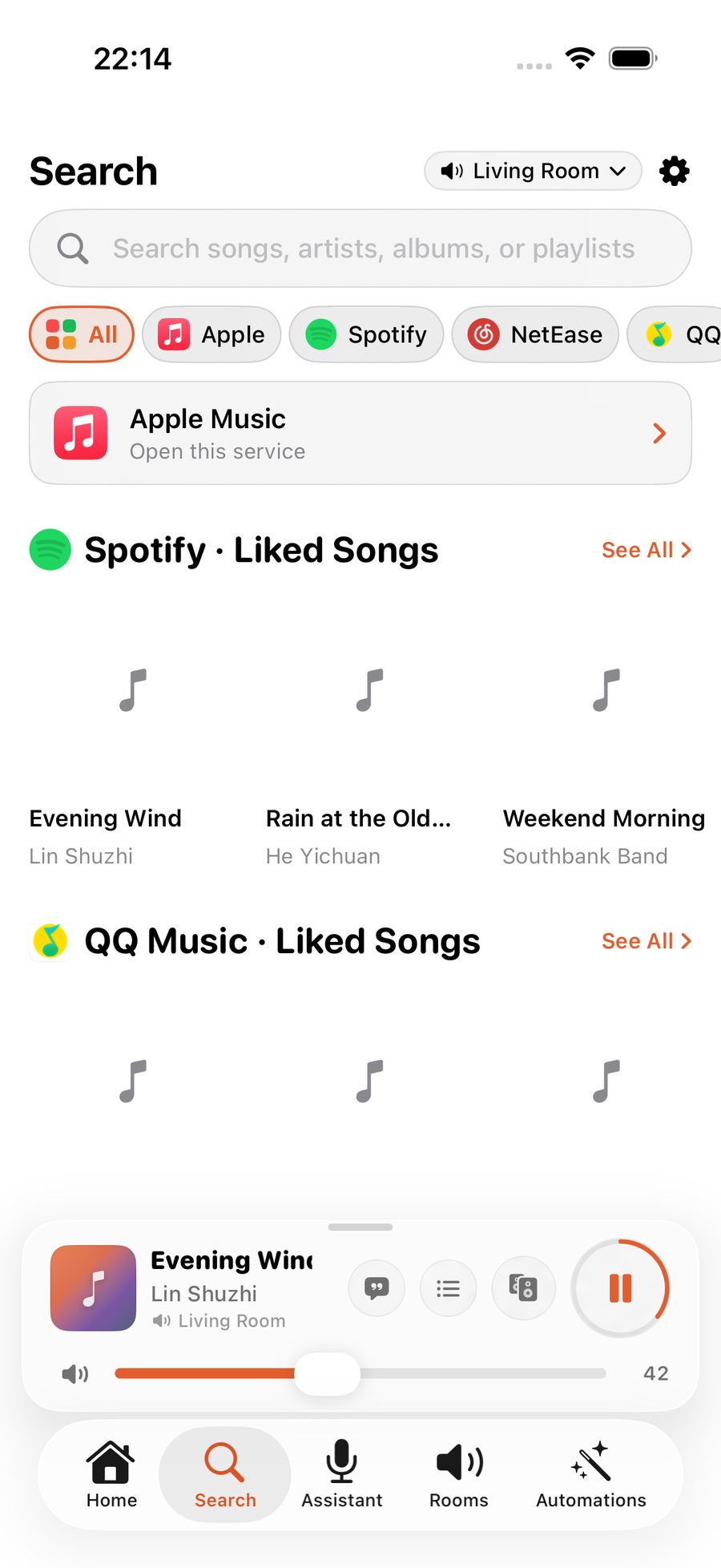
「搜索」页一个框搜全部服务,结果按服务分区;每个服务还有自己的资料库首页(歌单、专辑、电台)。语音也一样受益——「放周杰伦」会自动从已连接的服务里挑最合适的来源。「搜尋」頁一個框搜全部服務,結果按服務分區;每個服務還有自己的資料庫首頁(歌單、專輯、電台)。語音也一樣受益——「放周杰倫」會自動從已連接的服務裡挑最合適的來源。The Search tab queries every connected service from one box, grouped by service; each service also gets its own library page (playlists, albums, stations). Voice benefits too — "play Jay Chou" automatically picks the best source among your connected services.
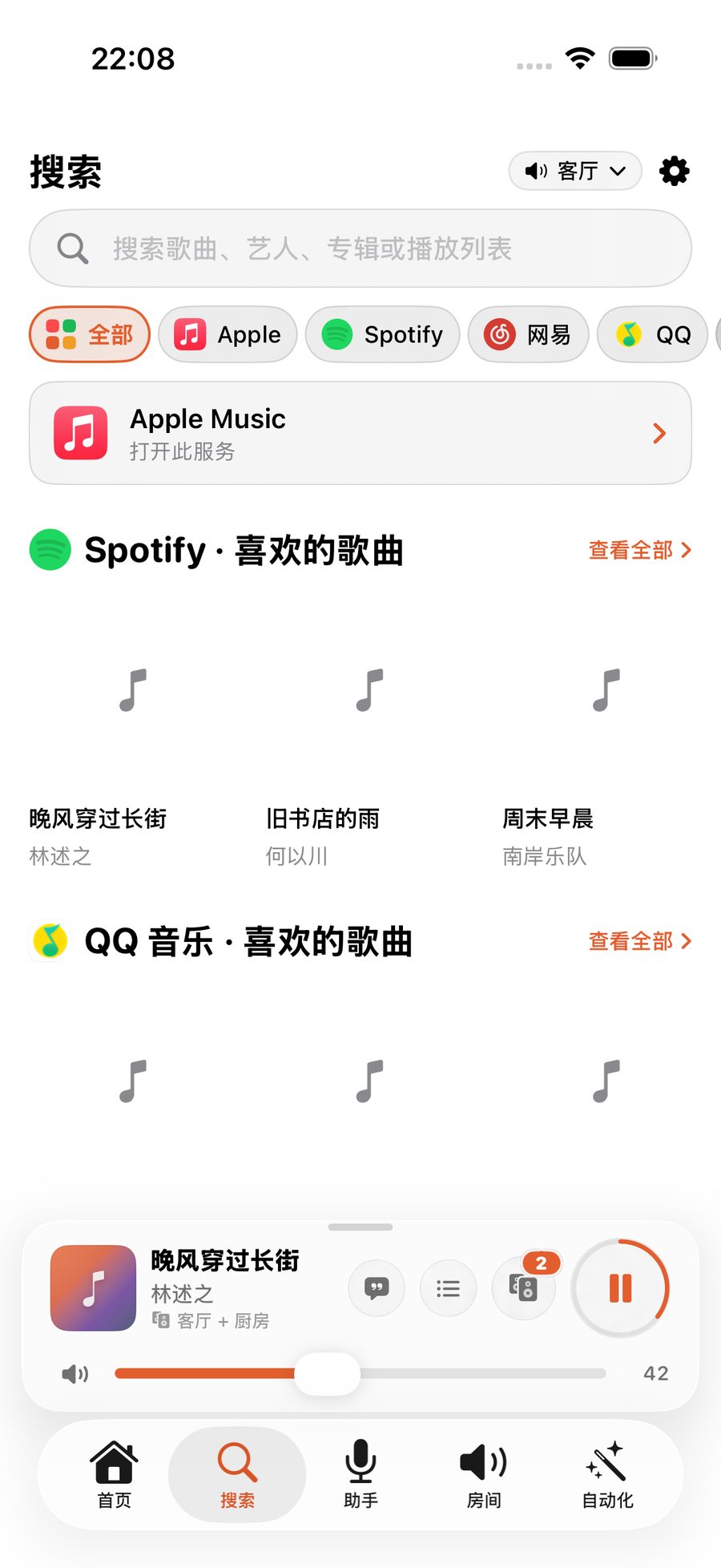
提示:实际可连接的服务取决于你的 Sonos 账户地区和已在官方 App 添加的服务。随时可以解除:同一行点「解除连接」即可,不影响音箱本身的授权。提示:實際可連接的服務取決於你的 Sonos 賬戶地區和已在官方 App 添加的服務。隨時可以解除:同一行按「解除連結」即可,不影響音箱本身的授權。Note: which services you can link depends on your Sonos account region and what's added in the official app. Unlinking is always one tap — "Unlink" on the same row, and never touches the speakers' own authorization.
几个音乐 App,可以一次搜完幾個音樂 App,可以一次搜完Search every music service at once
Apple Music、Spotify、网易云、QQ 音乐在 ZoneFoundry 里共用同一个搜索框,找到就直接推到 Sonos,不用来回切 App 再投一次。Apple Music、Spotify、網易雲、QQ 音樂在 ZoneFoundry 裡共用同一個搜尋框,找到就直接推到 Sonos,不用來回切 App 再投一次。Apple Music, Spotify, NetEase and QQ Music share one search box in ZoneFoundry. Find a track and it goes straight to Sonos — no switching apps to cast it again.


