
为什么值得登录為什麼值得登入Why sign in at all
在家同一个 Wi-Fi 下,ZoneFoundry 直接连音箱;出门远程控制、场景定时、新闻计划这些要经过 Sonos 官方云接口,而云接口认的是你的 Sonos 账户。登录之后,这些立刻可用:在家同一個 Wi-Fi 下,ZoneFoundry 直接連接音箱;出門遙距控制、場景定時、新聞計劃這些要經過 Sonos 官方雲端介面,而雲端介面認的是你的 Sonos 帳戶。登入之後,這些立即可用:At home on the same Wi-Fi, ZoneFoundry talks to your speakers directly; remote control away from home, scene schedules and news plans go through Sonos's official cloud APIs, and those APIs recognize your Sonos account. Once signed in, all of this lights up:
- 云端搜歌:跨你已连接的音乐服务搜任何歌,点了就播雲端搜歌:跨你已連接的音樂服務搜任何歌,按一下就播Cloud music search: find any song across your connected services and play it
- 语音和文字点歌:「客厅放爵士」这类一句话指令語音和文字點歌:「客廳放爵士」這類一句話指令Voice and text commands: one-liners like "play jazz in the living room"
- 场景、全屋广播、新闻播报:定时和自动化的全套(同一个 Wi-Fi 下只播到当前房间的简单广播不用登录)場景、全屋廣播、新聞播報:定時和自動化的全套(同一個 Wi-Fi 下只播到目前房間的簡單廣播不用登入)Scenes, whole-home announcements, news briefings: the whole automation kit (the simple broadcast to the current room works on your Wi-Fi without signing in)
- 不在家也能控制:出了门照样调音量、换歌不在家也能控制:出了門照樣調音量、換歌Control from anywhere: adjust volume and skip tracks even away from home
这一步不需要桥接、不需要任何额外设备——只是一次普通的账号授权。這一步不需要橋接、不需要任何額外設備——只是一次普通的賬號授權。None of this needs a bridge or any extra hardware — it's a single, ordinary account authorization.
怎么登录怎樣登入How to sign in
找到入口找到入口Find the entry point
首次引导里就有「连接 Sonos」这一步;跳过了也没关系——任何时候到「设置 → Sonos 账户」都能登。首次引導裏就有「連接 Sonos」這一步;跳過了也沒關係——任何時候到「設置 → Sonos 賬戶」都能登。Onboarding has a "Connect Sonos" step built in; if you skipped it, no problem — Settings → Sonos account gets you there any time.
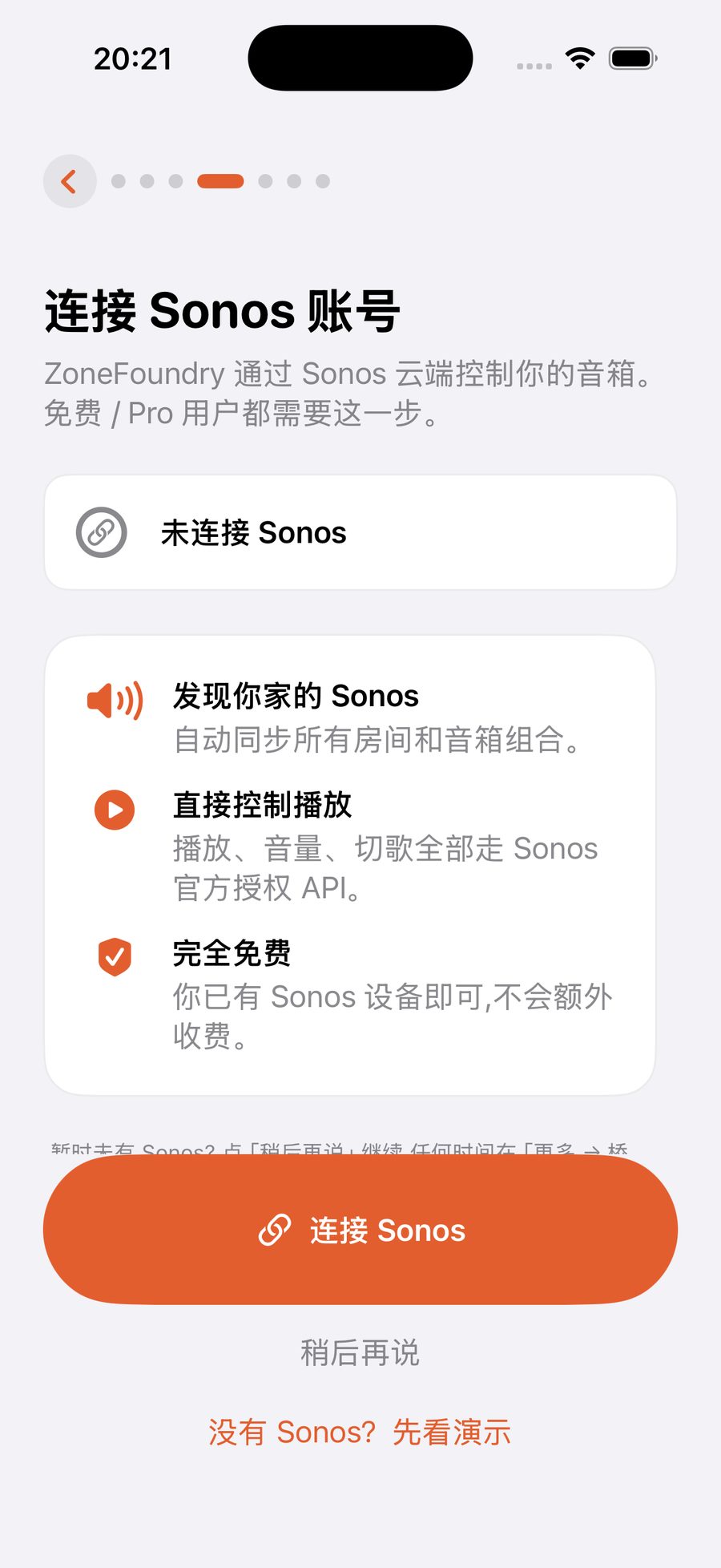
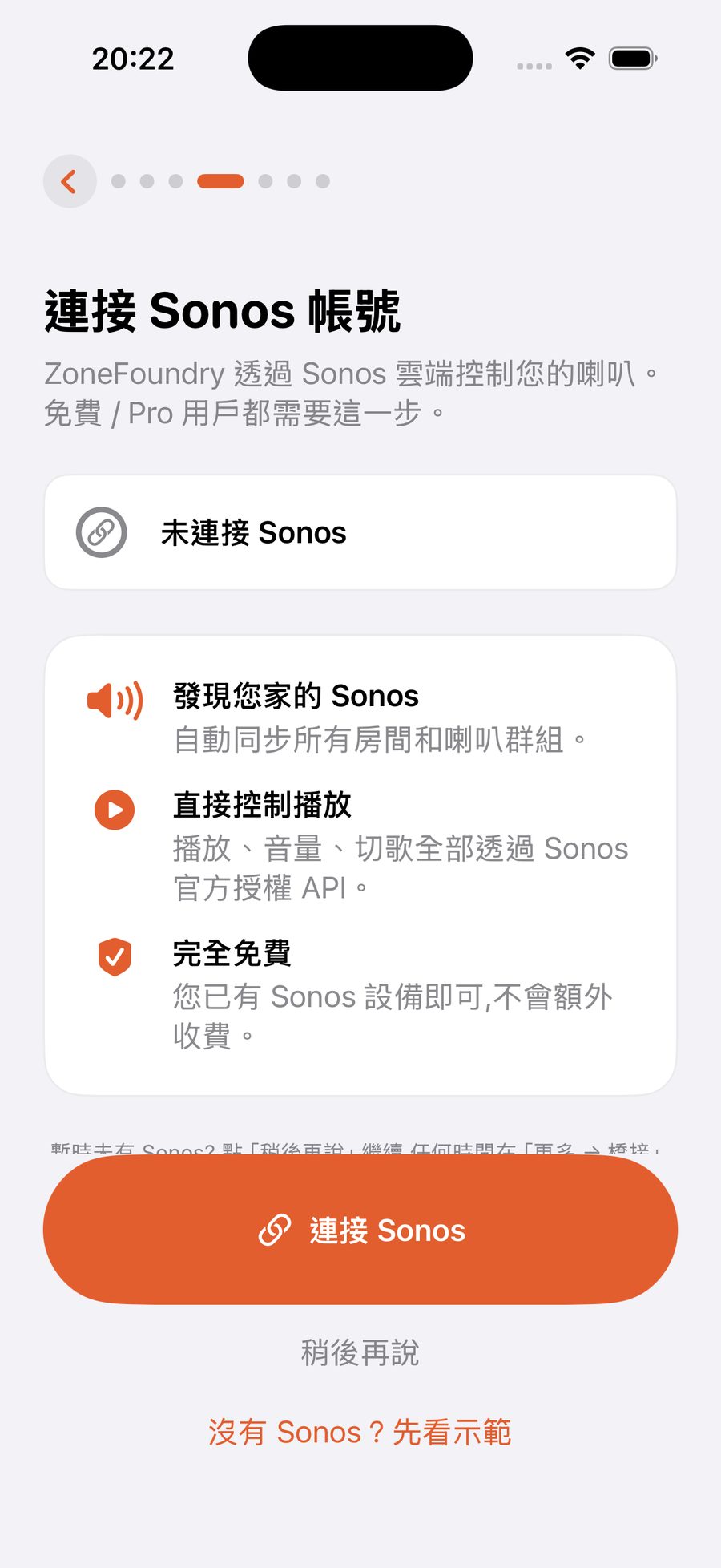
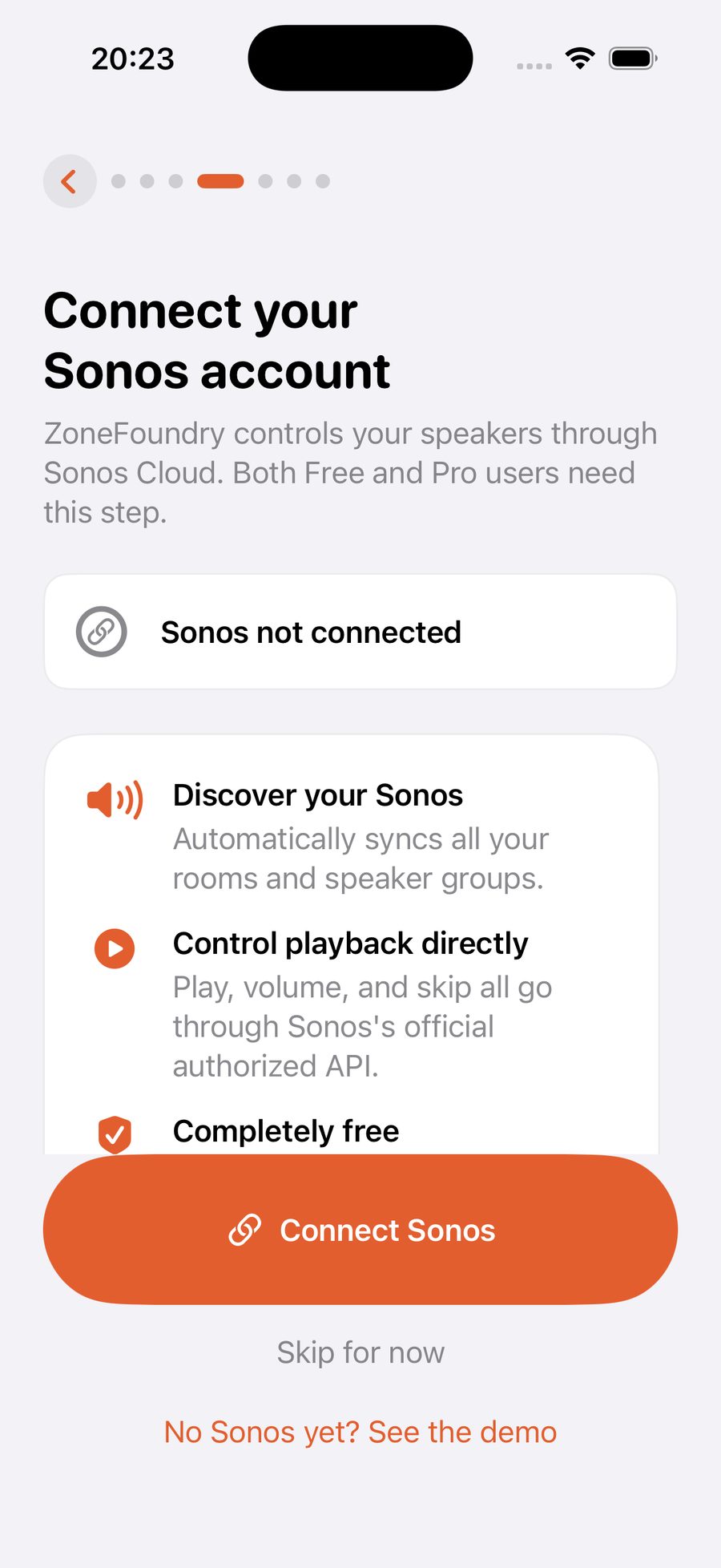
在 Sonos 官方页面授权在 Sonos 官方頁面授權Authorize on Sonos's own page
点「连接 Sonos」会弹出 Sonos 官方的登录页(域名是 sonos.com——密码只交给 Sonos,ZoneFoundry 拿到的只是一把授权钥匙)。输入你官方 App 用的账号密码,点允许,页面自动关闭跳回 App。按「連接 Sonos」會彈出 Sonos 官方的登入頁(域名是 sonos.com——密碼只交給 Sonos,ZoneFoundry 取得的只是一把授權鑰匙)。輸入你官方 App 用的賬號密碼,按允許,頁面自動關閉跳回 App。Tapping "Connect Sonos" opens Sonos's official sign-in page (on sonos.com — your password goes only to Sonos; ZoneFoundry receives just an authorization key). Enter the same credentials as the official app, tap Allow, and it closes back into the app.
确认房间出现確認房間出現Confirm your rooms appear
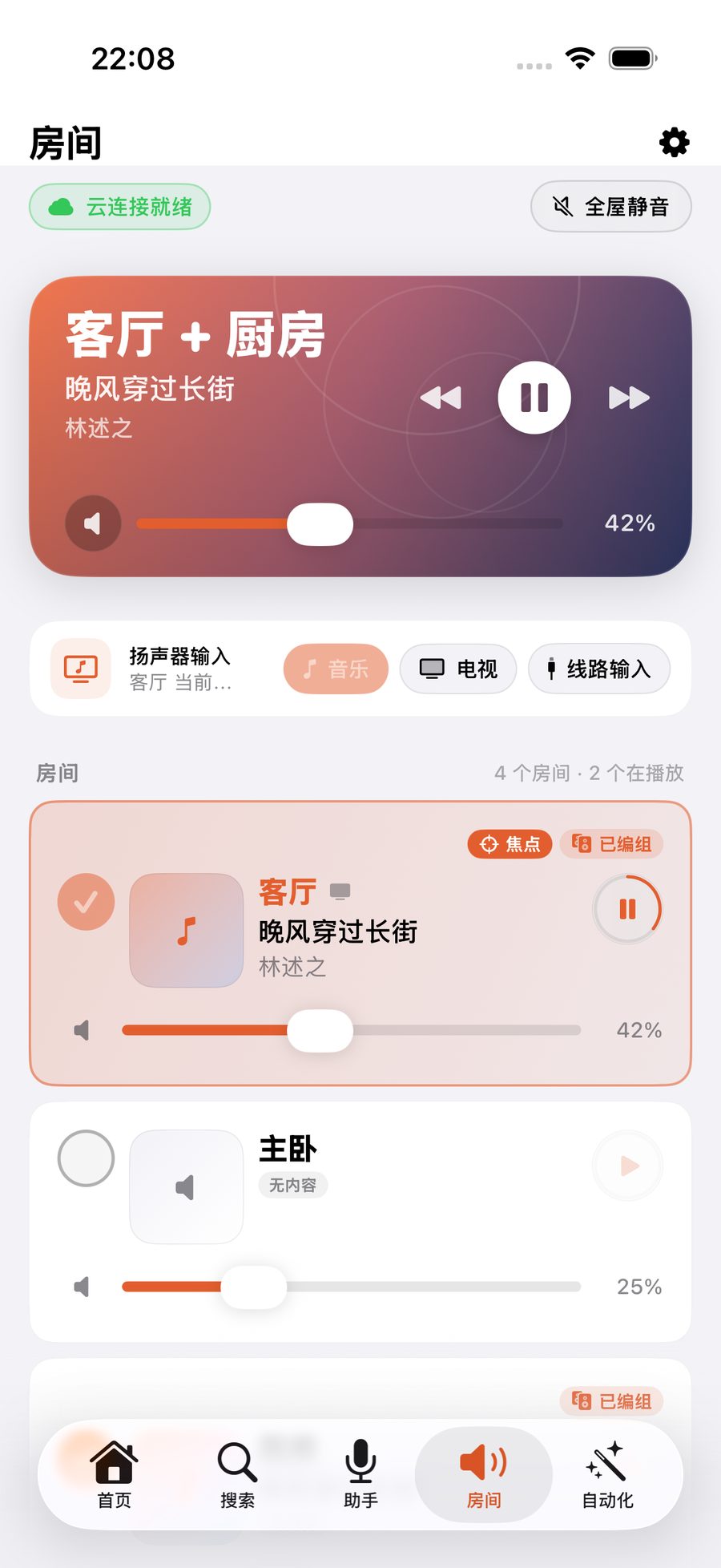
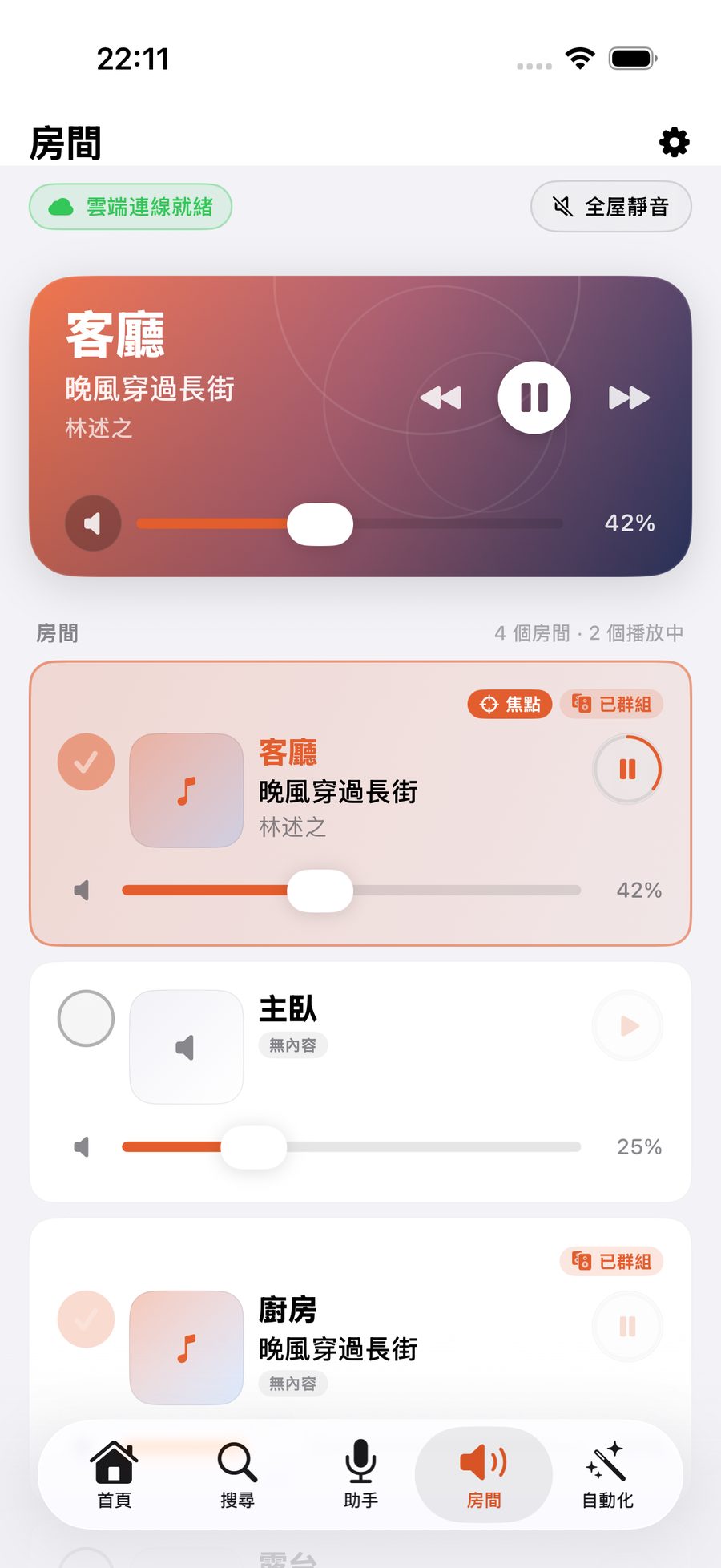
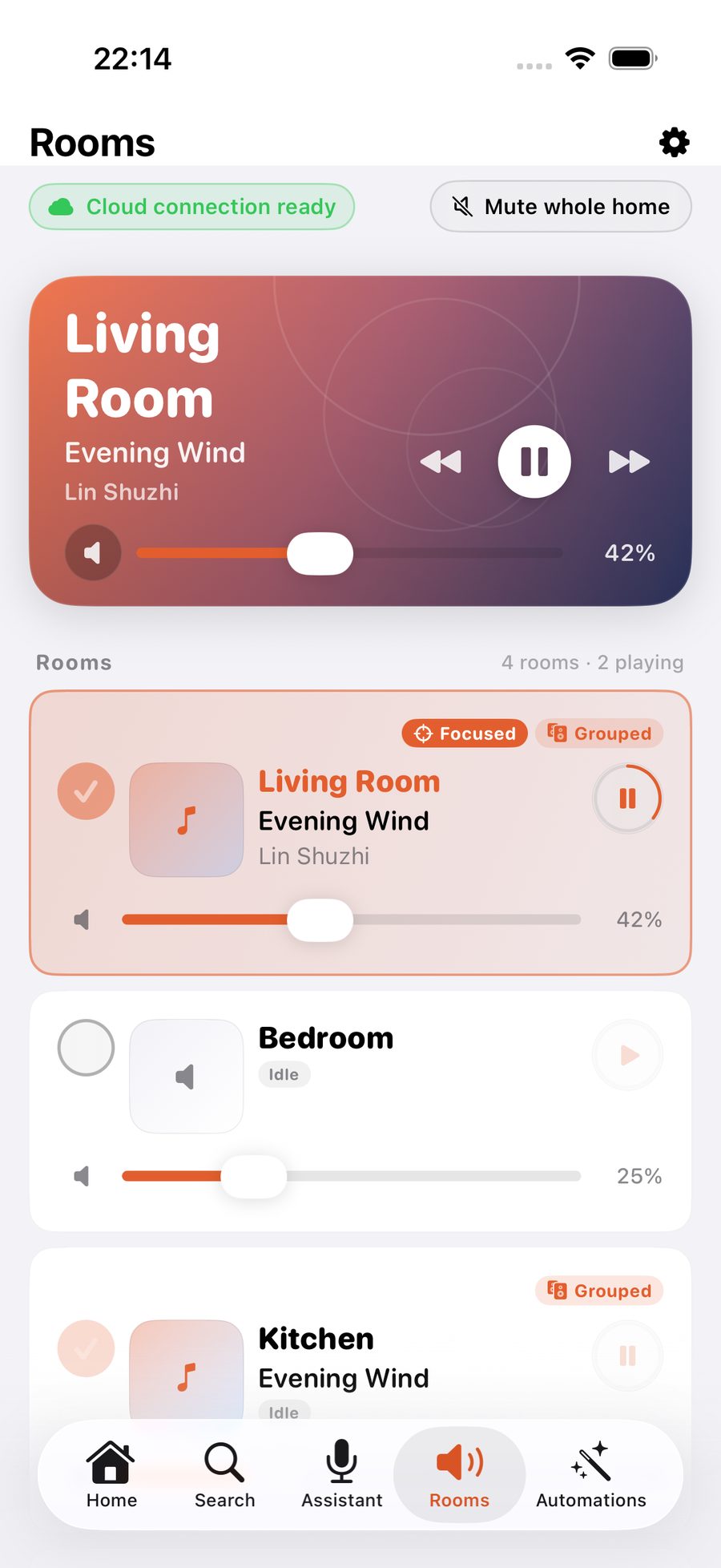
回到 App,几秒内首页和「房间」标签就会列出你家所有房间。如果你的账户里有好几套 Sonos 系统,会先让你「选择你的 Sonos 系统」,选你家那一套。看到房间,就说明连接完成——去搜一首歌试试。返到 App,幾秒內首頁和「房間」分頁就會列出你家所有房間。如果你的帳戶裏有幾套 Sonos 系統,會先讓你「選擇你的 Sonos 系統」,選你家那一套。見到房間,就代表連接完成——去搜一首歌試下。Back in the app, your rooms show up on Home and the Rooms tab within seconds. If your account has more than one Sonos system, you'll first be asked to "Choose your Sonos system" — pick the one at your home. Rooms visible = connection done — go search for a song.
跳过会少什么?跳過會少什麼?What do you miss if you skip?
不登录时,ZoneFoundry 走纯局域网直连:同一个 Wi-Fi 下播放、暂停、音量、分组、EQ 照常,队列、收藏、歌单、闹钟、改房名也照常(见纯 Wi-Fi 控制),还有简单广播:输入一句话,用内置语音播到当前房间,播完自动恢复原来的音乐。需要登录的只有三类:出门远程控制;AI 助手、场景、新闻播报和全屋广播;以及跨云端音乐服务搜歌。随时可以补登,什么都不会丢。不登入時,ZoneFoundry 走純區域網絡直連:同一個 Wi-Fi 下播放、暫停、音量、分組、EQ 照常,佇列、收藏、歌單、鬧鐘、改房間名稱也照常(見純 Wi-Fi 控制),還有簡單廣播:輸入一句話,用內置語音播到目前的房間,播完自動恢復原來的音樂。需要登入的只有三類:出門遙距控制;AI 助手、場景、新聞播報和全屋廣播;以及跨雲端音樂服務搜歌。隨時可以補登,甚麼都不會丟失。Without signing in, ZoneFoundry runs in pure local mode: on the same Wi-Fi, play/pause, volume, grouping and EQ all work, and so do the queue, favourites, playlists, alarms and renaming rooms (see Wi-Fi-only control). There is also a simple broadcast: type a sentence and a built-in voice plays it in the current room, then your music resumes. Only three things need you to sign in: control away from home; the AI assistant, scenes, news briefings and whole-home broadcasts; and searching across cloud music services. You can sign in any time, losing nothing.
登录与不登录,差在哪
登录不需要桥接、不需要额外设备;随时可以补登,什么都不会丢。
登入與不登入,差在哪
登入不需要橋接、不需要額外裝置;隨時可以補登,什麼都不會丟。
Signed in vs. not signed in
Signing in needs no bridge or extra hardware. Sign in any time, losing nothing.
断开、换账号斷開、換賬號Disconnecting or switching accounts
「设置 → Sonos 账户」里可以随时断开连接。注意:断开会影响你所有设备(见下面第 8 条);断开后出现「连接你的 Sonos」页时,点「稍后再说」就能继续在同一个 Wi-Fi 下控制。要换一个 Sonos 账号,断开后用另一个账号重新登录。一个账户里有好几套 Sonos 系统,想换一套的做法见下面第 6 条。「設定 → Sonos 帳戶」裏可以隨時斷開連接。注意:斷開會影響你所有裝置(見下面第 8 條);斷開後出現「連接你的 Sonos」頁時,按「稍後再說」就可以繼續在同一個 Wi-Fi 下控制。要換一個 Sonos 帳戶,斷開後用另一個帳戶重新登入。一個帳戶裏有幾套 Sonos 系統,想換一套的做法見下面第 6 條。Settings → Sonos account lets you disconnect any time. Note that disconnecting affects every device (see item 8 below); when the "Connect your Sonos" screen appears afterwards, tap "Maybe later" to keep controlling on your Wi-Fi. To switch accounts, disconnect and sign in with the other account. To switch between several Sonos systems in one account, see item 6 below.
Sonos 账号和 ZoneFoundry 账号是两回事,各管各的。ZoneFoundry 账号用什么方式登录、怎么绑定,见ZoneFoundry 账号。Sonos 帳戶和 ZoneFoundry 帳戶是兩回事,各自獨立。ZoneFoundry 帳戶用甚麼方式登入、如何綁定,請見ZoneFoundry 帳戶。Your Sonos account and your ZoneFoundry account are separate things. For how you sign in to ZoneFoundry and link methods, see Your ZoneFoundry account.
连不上 Sonos 怎么办?連不上 Sonos 怎麼辦?Can't connect to Sonos?
- 登录页一直在转,或者很慢:App 会显示「正在确认 Sonos 连接…」,网络慢的话可能要一分钟以上,先别离开这一页。还是打不开,就点「改用 Safari 打开」,在 Safari 里登录 Sonos,完成后点「打开」回到 ZoneFoundry。登入頁一直在轉,或者很慢:App 會顯示「正在確認 Sonos 連線…」,網絡慢的話可能要一分鐘以上,先不要離開這一頁。仍然打不開,就按「改用 Safari 開啟」,在 Safari 裏登入 Sonos,完成後按「開啟」返回 ZoneFoundry。The sign-in page keeps spinning or loads slowly: the app shows "Checking your Sonos connection…" — on a slow connection this can take a minute or more, so keep that screen open. If it still won't load, tap "Open in Safari instead", sign in to Sonos in Safari, then tap "Open" to return to ZoneFoundry.
- 网页上已经登录了,App 里还显示没连接:点「已经登录过了?刷新状态」。網頁上已經登入了,App 裏仍顯示未連接:按「已經登入咗?重新整理狀態」。You signed in on the web page, but the app still says not connected: tap "Already signed in? Refresh status".
- 登录窗口自己关掉了:通常是 iPhone 的默认浏览器改成了别的浏览器。到 iPhone「设置 → App → 默认浏览器 App」改回 Safari,再试一次。登入視窗自己關閉了:通常是 iPhone 的預設瀏覽器改成了其他瀏覽器。到 iPhone「設定 → App → 預設瀏覽器 App」改回 Safari,再試一次。The sign-in window closes by itself: usually your iPhone's default browser has been changed to another browser. Go to iPhone Settings → Apps → Default Browser App, switch back to Safari and try again.
- 登录成功了,但一个房间都没出现:最常见的原因是「本地网络」权限没打开。「房间」页会显示「这个 Wi-Fi 下找不到你的 Sonos」,点「打开设置」就能直接去打开;也可以手动到 iPhone「设置 → 隐私与安全性 → 本地网络 → ZoneFoundry」打开。另外确认手机和音箱连的是同一个 Wi-Fi,不是访客网络。登入成功了,但一個房間都沒有出現:最常見的原因是「本地網絡」權限未開啟。「房間」頁會顯示「這個 Wi-Fi 下找不到你的 Sonos」,按「開啟設定」就可以直接去開啟;也可以手動到 iPhone「設定 → 私隱與保安 → 本地網絡 → ZoneFoundry」開啟。另外確認手機和音箱連的是同一個 Wi-Fi,不是訪客網絡。Signed in, but no rooms appear: the most common cause is that Local Network permission is off. The Rooms tab shows "Can't see your Sonos on this Wi-Fi" — tap "Open Settings" to go straight there and turn it on, or do it by hand in iPhone Settings → Privacy & Security → Local Network → ZoneFoundry. Also check that your phone and speakers are on the same Wi-Fi, not a guest network.
- 登录的账户里没有音箱:多半是当初设置音箱用的是另一个 Sonos 账户(比如家里另一个人的)。到「设置 → Sonos 账户」点「断开 Sonos 账户连接」,再用设置音箱的那个账户登录。1.0.9 的表现是登录成功但一直没有房间;1.0.10 起会直接提示「这个 Sonos 账户里没有音箱」。两种情况做法一样。登入的帳戶裏沒有音箱:多數是當初設定音箱用的是另一個 Sonos 帳戶(例如家中另一個人的)。到「設定 → Sonos 帳戶」按「斷開 Sonos 帳戶連接」,再用設定音箱的那個帳戶登入。1.0.9 的情況是登入成功但一直沒有房間;1.0.10 起會直接提示「此 Sonos 帳戶沒有喇叭」。兩種情況做法一樣。The account you signed in with has no speakers: most likely your speakers were set up with a different Sonos account (someone else's in the household, say). Go to Settings → Sonos account, tap "Disconnect Sonos account", then sign in with the account the speakers were set up with. In 1.0.9 this shows up as a successful sign-in with no rooms; from 1.0.10 the app says "No speakers in this Sonos account". The fix is the same either way.
- 一个账户里有好几套 Sonos(比如家里和公司):登录后会先让你「选择你的 Sonos 系统」,每个系统都会列出里面有哪些房间,方便认出哪套是自己家的。以后要换:先「断开 Sonos 账户连接」,再重新登录,会再让你选一次。一個帳戶裏有幾套 Sonos(例如家裏和公司):登入後會先讓你「選擇你的 Sonos 系統」,每個系統都會列出裏面有哪些房間,方便認出哪套是自己家的。之後要換:先「斷開 Sonos 帳戶連接」,再重新登入,會再讓你選一次。Several Sonos systems in one account (home and office, say): after signing in you'll be asked to "Choose your Sonos system"; each system lists its rooms so you can tell which one is yours. To switch later, "Disconnect Sonos account" and sign in again — you'll be asked to choose again.
- 首页出现「Sonos 登录已失效」或「Sonos 连接中断了」:出门遥控和语音助手会暂停,同一个 Wi-Fi 下的局域网控制不受影响。点这条横幅重新登录一次就能恢复。首頁出現「Sonos 登入已失效」或「Sonos 連線中斷」:出門遙控和語音助手會暫停,同一個 Wi-Fi 下的區域網絡控制不受影響。按這條橫額重新登入一次就可以恢復。Home shows "Sonos sign-in expired" or "Sonos connection interrupted": away-from-home control and the voice assistant pause, while control on your home Wi-Fi keeps working. Tap the banner and sign in once more to restore them.
- 断开 Sonos 账户连接会怎样:确认框写着「解除授权后,所有设备都需要重新登录 Sonos 才能继续控制」——同一个家里的其他手机也会受影响。断开后会回到「连接你的 Sonos」页,点「稍后再说」就能继续在同一个 Wi-Fi 下控制。斷開 Sonos 帳戶連接會怎樣:確認框寫着「解除授權後,所有裝置都需要重新登入 Sonos 才能繼續控制」——同一個家裏的其他手機也會受影響。斷開後會回到「連接你的 Sonos」頁,按「稍後再說」就可以繼續在同一個 Wi-Fi 下控制。What disconnecting your Sonos account does: the confirmation says "After disconnecting, every device must sign in to Sonos again" — other phones in the same home are affected too. Afterwards you land on "Connect your Sonos"; tap "Maybe later" to keep controlling on the same Wi-Fi.
- 还没有 Sonos,或者不想现在登录:在引导里点「没有 Sonos?先看演示」,用示例数据看一遍 App 能做什么,不会碰到任何真实音箱。想离开演示,在首页顶部点「连接真实 Sonos」。還沒有 Sonos,或者暫時不想登入:在引導裏按「未有 Sonos?先睇示範」,用示例資料看一遍 App 能做甚麼,不會碰到任何真實音箱。想離開示範,在首頁頂部按「連接真實 Sonos」。No Sonos yet, or not ready to sign in: in onboarding, tap "No Sonos yet? See the demo" to tour the app with sample data — it never touches real speakers. To leave the demo, tap "Connect real Sonos" at the top of Home.
不想登云,也有得用不想登雲,也有得用You do not have to sign in to the cloud
ZoneFoundry 支持局域网直连控制,不依赖 Sonos 云账号;想用云端功能再登也不迟。Bridge 是可选增强,不是入场券。ZoneFoundry 支援區域網絡直連控制,不依賴 Sonos 雲端帳戶;想用雲端功能再登入也不遲。Bridge 是可選增強,並非入場券。ZoneFoundry can control Sonos directly over your local network without a Sonos cloud account. Sign in later if you want the cloud features. The Bridge is an optional upgrade, not an entry ticket.


